Process Type
Graphical expression
Mind Type
Structured expression
Note Type
Efficient expression
Treemap
Bracket Diagram

Default Mode




In software development, enterprise digitalization and product design, architecture diagrams are an important tool for mapping system components, technical modules, business relationships and data flows. A clear, well-structured architecture diagram helps developers understand the system design, helps product managers organize functional modules, and lets technical and business teams communicate solutions more intuitively.
So which software should you use to draw architecture diagrams? Which architecture diagram tools are actually good? And if you have no professional drawing experience, can you generate architecture diagrams directly with AI?
This article introduces several common architecture diagram tools and compares them in terms of drawing capabilities, ease of use, collaboration features and AI generation, with a focus on how ProcessOn helps users draw and AI-generate all kinds of architecture diagrams online.
Architecture diagrams are not limited to software system architecture. Depending on the design target and the purpose of expression, common types include system architecture diagrams, technical architecture diagrams, business architecture diagrams, data architecture diagrams, product architecture diagrams, functional architecture diagrams, deployment architecture diagrams, application architecture diagrams and information architecture diagrams.
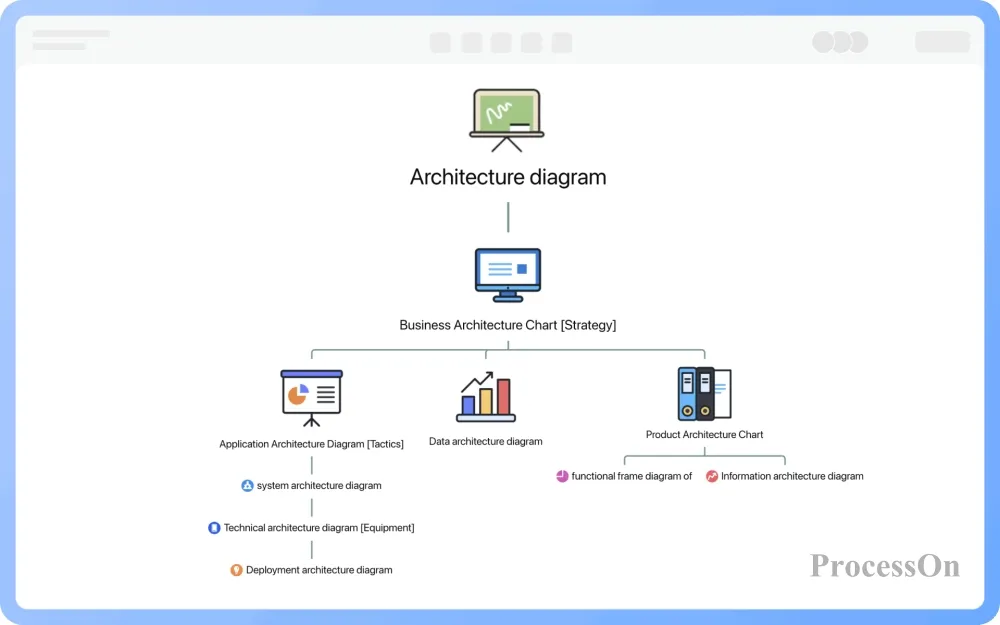
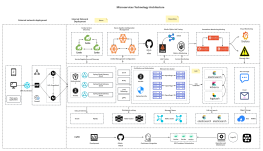
A system architecture diagram gives a god's-eye view of the whole system, covering its main internal modules and the interactions between them. It focuses on the overall structure and scalability of the system, reveals deployment and physical structure, and guides design in every direction.
It is typically used for system design, technical solution reviews and project development.
A technical architecture diagram is the technical execution branch beneath product development. It focuses on the technology stack, the technical components and how they are integrated, giving the technical team an overview of how the system is implemented and helping team members understand the system's technical architecture and technology choices.
A business architecture diagram focuses on an organization's business goals, processes and strategies, collecting, breaking down, distilling, summarizing and classifying the business. It describes the business model, value chain, business processes and business rules, helping business analysts, product managers and senior managers understand how the organization operates and supporting business decisions. It is widely used in enterprise digitalization and business planning.
A data architecture diagram is the link between business and systems. It focuses on how data is stored, including data models, storage formats, data transfer, replication and synchronization strategies. It shows the data model of the main architecture, the data distribution and the structure and relationships between data assets, giving database administrators and developers guidance on data management and processing and helping them understand the system's data structure and data flows.
A product architecture diagram depends on the core business, since the business determines product features and direction. It is the design and planning of the main product and may cover both shipped and planned content. It helps the product team review the product's positioning and direction, spot problems early, adjust in time and plan and design the product more effectively.
A functional architecture diagram moves from the macro to the micro level and presents the product's functional system. If the product architecture diagram is the macro view, the functional architecture diagram is the micro view: it helps developers and testers understand the implementation logic and module breakdown of product features, as well as the relationships between functional modules.
A deployment architecture diagram focuses on how the system is deployed across physical machines and network environments, including the configuration and layout of hardware, software and network devices. It gives system administrators and operations staff a deployment plan and helps them understand the physical layout and deployment requirements.
An application architecture diagram carries the implementation of the business model and product features and also guides the design and rollout of technical modules. It helps developers and architects understand the overall structure of the application system and how each technical component is integrated.
An information architecture diagram focuses on how information is organized and presented in a system or product, including classification, labels and navigation. It helps UX designers and information architects optimize the product's information structure and user interface and improve the user experience.
Different types of architecture diagrams have different focuses. When choosing a drawing tool, consider whether it provides the matching shapes, templates and editing capabilities.
When choosing architecture diagram software, match it to your actual use case. Some tools focus on professional graphics, some are built for online collaboration, and others are better suited to generating diagrams from code.
Here are five representative architecture diagram tools.
ProcessOn is an online drawing and collaboration platform that supports many kinds of architecture diagrams. Unlike traditional drawing software, ProcessOn requires no client download: users can create, edit and share architecture diagrams right in the browser. The platform also offers an architecture diagram template community and AI drawing capabilities, so architecture design can be completed either by manual editing or by AI generation.
Key features:
For users who need to draw different types of architecture diagrams and want to use AI to speed up drawing, ProcessOn is a choice worth considering.

ProcessOn website: www.processon.io
Microsoft Visio is professional drawing software from Microsoft, widely used for business process design, network architecture, IT infrastructure planning and software system modeling.
Visio offers a wide range of professional templates and shape libraries for drawing network diagrams, cloud architecture diagrams, software and database diagrams, UML diagrams and enterprise business process diagrams.
Key features:
Visio suits users who already work in the Microsoft Office ecosystem and need professional shape resources and enterprise-grade drawing workflows. Note that some advanced features and professional shape libraries require a paid plan.
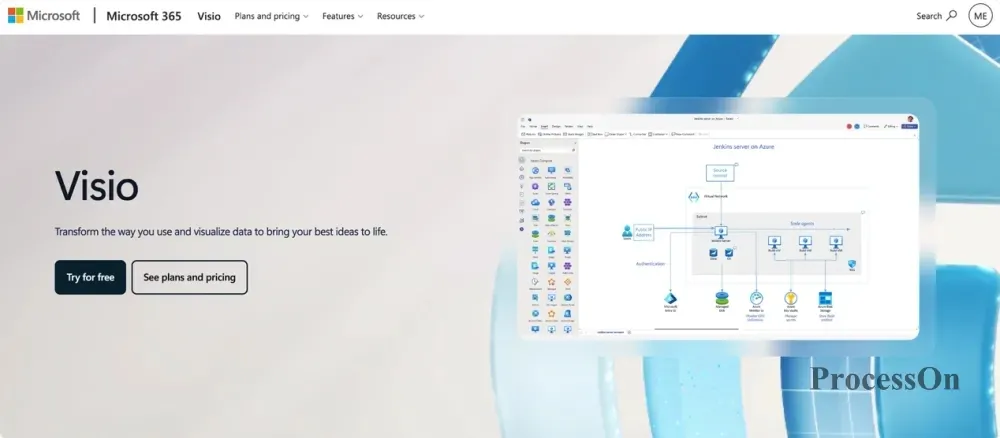
Image source: microsoft.com
Lucidchart is an online diagramming tool that supports flowcharts, system architecture diagrams, network diagrams, UML diagrams, database relationship diagrams and more.
Its strength lies in combining professional drawing with team collaboration: users can create diagrams in the browser and edit and discuss them together with team members.
Key features:
Lucidchart suits individuals and businesses that need online drawing, team collaboration and management of complex diagrams.

Image source: lucidchart.com
diagrams.net, formerly draw.io, is a popular free drawing tool suited to system architecture diagrams, network topology diagrams, cloud architecture diagrams, flowcharts and UML diagrams.
It offers an extensive shape library and supports drag-and-drop module organization, connector lines and layout adjustment. It works in the browser, and a desktop version is also available.
Key features:
diagrams.net suits users on a limited budget who prefer the traditional drag-and-drop approach and do not need advanced team collaboration features.

Image source: diagrams.net
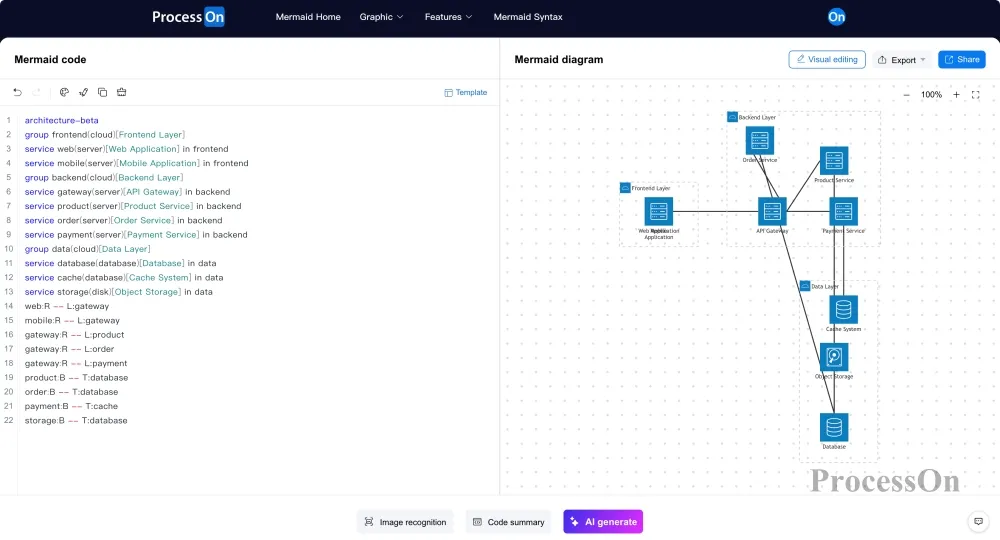
Mermaid is a tool that generates diagrams from text syntax: users write a specific syntax to describe the diagram structure, and Mermaid renders it as a visual graphic.
It is commonly used in Markdown documents, technical notes, developer documentation and code repositories, and suits developers who are used to managing diagrams as code.
Key features:
Mermaid is better suited to developers who are comfortable with syntax. If you want to freely adjust shapes by dragging, a traditional online drawing tool may be easier to pick up.
| Software | Core positioning | Key features | Best for |
| ProcessOn | Online drawing and collaboration | AI generation, template community | Individuals, product managers, technical teams |
| Microsoft Visio | Professional drawing | Professional shape libraries, Microsoft ecosystem | Enterprise users, IT staff |
| Lucidchart | Online professional drawing | Diagramming, team collaboration | Enterprises and collaborative teams |
| diagrams.net | Free general-purpose drawing | Free, rich shapes, flexible | Students, developers, individual users |
| Mermaid | Diagramming as code | Text syntax, document integration | Developers, technical writers |
Overall, if your main need is professional IT graphics and enterprise drawing workflows, consider Visio; if you want to draw all kinds of diagrams for free, choose diagrams.net; if you prefer to manage diagrams through code, consider Mermaid.
If you want to draw many kinds of architecture diagrams in one platform, reuse templates, collaborate online and use AI to help generate diagrams, take a closer look at ProcessOn.
Architecture diagrams often involve multiple layers, different types of components and complex connections. A drawing tool must provide not only basic shapes but also drawing efficiency, template resources, collaboration and follow-up editing.
Around architecture diagramming, ProcessOn offers a full set of features, from shapes and templates to AI generation and online editing.
Different roles and projects need different types of architecture diagrams. System designers need system architecture diagrams, engineers need technical architecture diagrams, product managers need product architecture diagrams, and business managers may need business architecture diagrams.
ProcessOn provides a dedicated entry point for architecture diagrams, covering the most common types:
| Architecture diagram type | Main purpose | Typical scenarios |
| System architecture diagram | Shows the overall composition of the system and the relationships between modules | Software system design |
| Technical architecture diagram | Shows the technology stack and technical components | Technical solution review |
| Business architecture diagram | Organizes business modules and business relationships | Enterprise digitalization planning |
| Data architecture diagram | Shows data models and data flows | Data governance, data platform design |
| Product architecture diagram | Organizes the product's feature system | Product planning and design |
| Functional architecture diagram | Breaks down system functional modules | Requirements analysis, R&D design |
| Deployment architecture diagram | Shows the system deployment environment | Operations deployment, infrastructure planning |
| Application architecture diagram | Shows application systems and their relationships | Enterprise application integration |
| Information architecture diagram | Shows the classification and navigation structure of information | Product design, UX optimization |
Beyond these types, users can also draw other custom architecture sketches with basic shapes, connectors and text labels according to their actual needs.
Architecture diagram entry: https://www.processon.io/framework
When drawing architecture diagrams, you often need basic elements such as rectangles, rounded rectangles, connectors, arrows, containers and text, and sometimes professional shapes for servers, databases and network devices.
ProcessOn provides architecture-related shapes and theme styles. Users can drag shapes onto the canvas as needed, add names and descriptions, then use connectors to express calls, dependencies or data flows between components.
A typical drawing process includes:
For users without professional modeling experience, this visual editing approach is intuitive and makes later changes easy.
Designing an architecture diagram from a blank canvas means defining the overall structure first and then adding modules and connections step by step. If you are not familiar with architecture design, start from existing templates.
The ProcessOn template community has an architecture diagram category with works such as system architecture diagrams, overall software system architecture diagrams and microservice architecture diagrams. Users can search templates by project need, review the diagram structure, and clone reusable templates for further editing.
For example:
The value of templates is not only saving drawing time but also helping users learn the common ways of presenting different architecture diagrams.
Architecture diagram templates: https://www.processon.io/template/framework
Traditional architecture diagramming requires users to organize modules manually, decide the hierarchy, add shapes and connect components. For complex systems, the initial structuring and layout can take considerable time.
With AI drawing, users can first describe their design needs, let AI produce a first draft of the diagram, and then keep refining it.
ProcessOn AI supports several ways to input your requirements:
For example, to draw a microservice architecture diagram for an e-commerce platform, a user could enter the following request:
"Please draw a microservice system architecture diagram for an e-commerce platform, including the user access layer, API gateway, business service layer, data storage layer and infrastructure layer. The business service layer includes the user service, product service, order service, payment service and inventory service; the data storage layer includes MySQL, Redis and Elasticsearch; the infrastructure layer includes the message queue. Please show the call relationships and data flows between services, use a layered layout, and keep the structure clear enough for a technical solution review."
After AI generates the diagram, users can review the module breakdown, adjust component names, revise connections and optimize the layout so the diagram better matches the real project.
AI-generated content works well as a design draft. When it comes to the technology choices, service dependencies and deployment relationships of a real system, it is still advisable to have the relevant technical staff verify the result.
AI drawing tool: https://www.processon.io/ai
Architecture diagrams are rarely finished in one go. As project requirements change, system modules, technical components and service relationships may also change, so later editing and team collaboration matter just as much.
ProcessOn supports online editing and multi-user collaboration. Team members can view or join diagram collaboration through a shared link, reducing the version-control problems caused by passing files back and forth.
In addition, architecture diagram files support cloud storage and cross-device sync, and users can export PNG, PDF, SVG, Visio and other formats for technical documentation, project reports and solution reviews.
If you are not familiar with professional drawing tools, start with AI generation and then adjust the architecture diagram to your actual needs.
The following uses an e-commerce platform system architecture diagram as an example to explain the basic workflow.
Step 1: Open the ProcessOn AI page
Open the ProcessOn AI page (https://www.processon.io/ai), You need to sign up first.
Step 2: Describe your architecture diagram requirements
You can type the text directly, or use voice, upload an image or provide a web page link as appropriate.
It is best to cover the following information:
The clearer your description, the more likely AI will produce the architecture diagram you expect.
Step 3: Let AI generate the architecture diagram
After you submit the request, AI generates the diagram from your input. You can review the result and check whether the module names, hierarchy and connections match your expectations.
Step 4: Edit and refine the architecture diagram
AI-generated diagrams may not fully match the actual design, so you can continue to adjust:
Step 5: Save, export or share
When you are done editing, you can save the architecture diagram, export it as an image or document, or send it to team members via a share link for solution discussions and reviews.
It depends on your drawing approach and needs. For professional shapes and enterprise workflows, consider Microsoft Visio; for free drawing, choose diagrams.net; for code-based diagrams, use Mermaid; and if you want to draw many kinds of architecture diagrams online with AI generation, templates and collaboration, consider ProcessOn.
diagrams.net is a common free drawing tool, and Mermaid is an open-source text-to-diagram tool. ProcessOn also offers a free way to use it: free users can create 9 files, try AI-generated architecture diagrams and use architecture diagram templates at no cost.
Yes. Some drawing tools already offer AI-assisted generation. With ProcessOn, for example, users can input requirements as text, voice, images or links, let AI generate the diagram, and then keep editing and refining it. This suits users who want to spend less time building diagrams by hand.
You can start from a template or use AI generation. Templates suit cases where a similar structure already exists, while AI suits generating a first draft from a natural-language request. Either way, check the component relationships and technical logic after generation.
Yes. Online drawing tools such as ProcessOn and Lucidchart offer collaboration features. Team members can view, edit and discuss the same architecture diagram, and the exact permissions depend on the product's features and plan.
Drawing an architecture diagram can follow four steps: first, clarify the object and purpose of the diagram (system, technical, business or data architecture diagram); then define the overall hierarchy; next, add functional modules and use connectors to show the relationships between them; finally, adjust the layout and add technical labels. If you are not familiar with professional drawing tools, you can pick a similar template from the ProcessOn architecture diagram template community and modify it, or use ProcessOn AI to enter a text request and generate a first draft of the architecture diagram directly, then adjust the details by dragging. A clear, well-structured architecture diagram can be finished in just a few minutes.
Architecture diagrams are a common visualization tool in software system design, technical solution communication and enterprise business planning. When choosing architecture diagram software, look beyond the richness of the shape library and also consider template resources, editing efficiency, file compatibility, online collaboration and AI assistance.
If you mainly do professional enterprise drawing within the Microsoft ecosystem, Microsoft Visio is a mature choice; if you want to draw architecture diagrams for free, consider diagrams.net; if you prefer managing technical diagrams with text syntax, choose Mermaid.
If you want a single online tool to draw system, technical, business and other architecture diagrams, quickly generate a first draft with AI, reuse existing designs through templates, and then edit and collaborate online, give ProcessOn a try.
Whether you start designing from a blank canvas or turn a text request into an architecture diagram with AI, ProcessOn offers a matching drawing method to help users map system structure and module relationships more intuitively.