

Register
Process Type
Graphical expression
Mind Type
Structured expression
Note Type
Efficient expression

Data Architecture Diagram Online Drawing

Try for free
Data Architecture Diagram Online Drawing
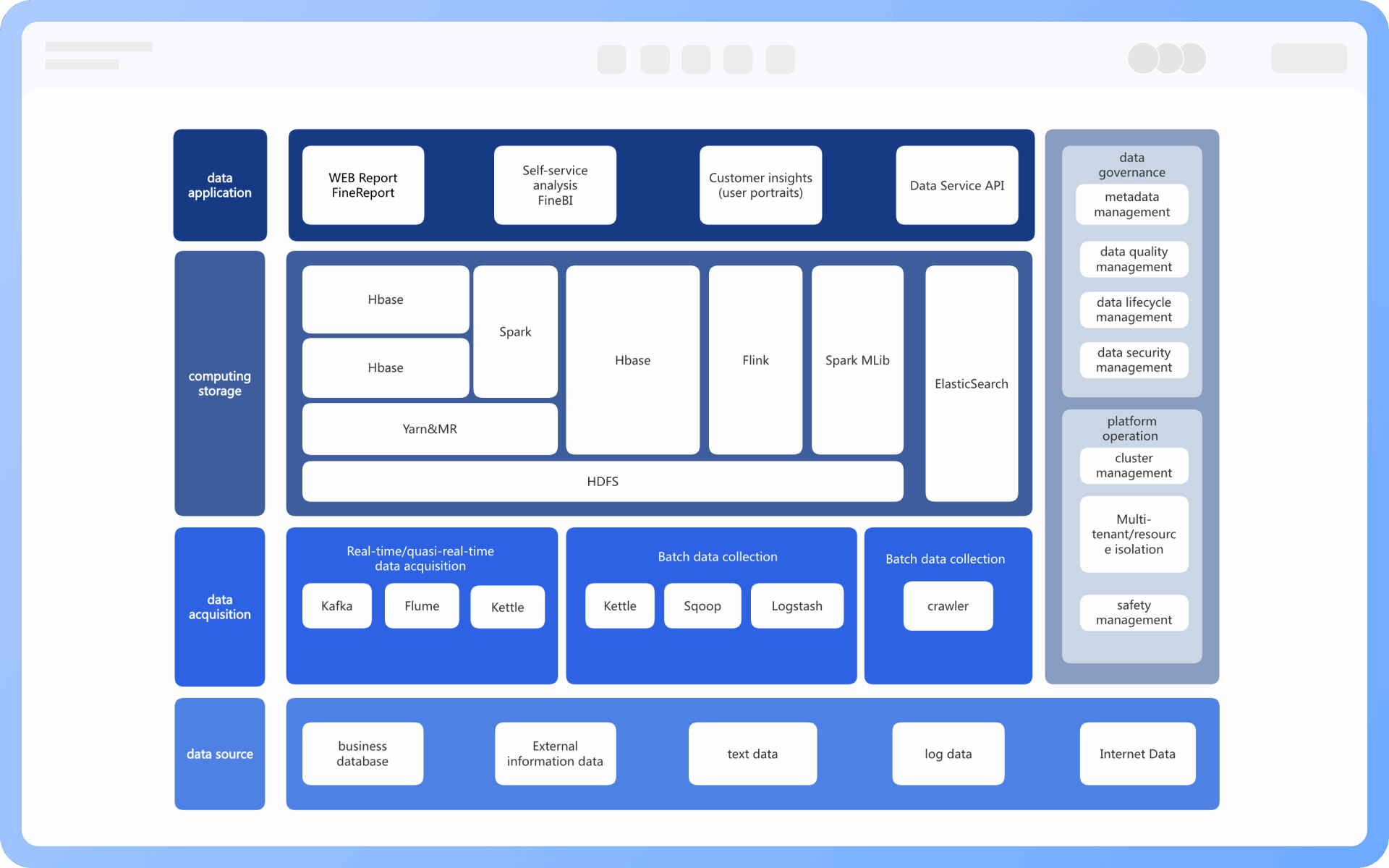
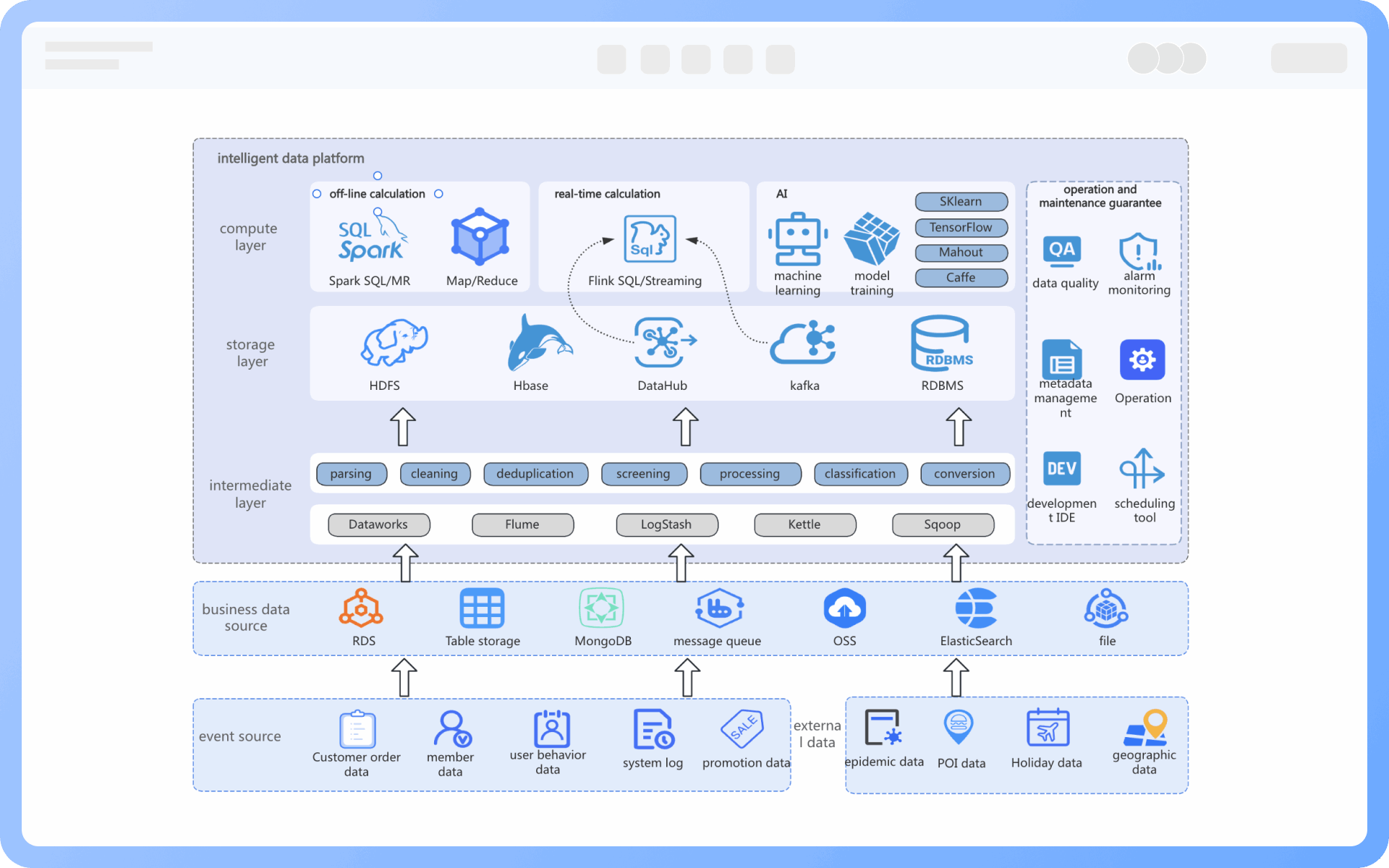
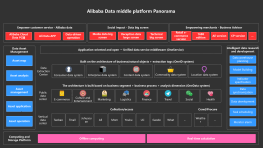
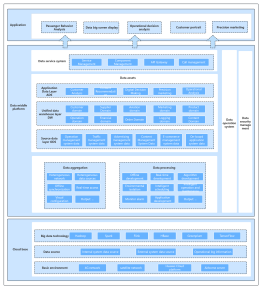
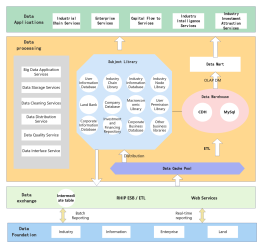
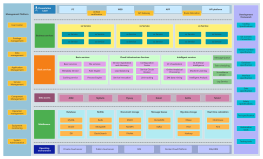
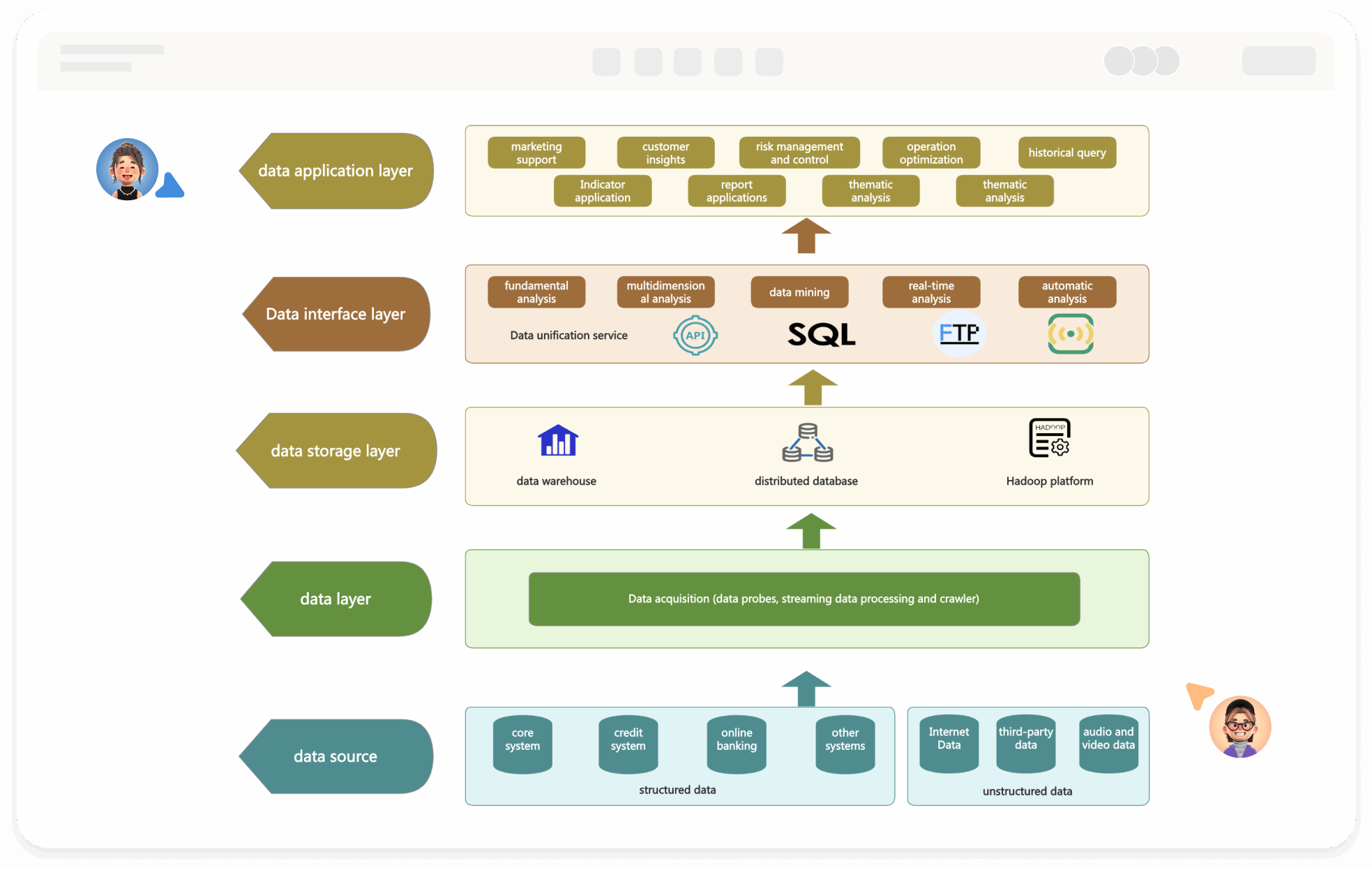
What is Data Architecture Diagram
Try for free
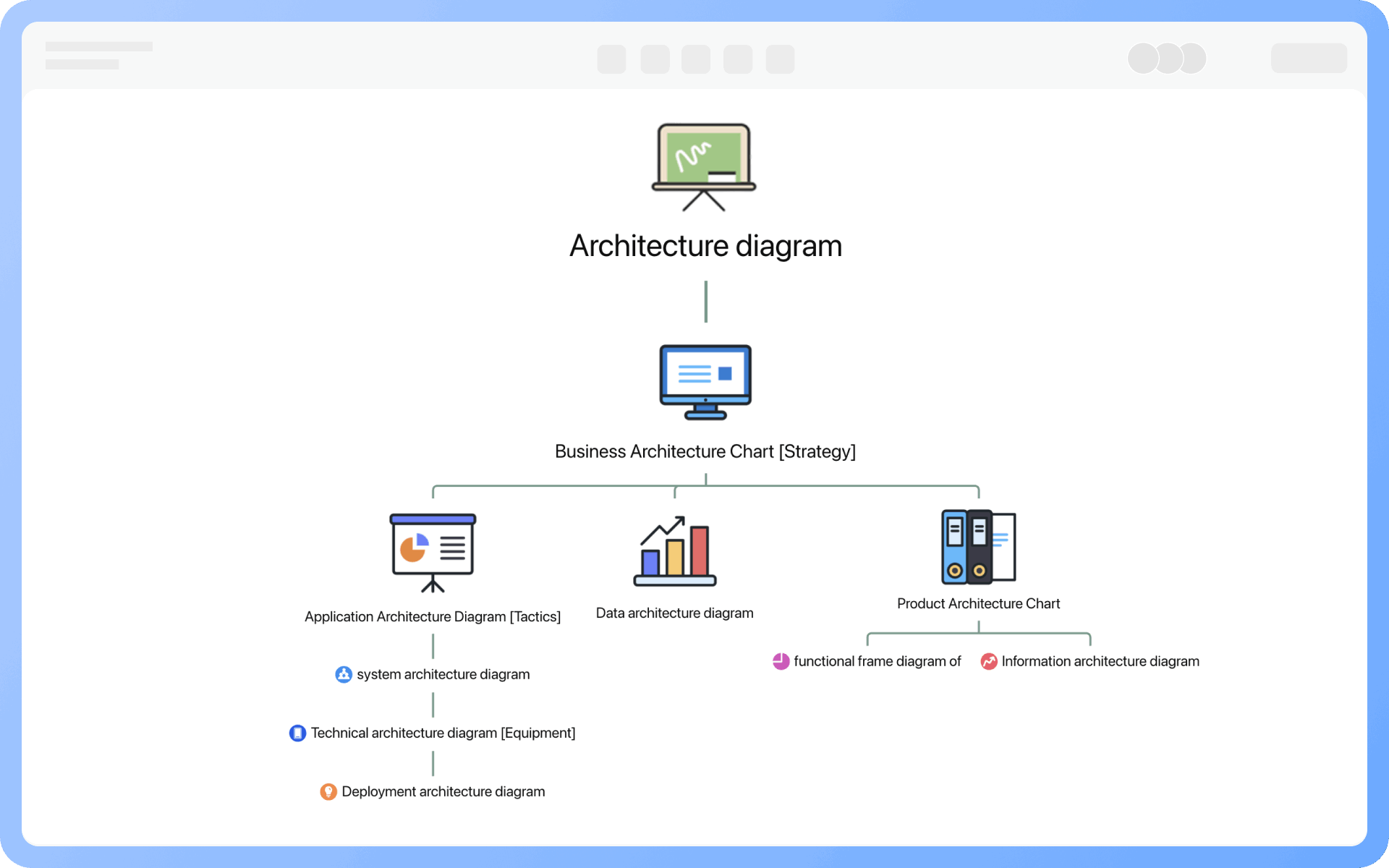
Architecture Diagram Detailed Classification
Try for free
Architecture
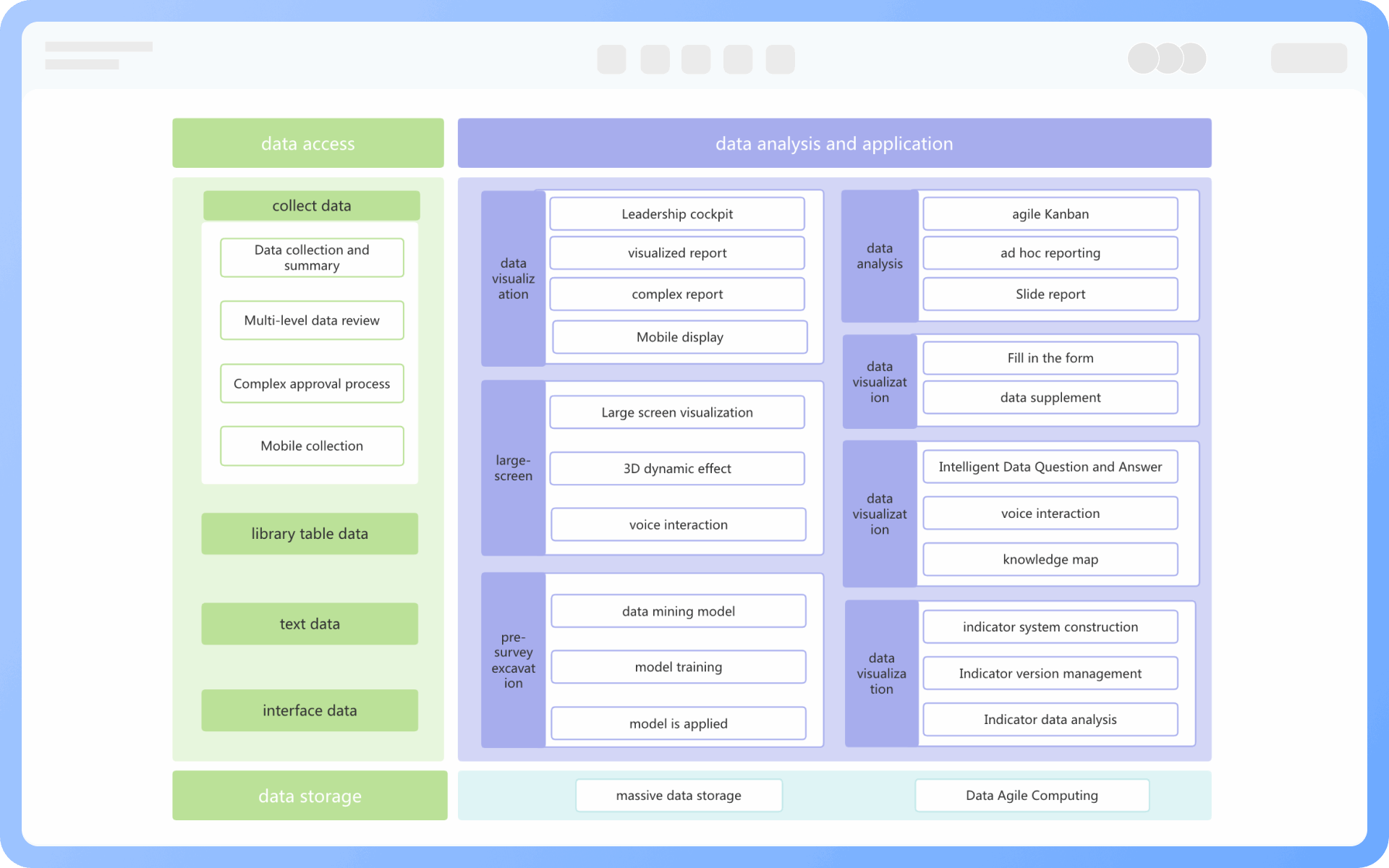
Data Architecture Diagram Elements
Try for free
Data
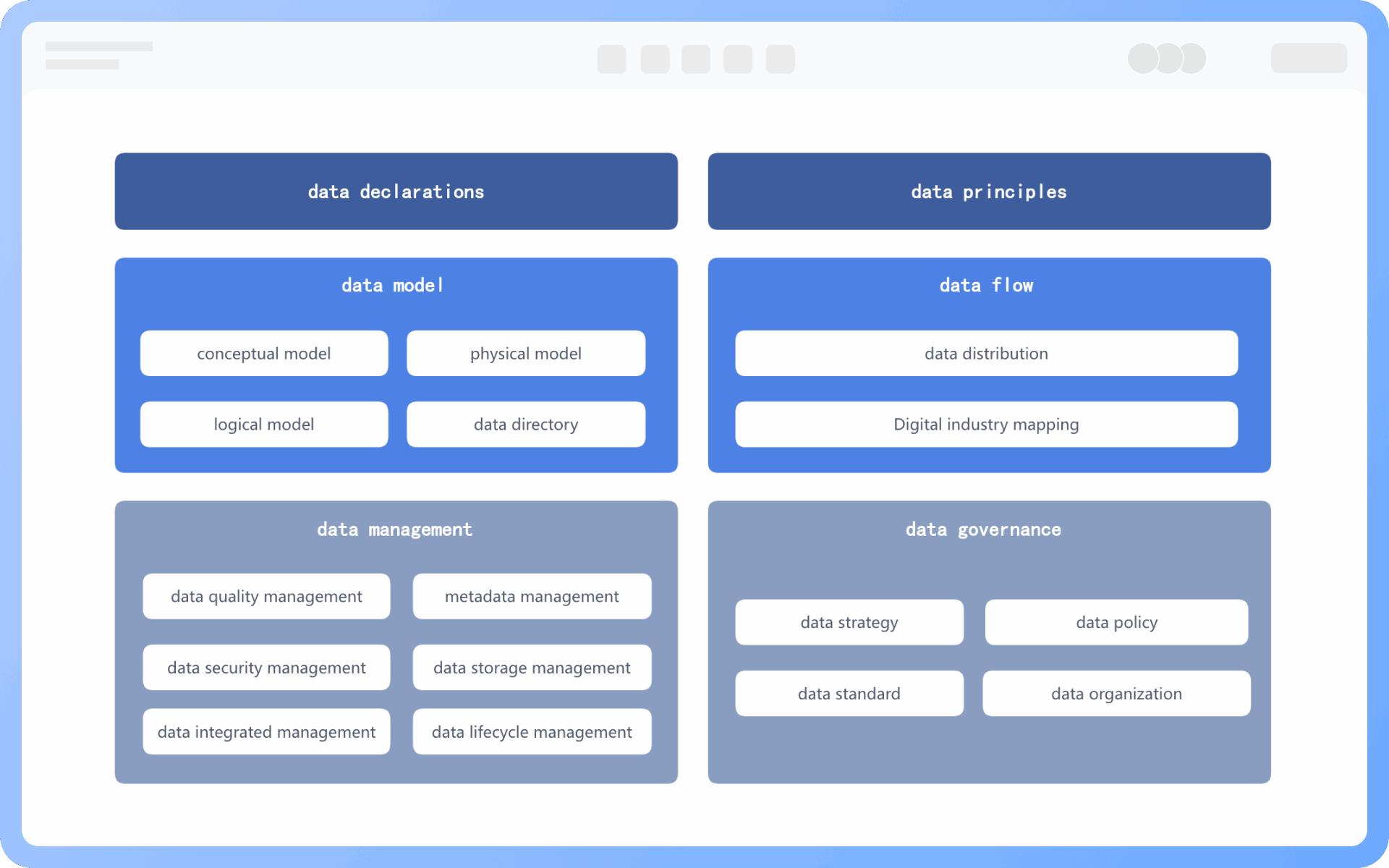
Six Modules of Data Architecture Diagram
Try for free
Six
Core Objectives of Data Architecture Diagram
Try for free
Core
Role of Data Architecture Diagram
Try for free
Role
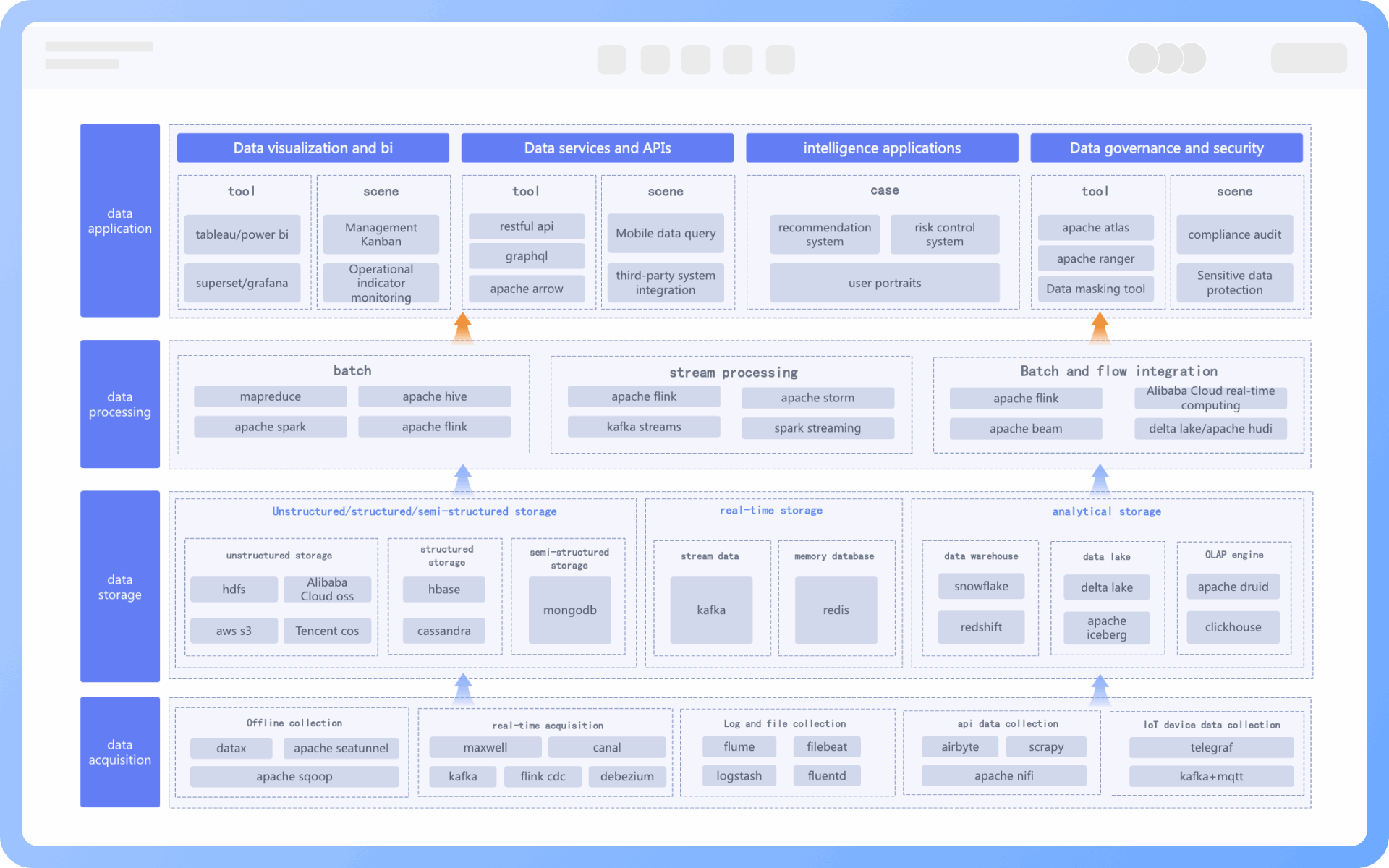
Design Steps of Data Architecture Diagram
Try for free
Design

ProcessOn Data Architecture Diagram Key Features

Online Collaboration

Supports real-time multi-user co-creation with shareable links for instant information transfer

Online Collaboration
One-Click AI Generation

Automatically generates graphics from text input and applies style enhancements

One-Click AI Generation
Personalized Style Customization

Prebuilt themes with full customization for personalized designs

Personalized Style Customization
Multiple Component Types

Supports icons, images, labels, LaTeX formulas, code blocks, links, attachments and more

Multiple Component Types
Multi-Format Compatibility

Export: PNG, VISIO, PDF, SVG | Import: VISIO, Mermaid

Multi-Format Compatibility
Cross-Device Sync

Real-time cloud storage, multi-device sync, version history, and secure data protection

Cross-Device Sync
Try for free

Data Architecture Diagram How to Draw?

Data Architecture DiagramHow to Draw?
1
Create a "structure diagram" or "flowchart" and then add "UML use case diagram" symbols to the drawing area, as the "container" symbol will be used during the creation process
2
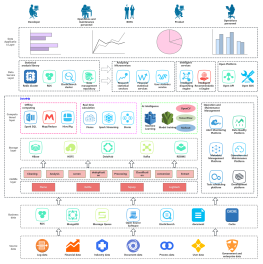
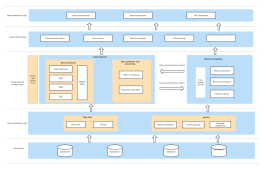
Determine components: Sort out requirements to determine key components to include, such as data sources, ETL tools, data storage, data analysis tools, etc.
3
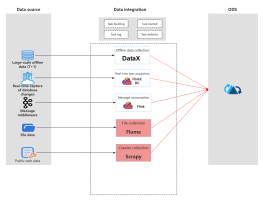
Draw data sources: Drag and drop symbols from the left to add data sources and annotate the type of data source and main data characteristics
4
Draw ETL process: Use arrows to indicate data flow direction, including data extraction, transformation, cleaning, and loading into a data warehouse or data lake to demonstrate the ETL process
5
Draw data storage: Drag and drop symbols from the left to add data storage and annotate its type and characteristics, considering the data lifecycle, including data storage, backup, and archiving
6
Draw data usage: Drag and drop symbols from the left for data usage scenarios and annotate related tools and technologies to clearly show how data is extracted, transformed, analyzed, and presented
7
Check and confirm the diagram is correct, and thus, a professional data architecture diagram is completed
Try for free

Data Architecture Diagram Frequently asked questions

What is the relationship between a data architecture diagram and an information architecture diagram?

The data architecture diagram and the information architecture diagram are two different concepts, but they are closely related in system design, influencing and collaborating with each other, both aiming to provide better user experience and system performance. 
The data architecture diagram focuses on data storage, flow, and relationships, while the information architecture diagram focuses on how users access and understand information. Simply put, the data architecture diagram is about 'data,' while the information architecture diagram is about 'how information is presented to users.'

What are the use cases for a data architecture diagram?

Data architecture is technology-oriented and can be organized based on information architecture. It is mainly used in three scenarios: enterprise data management, network security and privacy protection, and big data analysis.

What is the difference between a data architecture diagram and a data flow diagram?

The data architecture diagram primarily focuses on the structure and relationships of data, used to demonstrate the interactions and dependencies between data elements;

whereas the data flow diagram primarily focuses on the flow and operations of data, used to demonstrate the processes and transmission of data within a system.

Is a data architecture diagram valuable for small and medium-sized enterprises?

For small and medium-sized enterprises, a data architecture diagram is also of great value. It can help enterprises better understand and manage data, improve internal information flow and decision-making efficiency, thereby providing strong support for the development and competitiveness of the enterprise.

In which industries can a data architecture diagram be applied?

The data architecture diagram is primarily applied in the information technology industry, but it can also be applied in any field with data processing and management needs, such as finance, healthcare, education, etc. For any organization or field involving data, a data architecture diagram can play a role in planning, management, and decision support.

How to ensure the reliability and continuous updating of a data architecture diagram?

To ensure the reliability and continuous updating of a data architecture diagram, it is necessary to establish a good data management and maintenance mechanism. Ensure that the data architecture diagram is consistent with the actual situation and responds to changes and updates in a timely manner. In addition, regularly review and verify the accuracy of the data architecture diagram, and for important changes and adjustments, corresponding document updates and communication are required.

Should a data architecture diagram indicate data sources and types?

Yes. It is recommended to indicate data sources (such as CRM, ERP, Web logs) and their types (structured, semi-structured, unstructured), which helps in understanding data processing strategies and quality issues.

How to express data layering structure?

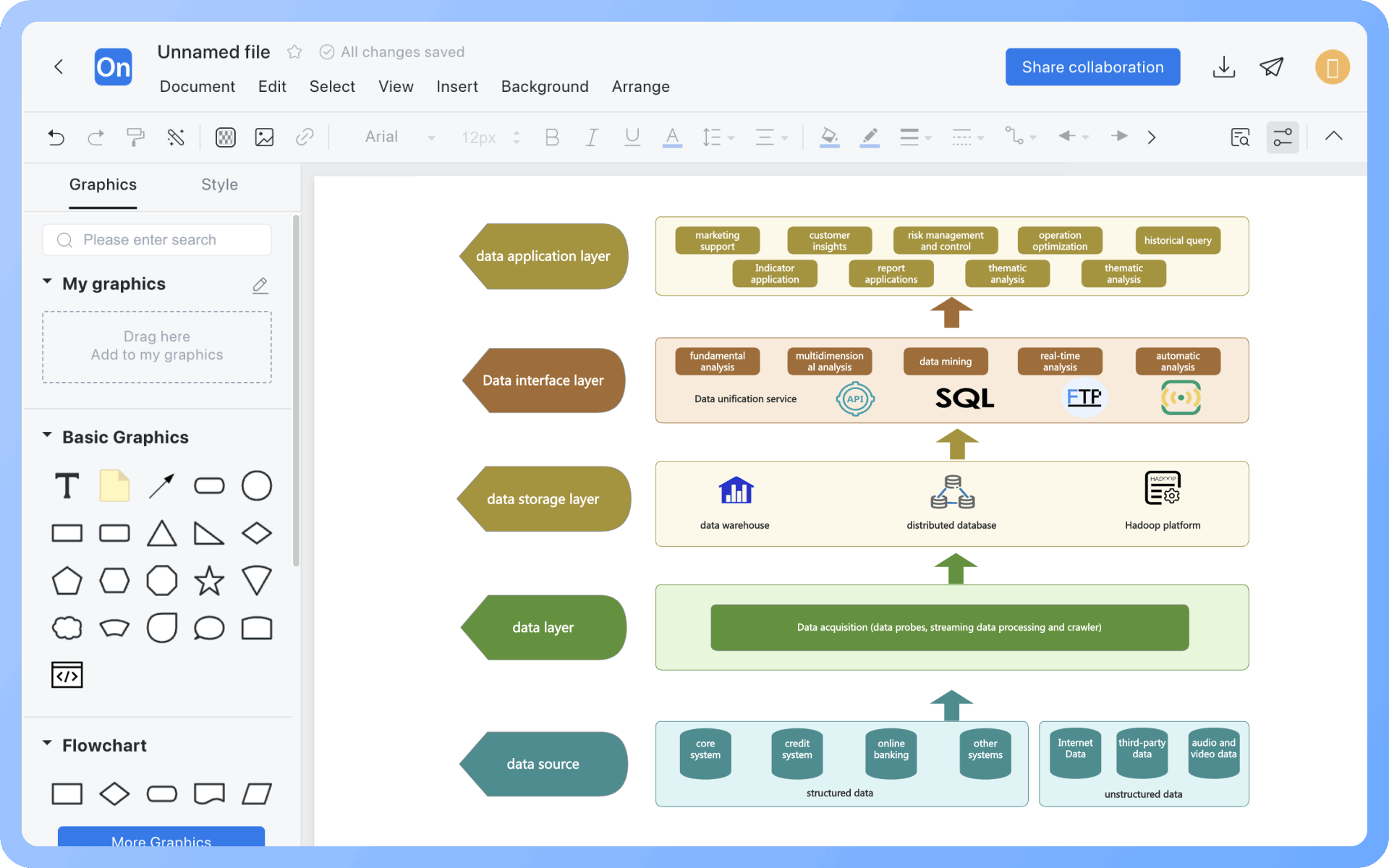
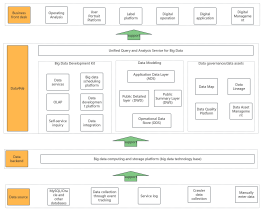
Typically, the data warehouse layering structure ODS → DWD → DWS → ADS is adopted, clearly reflecting the data processing process.

ODS: Original Data Layer

DWD: Detailed Data Layer

DWS: Summary Data Layer

ADS: Application Data Layer

How to express data between different business systems?

The 'data integration layer' can be used to connect different systems and clarify the data sharing methods (such as interface synchronization, data bus, data lake aggregation), and it is advisable to indicate the interface types (API, FTP, Binlog, etc.) and synchronization methods (real-time, T+1, etc.) as much as possible.

Try for free

Data Architecture Diagram Template Recommendations

Data Architecture Diagram Drawing Guide

Related Diagrams