


Register
Process Type
Graphical expression
Mind Type
Structured expression
Note Type
Efficient expression

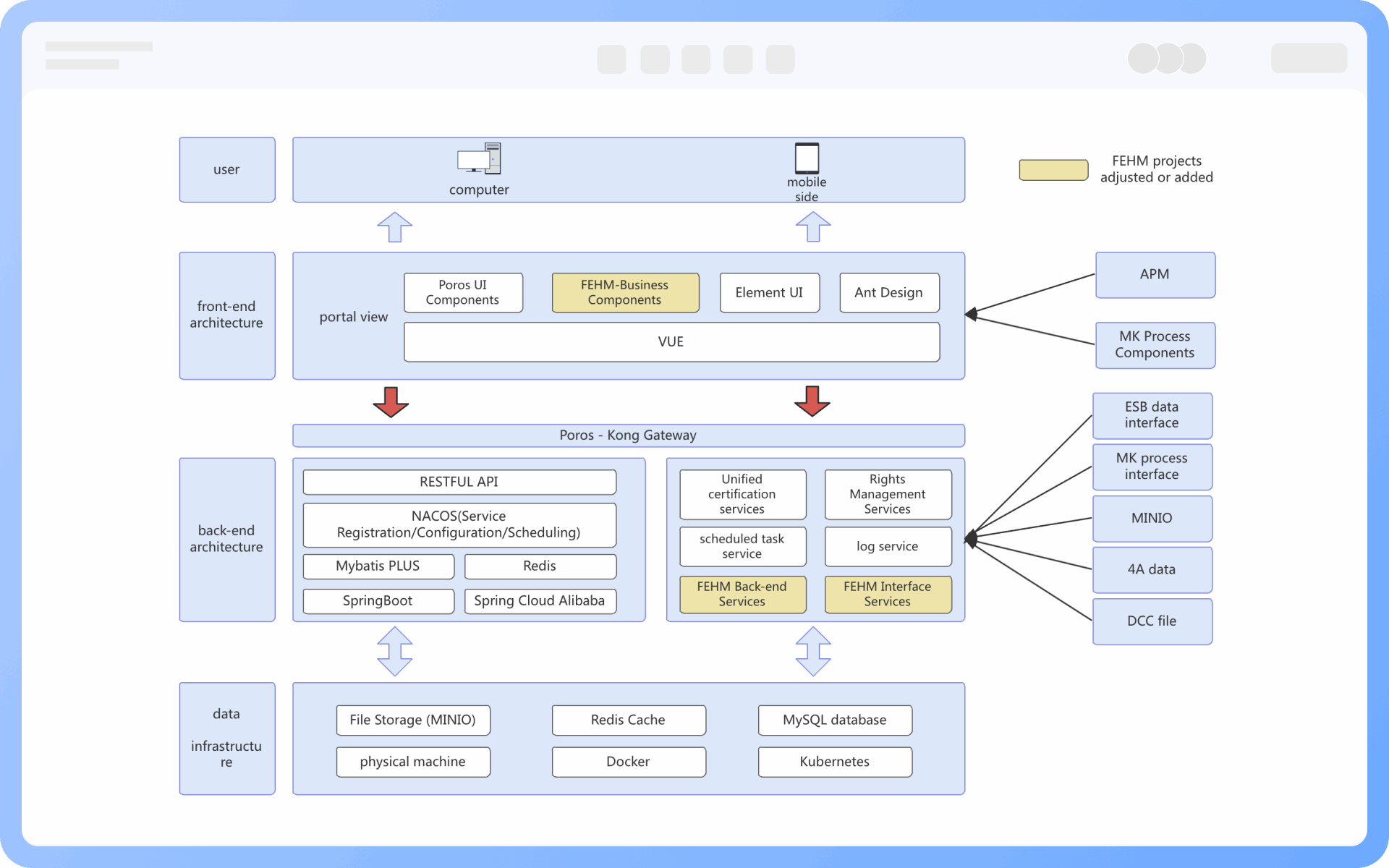
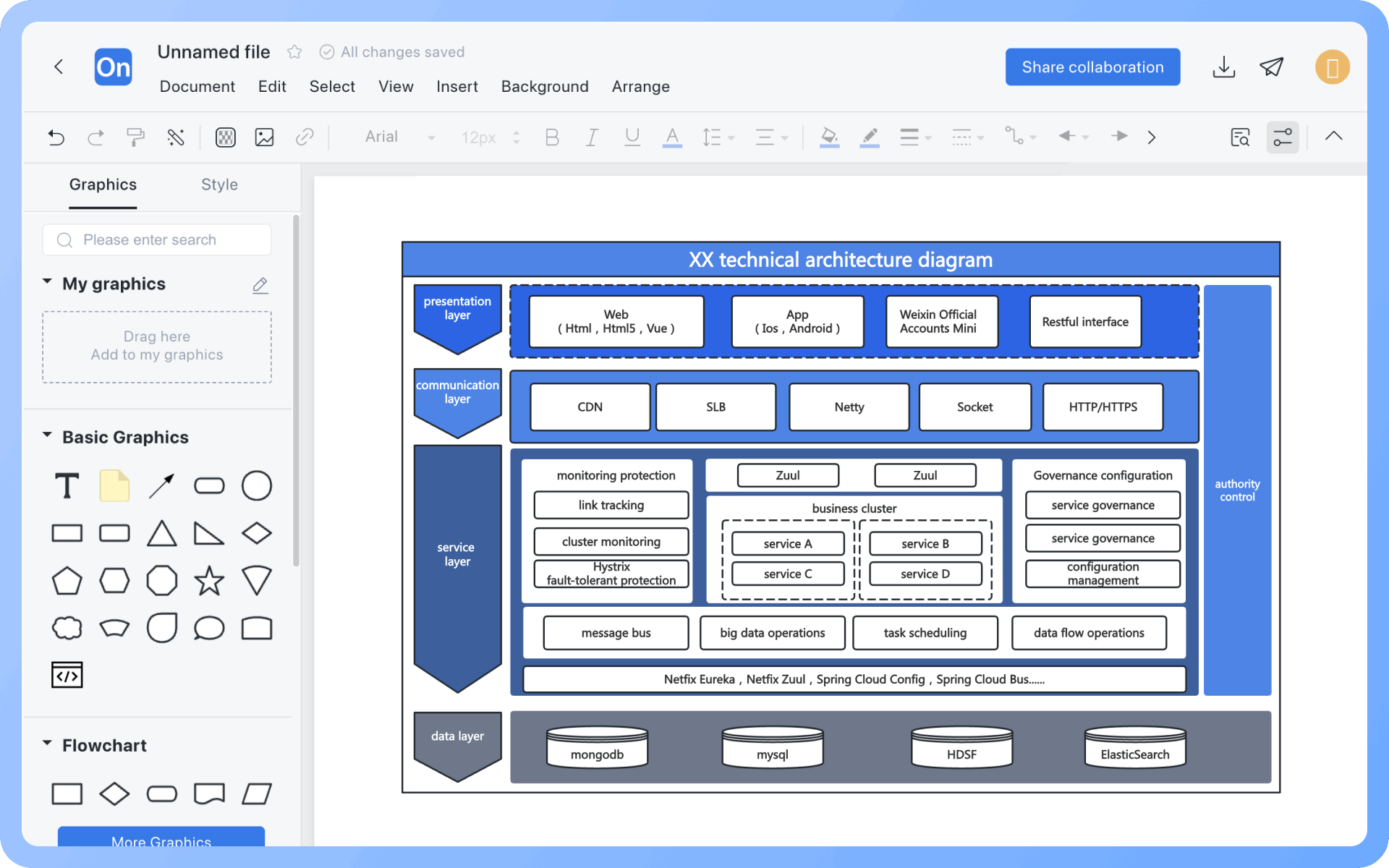
Technical Architecture Diagram Online Drawing

Try for free
Technical Architecture Diagram Online Drawing
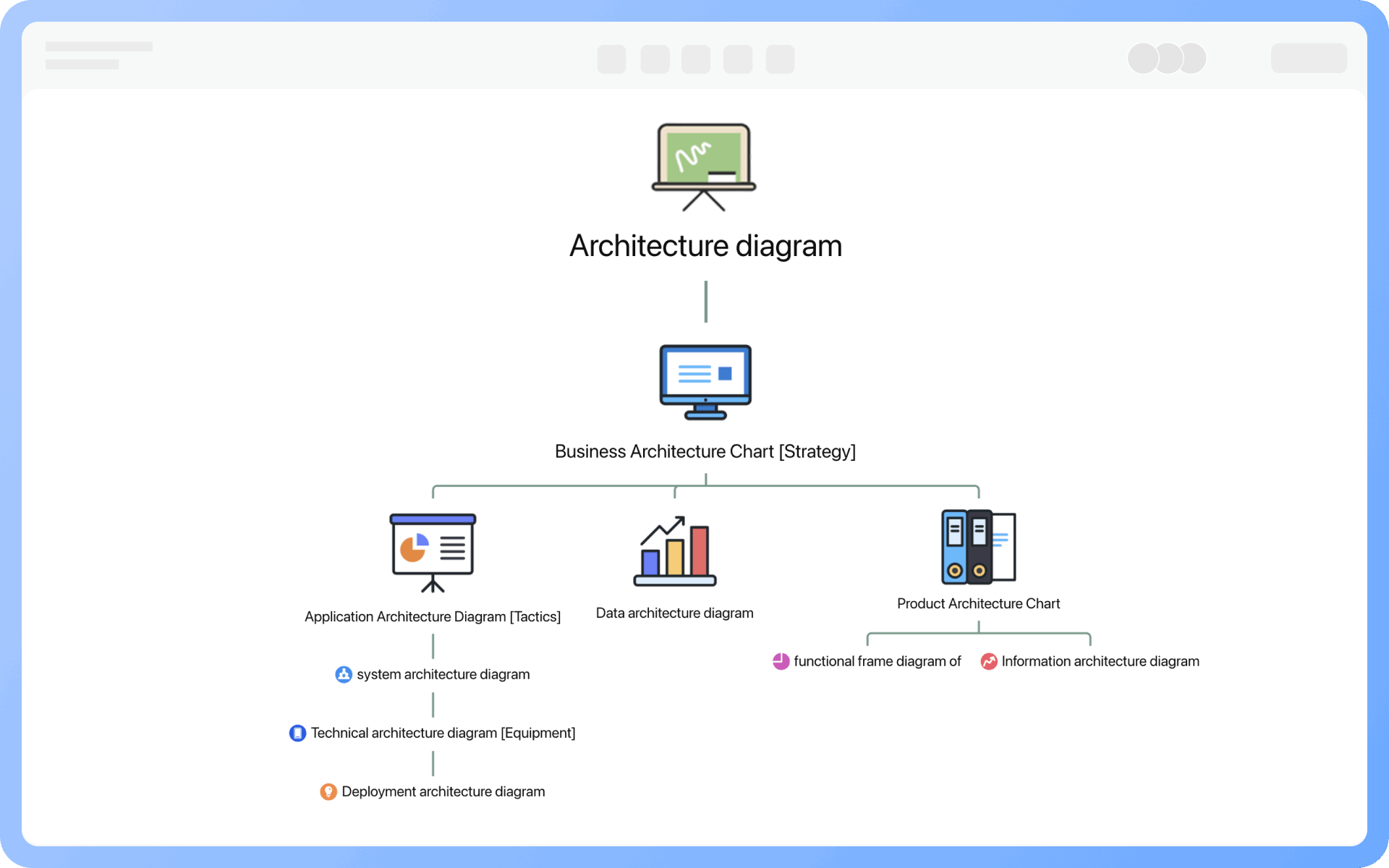
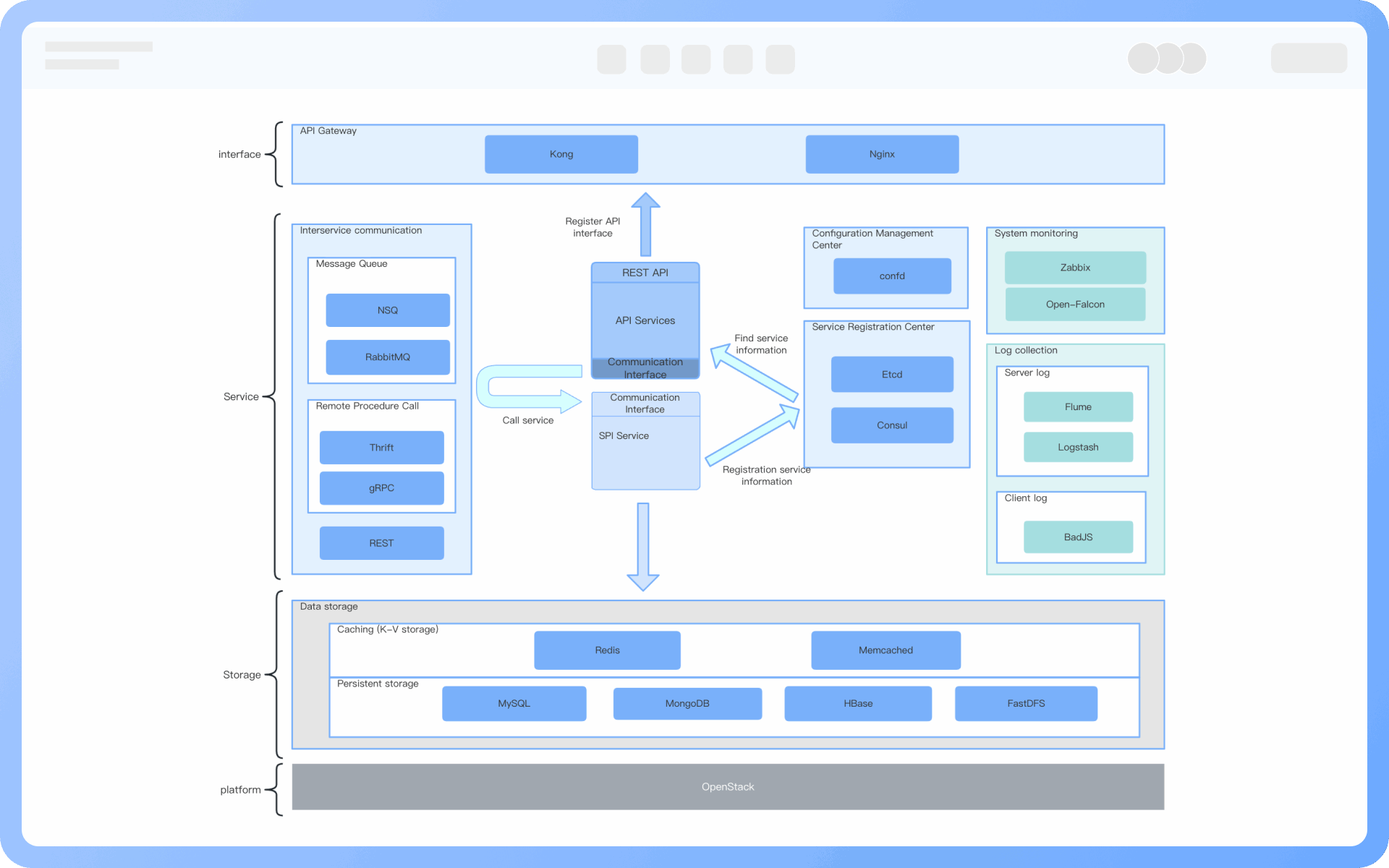
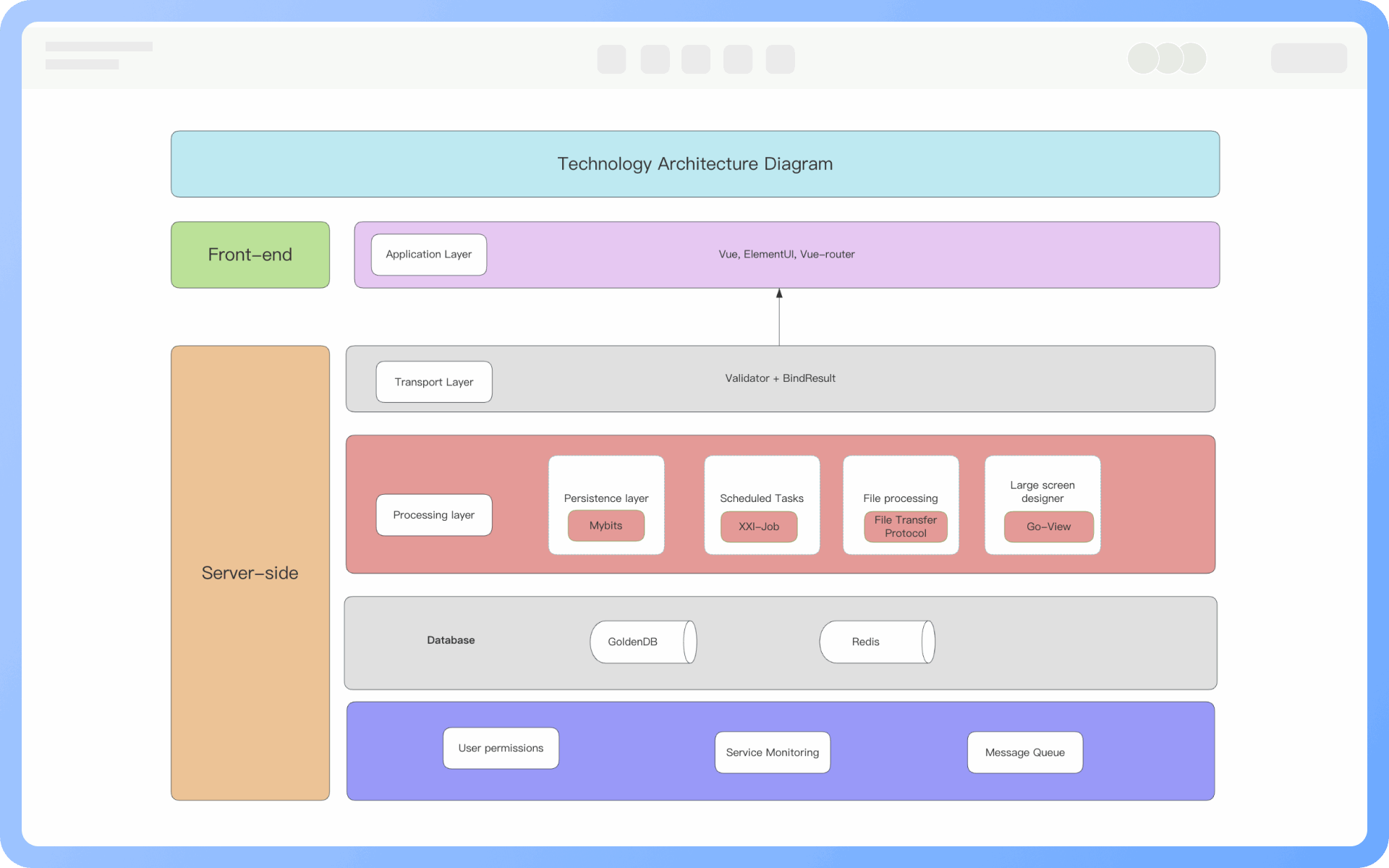
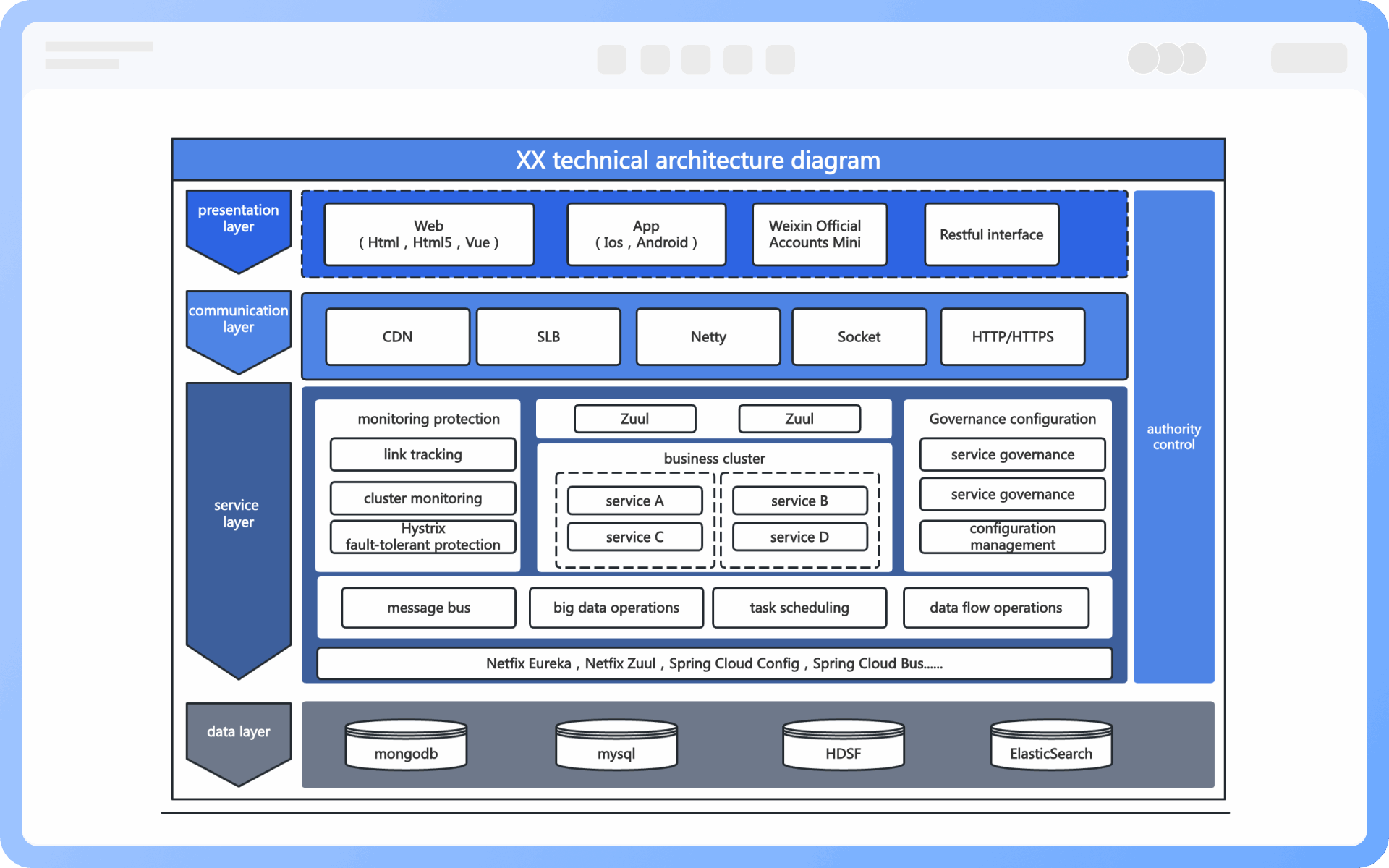
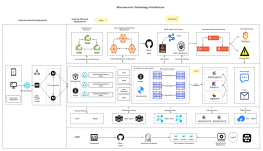
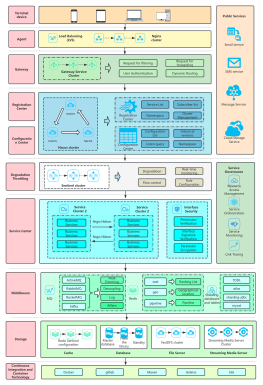
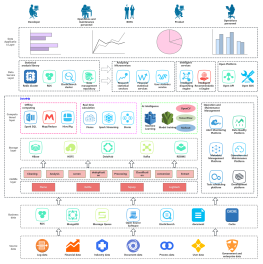
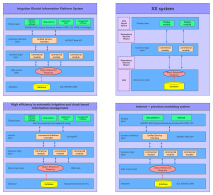
What is Technical Architecture Diagram
Try for free
Detailed Classification of Architecture Diagrams
Try for free
Detailed
Components of Technical Architecture Diagrams
Try for free
Components
Application Scenarios of Technical Architecture Diagrams
Try for free
Application
Difference Between Technical Architecture Diagrams and System Architecture Diagrams
Try for free
Difference
Main Functions of Technical Architecture Diagrams
Try for free
Main
Design Steps for Technical Architecture Diagrams
Try for free
Design

ProcessOn Technical Architecture Diagram Key Features

Online Collaboration

Supports real-time multi-user co-creation with shareable links for instant information transfer

Online Collaboration
One-Click AI Generation

Automatically generates graphics from text input and applies style enhancements

One-Click AI Generation
Personalized Style Customization

Prebuilt themes with full customization for personalized designs

Personalized Style Customization
Multiple Component Types

Supports icons, images, labels, LaTeX formulas, code blocks, links, attachments and more

Multiple Component Types
Multi-Format Compatibility

Export: PNG, VISIO, PDF, SVG | Import: VISIO, Mermaid

Multi-Format Compatibility
Cross-Device Sync

Real-time cloud storage, multi-device sync, version history, and secure data protection

Cross-Device Sync
Try for free

Technical Architecture Diagram How to Draw?

Technical Architecture DiagramHow to Draw?
1
Create a "architecture diagram" or "flowchart", then add the "UML use case diagram" symbols to the drawing area, as the "container" symbols will be used during the creation process
2
Identify and list the key elements in the architecture diagram, such as system modules, components, services, data flows, etc.
3
Organize the relationships between elements, such as inclusion, dependency, invocation, data flow direction, etc.
4
Drag the graphic symbols and connectors from the left to the drawing area to present the content sorted in the first two steps
5
Layout the positions of each component, and you can use the distribute alignment function to quickly adjust the positions of the components
6
Add necessary text descriptions to explain the meanings of the graphic symbols for easy understanding
7
Check and confirm that the graphics are correct, and thus, a professional technical architecture diagram is completed
Try for free

Technical Architecture Diagram Frequently asked questions

What is the difference between application architecture and technical architecture?

Application architecture only concerns itself with which application systems and platforms are needed to meet business goals, without considering which technologies need to be used throughout the construction process. Technical architecture, on the other hand, addresses the technical requirements derived from application architecture and involves selecting technologies and clarifying the relationships between various key technologies.

Does a microservices architecture diagram belong to technical architecture diagrams?

Yes. A microservices architecture diagram is a specific type of technical architecture diagram that specifically shows how to decompose a system into independent, deployable microservices. Simply put, a microservices architecture diagram is the application of a technical architecture diagram in a microservices context.

What is the sequence between product architecture diagrams and technical architecture diagrams?

The product architecture diagram serves as the foundation for guiding the technical architecture diagram. Therefore, the sequence of drawing technical and product architecture diagrams is usually to have the product architecture diagram first, followed by the technical architecture diagram. The product architecture diagram focuses on the product's functions, modules, and user interactions, while the technical architecture diagram focuses on the specific technical solutions, system components, and interaction methods needed to implement these functions.

What are the four dimensions of a technical architecture diagram?

The technical architecture diagram encompasses four dimensions: hardware architecture, software architecture, middleware architecture, and data architecture. It not only visually presents system modules, components, and their dependencies but also provides a structured view throughout the entire cycle of requirements analysis, architecture design, and deployment maintenance, ensuring consistent understanding of system design within the team.

Should security design be reflected in a technical architecture diagram?

It must be reflected. The diagram should clearly indicate system exposure boundaries, firewalls, WAF, security domains, SSO, access control, etc., otherwise, the diagram has no reference value during security reviews.

Does a technical architecture diagram need to annotate the specific technology stack used?

Yes. It is recommended to note the frameworks (such as SpringBoot, Kafka), languages (such as Java, Python), databases (such as MySQL, MongoDB), etc., used in key components. This is helpful for development, operations, technology selection, and troubleshooting.

How should arrows be drawn on a technical architecture diagram?

The direction of arrow calls should be clearly drawn, and the communication method (such as REST, gRPC, MQ, WebSocket) should be noted next to the arrows. Otherwise, the information in the diagram is difficult to understand accurately, especially when designing interfaces and analyzing performance.

Should a technical architecture diagram reflect CI/CD, logging, and monitoring operational content?

Yes, it is recommended to use a 'system governance layer' or 'operations platform layer' to display these components, such as Jenkins, Prometheus, ELK, SkyWalking, etc.

Try for free

Technical Architecture Diagram Template Recommendations

Technical Architecture Diagram Drawing Guide

Related Diagrams