

Register
Process Type
Graphical expression
Mind Type
Structured expression
Note Type
Efficient expression

Business Architecture Diagram Online Drawing

Try for free
Business Architecture Diagram Online Drawing
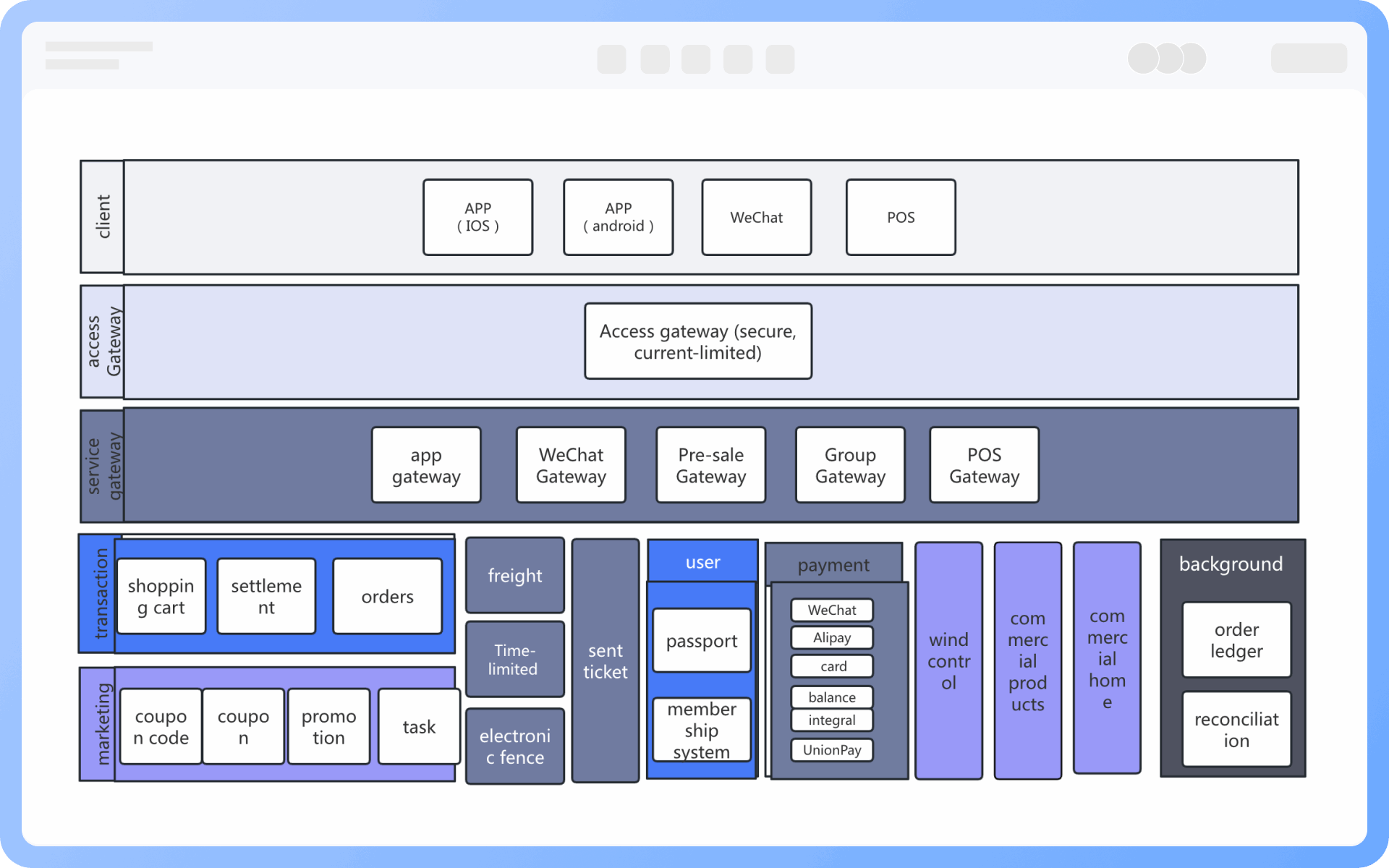
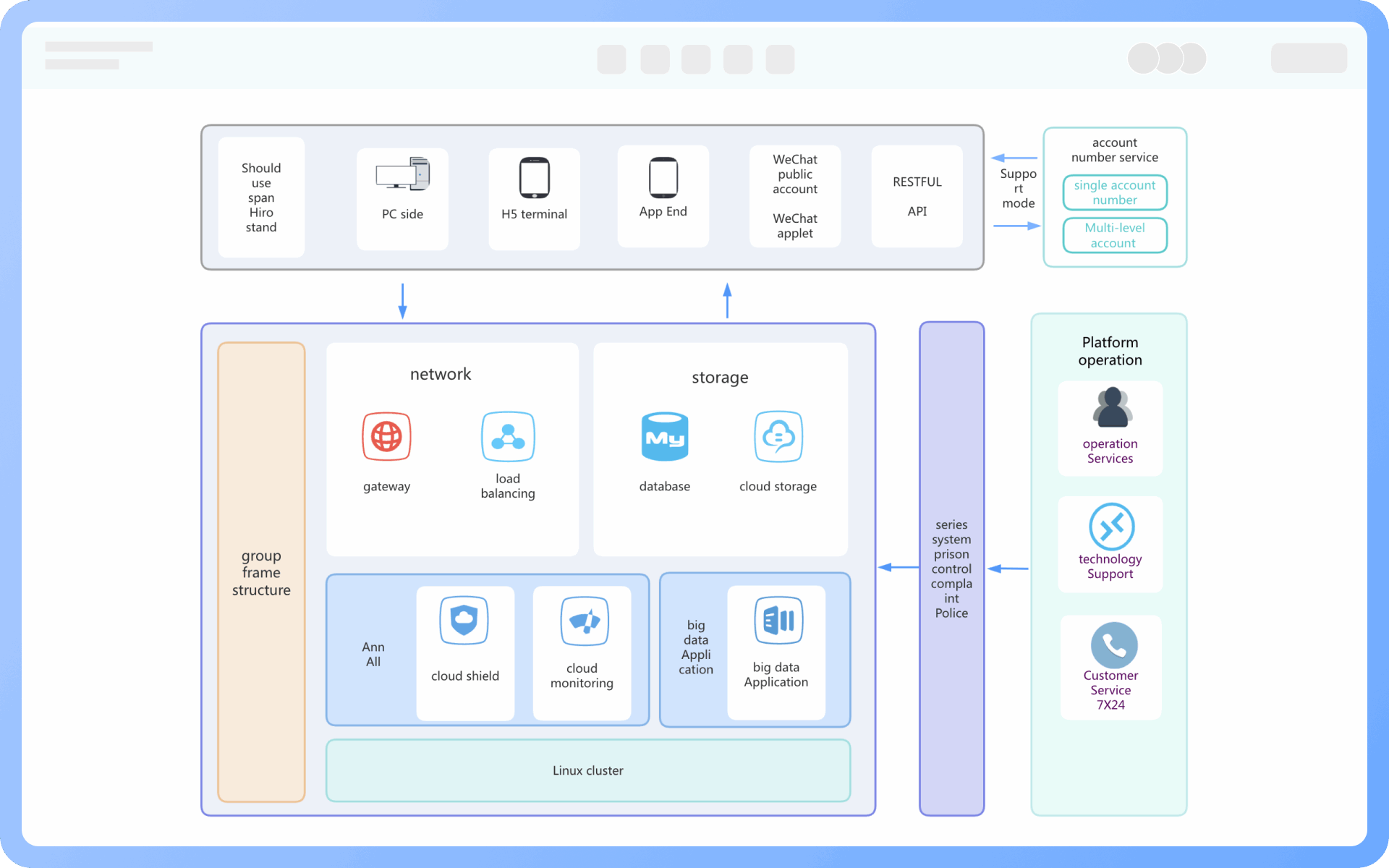
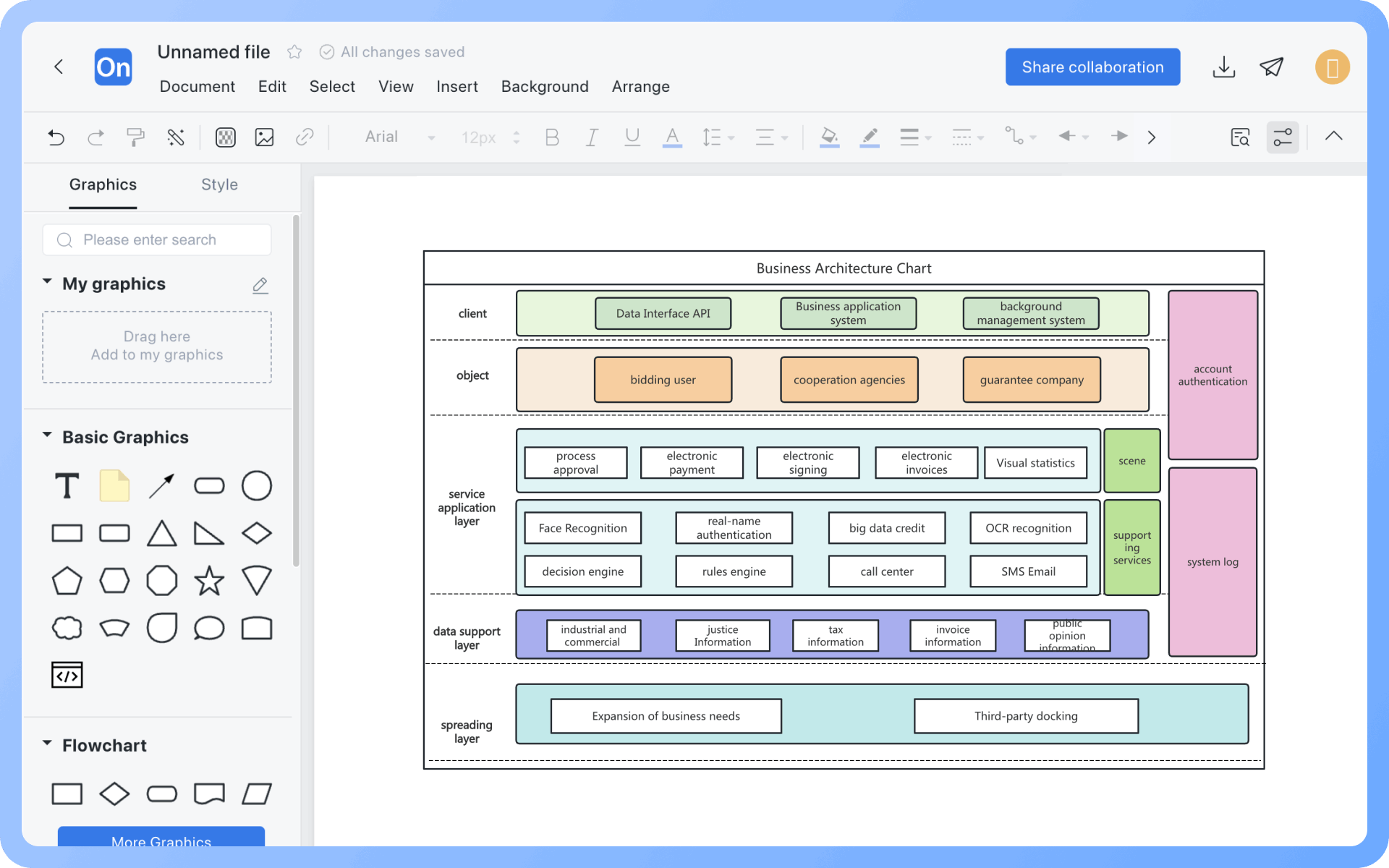
What is Business Architecture Diagram
Try for free
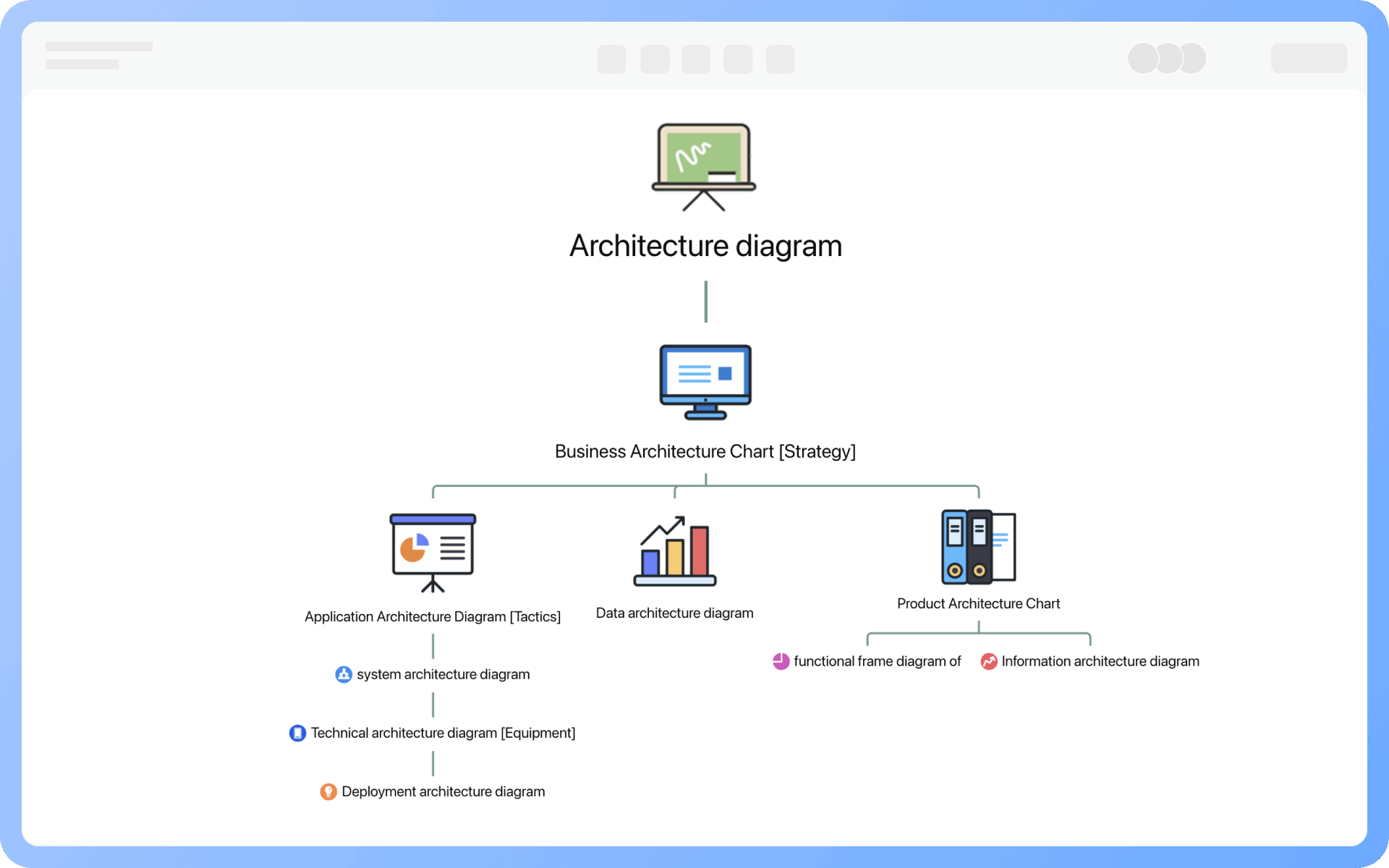
Detailed Classification of Architecture Diagrams
Try for free
Detailed
Components of a Business Architecture Diagram
Try for free
Components
Core Value of Business Architecture
Try for free
Core
Layers of Business Architecture
Try for free
Layers
Design Standards for Business Architecture Diagrams
Try for free
Design
Usage Scenarios for Business Architecture Diagrams
Try for free
Usage

ProcessOn Business Architecture Diagram Key Features

Online Collaboration

Supports real-time multi-user co-creation with shareable links for instant information transfer

Online Collaboration
One-Click AI Generation

Automatically generates graphics from text input and applies style enhancements

One-Click AI Generation
Personalized Style Customization

Prebuilt themes with full customization for personalized designs

Personalized Style Customization
Multiple Component Types

Supports icons, images, labels, LaTeX formulas, code blocks, links, attachments and more

Multiple Component Types
Multi-Format Compatibility

Export: PNG, VISIO, PDF, SVG | Import: VISIO, Mermaid

Multi-Format Compatibility
Cross-Device Sync

Real-time cloud storage, multi-device sync, version history, and secure data protection

Cross-Device Sync
Try for free

Business Architecture Diagram How to Draw?

Business Architecture DiagramHow to Draw?
1
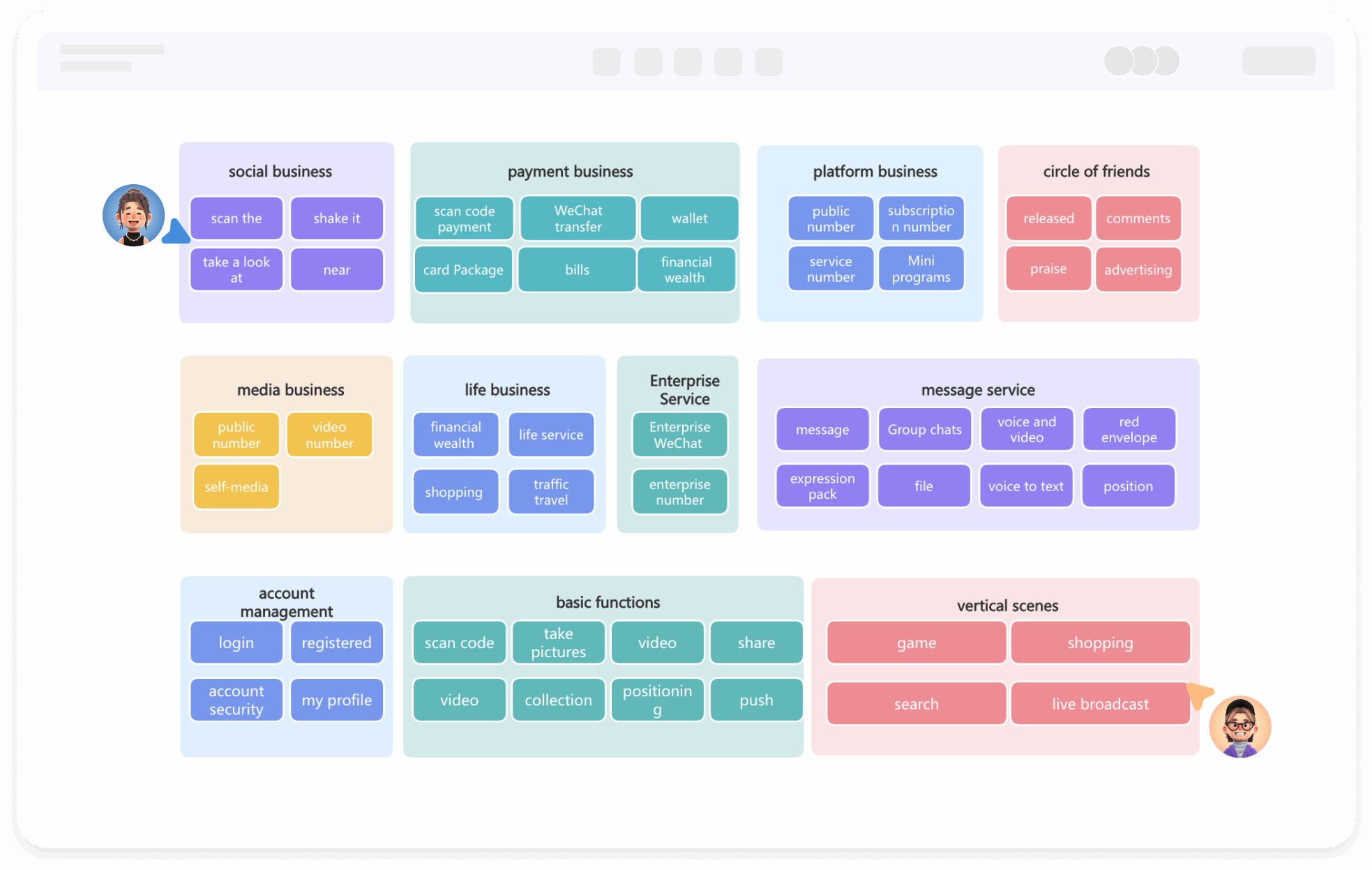
Create a 'Architecture Diagram' or 'Flowchart', then add the 'UML Use Case Diagram' symbol to the drawing area, as the 'Container' symbol will be used during the creation process
2
Divide by function: List all functions based on business strategy and user flow
3
Divide by module: Categorize all functions into different functional modules, placing the same functional module into the same container
4
Divide by hierarchy: Divide all functional modules according to business hierarchy, with lower levels being more abstract and upper levels more specific
5
Layout the positions of each component, and you can use the distribute and align function to quickly adjust component positions
6
Unify the colors of each module to better present the overall structure and the relationships between modules
7
Check and confirm the diagram is correct, and thus, a professional business architecture diagram is completed
Try for free

Business Architecture Diagram Frequently asked questions

Where is the importance of a business architecture diagram reflected?

Business architecture is the core content of enterprise architecture, inheriting the enterprise strategy and directly determining the ability to implement the enterprise strategy. Therefore, the business architecture diagram is a prerequisite for other architectural diagrams, and all other types of architectural diagrams are refinements and breakdowns of the business architecture diagram.

What does a business architecture diagram include?

A business architecture diagram should at least include the organization's strategy, value chain, business processes, and business rules.

What is the difference between a business architecture diagram and an application architecture diagram?

Core Objective
 The business architecture diagram describes the enterprise's business model, processes, and collaboration relationships, focusing on "what to do".
 The application architecture diagram describes the composition and interaction of technical systems, focusing on "how to implement".

Focus
 Business processes, business functions, organizational structure, business rules
 Application components, data flow, technical interfaces, system integration

Design Basis
 Enterprise strategy and business requirements
 Output of business architecture and technical requirements

Users
 Business analysts, managers (for strategic planning and process optimization)
 System architects, developers (for technical implementation)

What is the difference between a business architecture diagram and a product architecture diagram?

Business architecture is the foundation of product architecture: business architecture defines "what to do" (business objectives), while product architecture addresses "how to do it" (functional implementation).

What are the core steps in designing a business architecture diagram?

1. Identify strategy by visiting business departments and conducting surveys.
2. Analyze external factors based on macro background, industry space, competition, and upstream and downstream industry chains for planning.
3. Integrate internal factors based on business models, technical barriers, and resource investment for planning.

How should layers be divided when modeling a business architecture diagram?

When drawing an architecture diagram, a layered modeling approach should be used to avoid some diagrams being just "labeling," too high-level and abstract to guide specific work; while others are filled with details, making them difficult to understand.
First layer: Core business capabilities (for leadership)
Second layer: Key processes and services (for management)
Third layer: Operational processes and system support (for implementation)

What software is used to create a business architecture diagram?

Various software tools can be used to create a business architecture diagram, depending on your goals (presentation, modeling, collaboration), team size, and whether standardized modeling is needed. ProcessOn is an excellent online graphic modeling tool for internet office workers and students, especially in drawing business architecture diagrams, flowcharts, and mind maps, and can perfectly replace Visio, Lucidchart, and other software.

Try for free

Business Architecture Diagram Template Recommendations

Business Architecture Diagram Drawing Guide

Related Diagrams