

Register
Process Type
Graphical expression
Mind Type
Structured expression
Note Type
Efficient expression

Online Drawing of Information Architecture Diagram

Try for free
Online Drawing of Information Architecture Diagram
What is Information Architecture Diagram
Try for free
Architecture Diagram Detailed Classification
Try for free
Architecture
Information Architecture Diagram Design Principles
Try for free
Information
Information Architecture Diagram Focus
Try for free
Information
Types of Information Architecture Diagrams
Try for free
Types
Methods of Building Information Architecture
Try for free
Methods
Information Architecture Diagram Use Cases
Try for free
Information

ProcessOn Information Architecture Diagram Key Features

Online Collaboration

Supports real-time multi-user co-creation with shareable links for instant information transfer

Online Collaboration
One-Click AI Generation

Automatically generates graphics from text input and applies style enhancements

One-Click AI Generation
Personalized Style Customization

Prebuilt themes with full customization for personalized designs

Personalized Style Customization
Multiple Component Types

Supports icons, images, labels, LaTeX formulas, code blocks, links, attachments and more

Multiple Component Types
Multi-Format Compatibility

Export: PNG, VISIO, PDF, SVG | Import: VISIO, Mermaid

Multi-Format Compatibility
Cross-Device Sync

Real-time cloud storage, multi-device sync, version history, and secure data protection

Cross-Device Sync
Try for free

Information Architecture Diagram How to Draw?

Information Architecture DiagramHow to Draw?
1
Create a 'structure diagram' or 'flowchart', then add 'UML use case diagram' symbols to the drawing area, as 'container' symbols will be used during the creation process
2
Preparation: Extract content and functional items from product requirement documents, user analysis data, competitive product analysis, etc., and refine them into logical blocks
3
Content classification and layering: Group and then layer the organized content and functions, designing the main structure
4
Draw pages: According to the organized logical blocks, drag rectangles or circles from the drawing area to the drawing area to represent pages
5
Add relationships: Use lines + arrows to indicate the hierarchy and jump relationships between pages
6
Add descriptions: Add descriptive text under page symbols, such as page names, function names, entry/exit descriptions, etc.
7
Annotate interactions: Add comments to specific nodes, for example: 'Click here to enter the details page', indicating dynamic pages, jump logic, permission control and other special instructions
Try for free

Information Architecture Diagram Frequently asked questions

What is the difference between information architecture and functional architecture?

The functional architecture diagram represents the required functions, like the parts needed for a car engine, with each function being a part. Information architecture is a guide for assembling the parts, similar to an engine assembly manual.

What is the relationship between product architecture diagram, functional architecture diagram, and information architecture diagram?

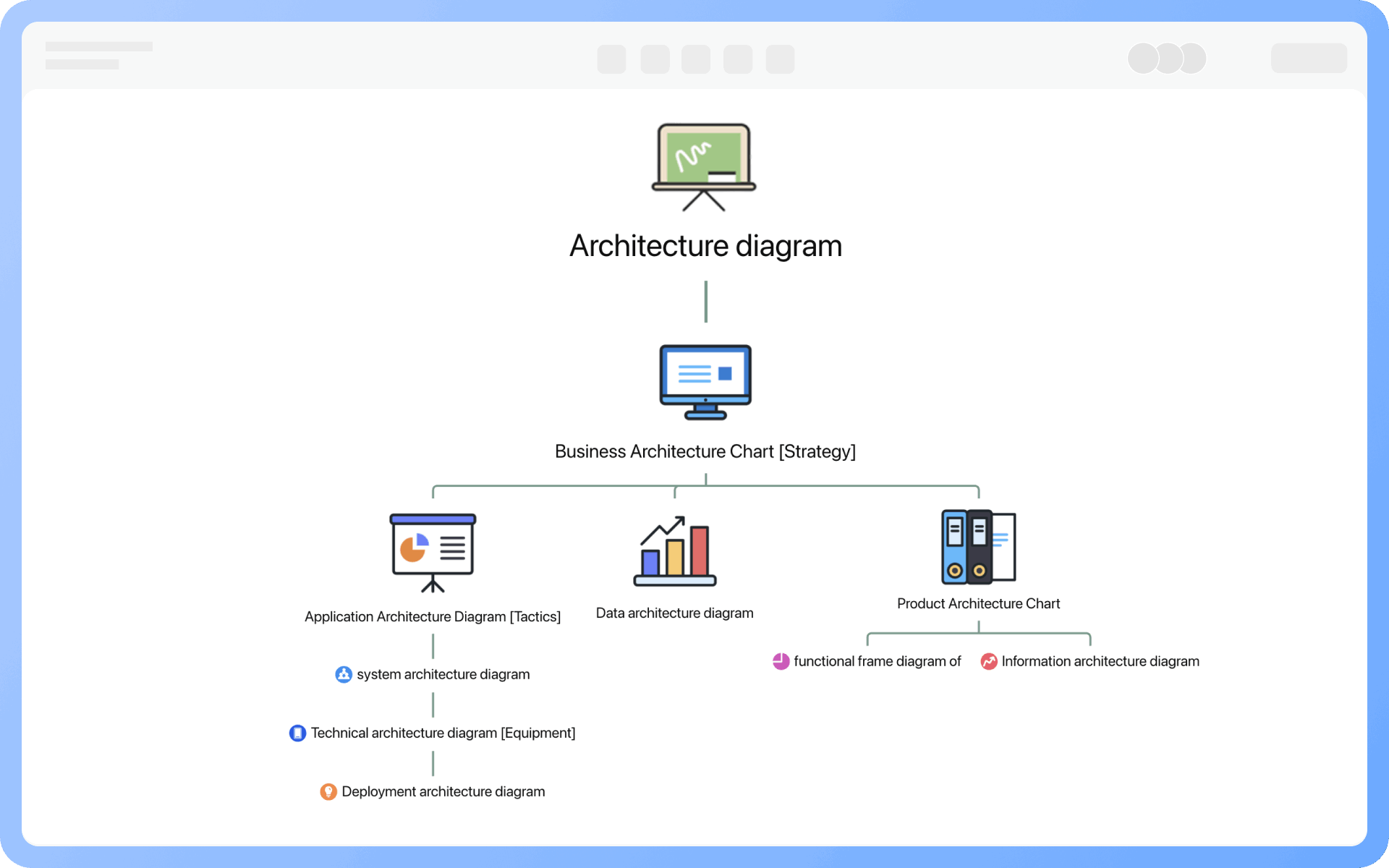
The product structure diagram encompasses the product's functions and information, and can also indicate the logical transition relationships between functions in the diagram. It can be simply expressed with a formula: Product Structure Diagram = Product Functional Structure Diagram + Product Information Architecture Diagram.

Why should product designers pay attention to information architecture diagrams?

1. During competitive product analysis, drawing an information architecture diagram is needed to quickly understand the functional modules and interface design structure of competing products.
2. When building a product from scratch, a clear information architecture is a necessary prerequisite.
3. When taking over the daily iteration work of a product, one should first understand the position and importance of the business and functional points in the product architecture.

What should be noted when drawing information architecture diagrams?

1. Determine key primary nodes according to the overall structure
2. First draw the information architecture diagram of a single primary node module, then improve each one
3. If a page appears in different primary nodes, it should be clearly marked

What does an information architecture diagram include?

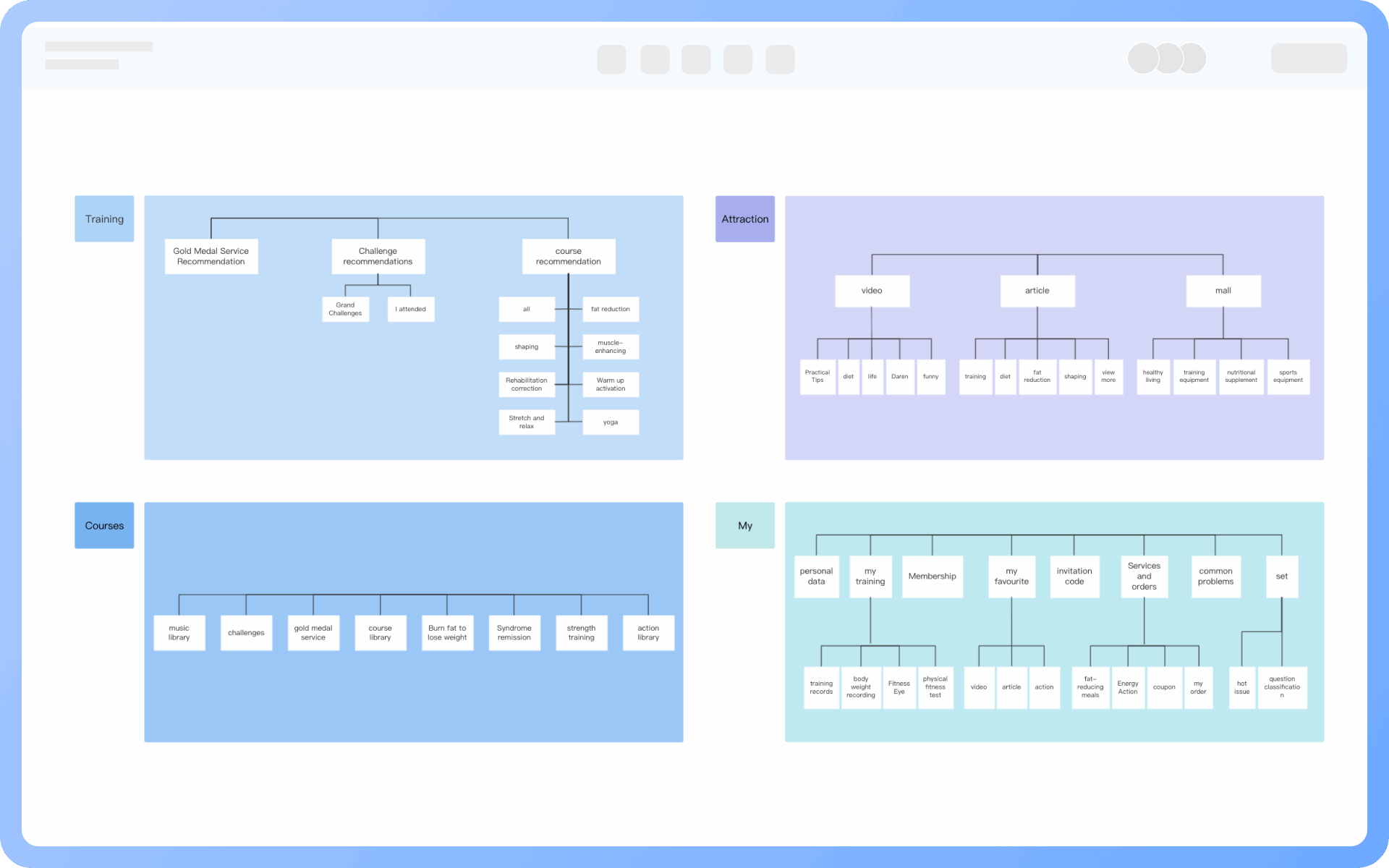
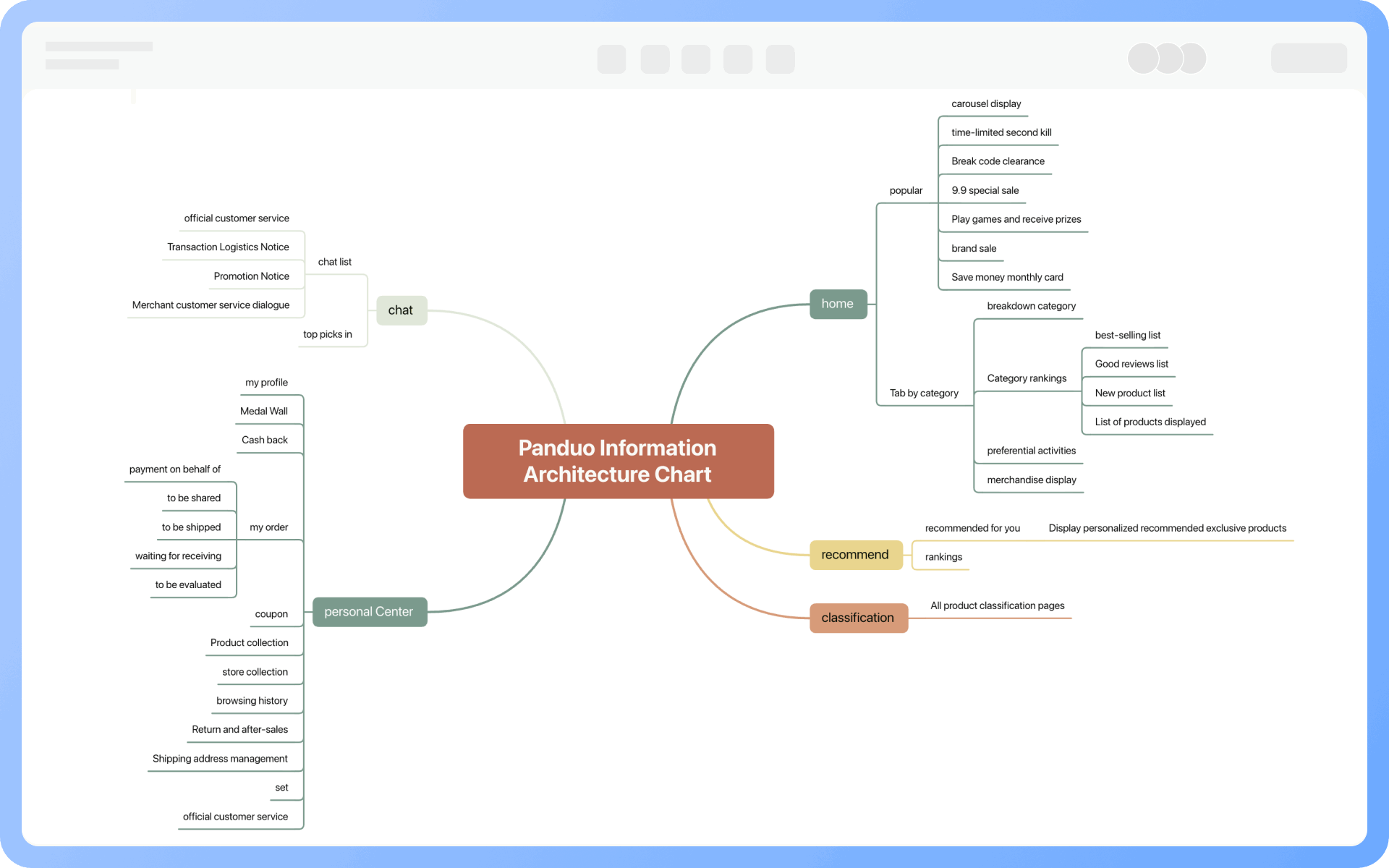
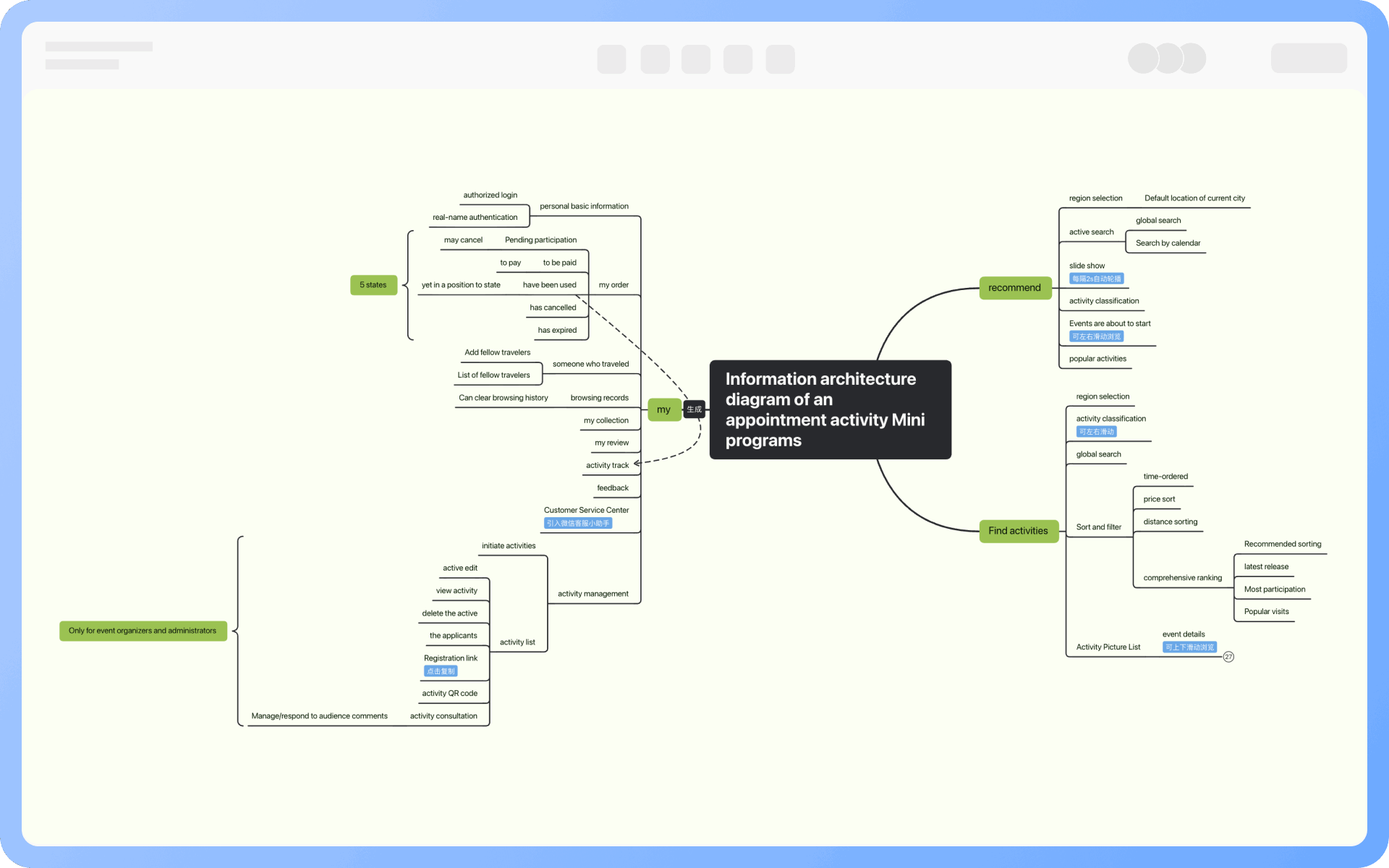
An information architecture diagram includes a lot of content, generally including: content structure (information classification, labels, themes), page structure (page or interface nodes), hierarchical relationships (primary, secondary, tertiary information), navigation relationships (transitions and paths between pages), user roles, and access entry (optional), etc.

Who is the information architecture diagram suitable for?

Product managers, information architects, interaction designers, and front-end engineers all need to refer to it. It is one of the core deliverables connecting business logic and interface design.

Does the information architecture diagram include UI design details?

No, it does not include UI design details. The information architecture diagram is a structural diagram, not involving visual or interaction details. UI design diagrams refine the interface style based on it.

How does the information architecture diagram cooperate with wireframes/prototypes?

The information architecture diagram first determines the page and content structure, then wireframes (layout sketches) are drawn based on it, and finally, prototypes (including interaction flow) are created.

Try for free

Information Architecture Diagram Template Recommendations

Information Architecture Diagram Drawing Guide

Related Diagrams