

Register
Process Type
Graphical expression
Mind Type
Structured expression
Note Type
Efficient expression

Application Architecture Diagram Online Drawing

Try for free
Application Architecture Diagram Online Drawing
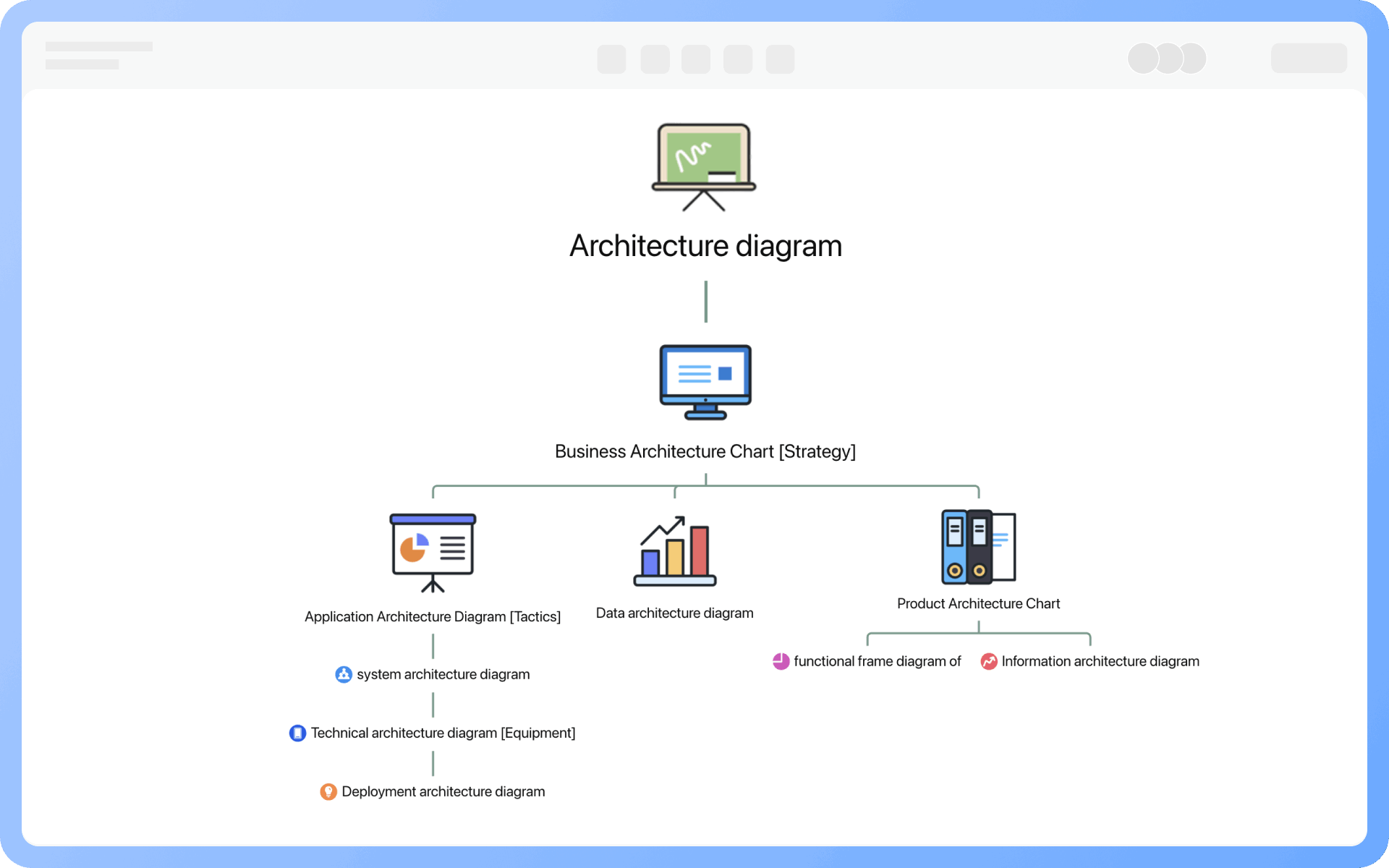
What is Application Architecture Diagram
Try for free
Detailed Classification of Architecture Diagrams
Try for free
Detailed
Elements of Application Architecture Diagrams
Try for free
Elements
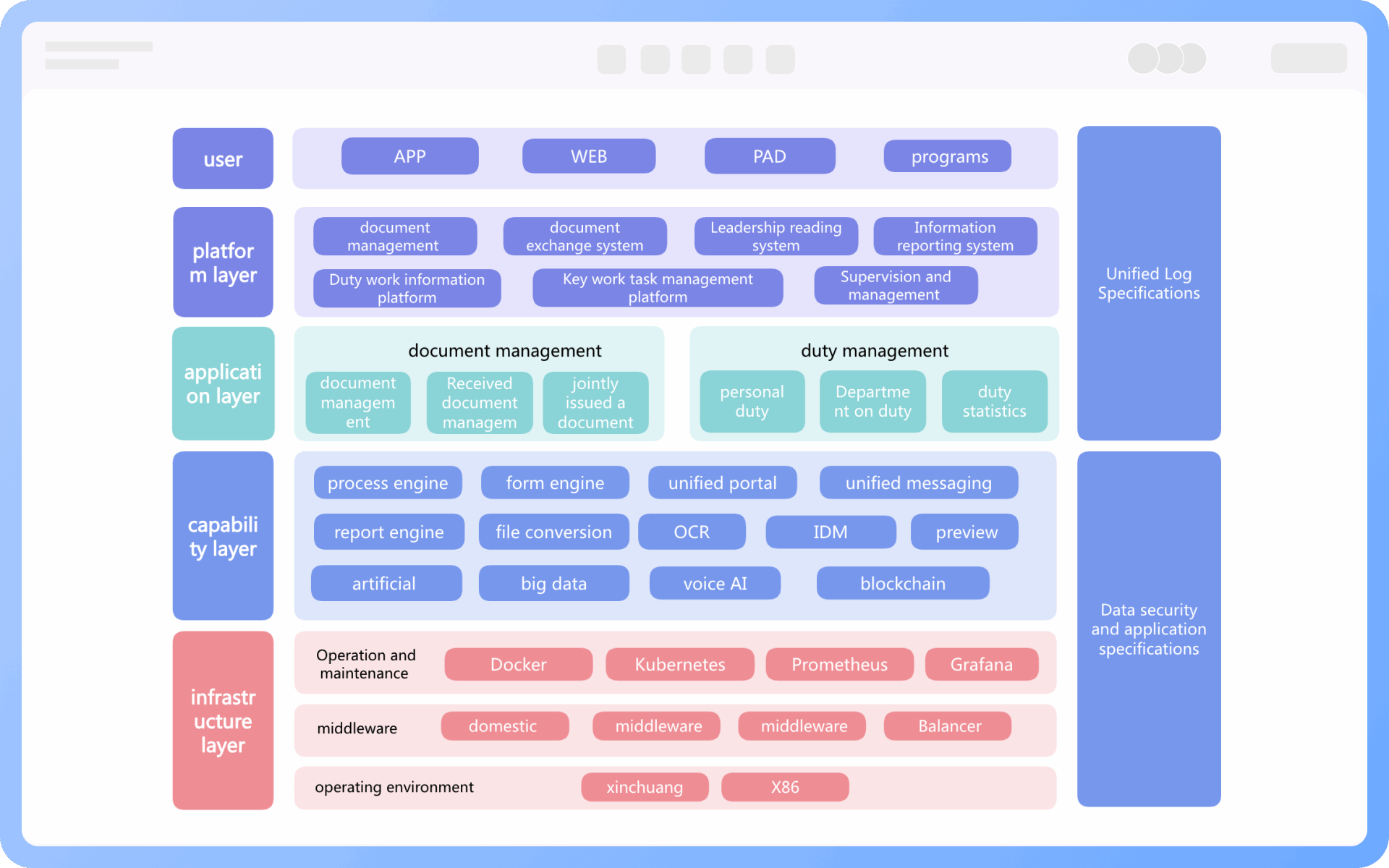
Layering Methods of Application Architecture
Try for free
Layering
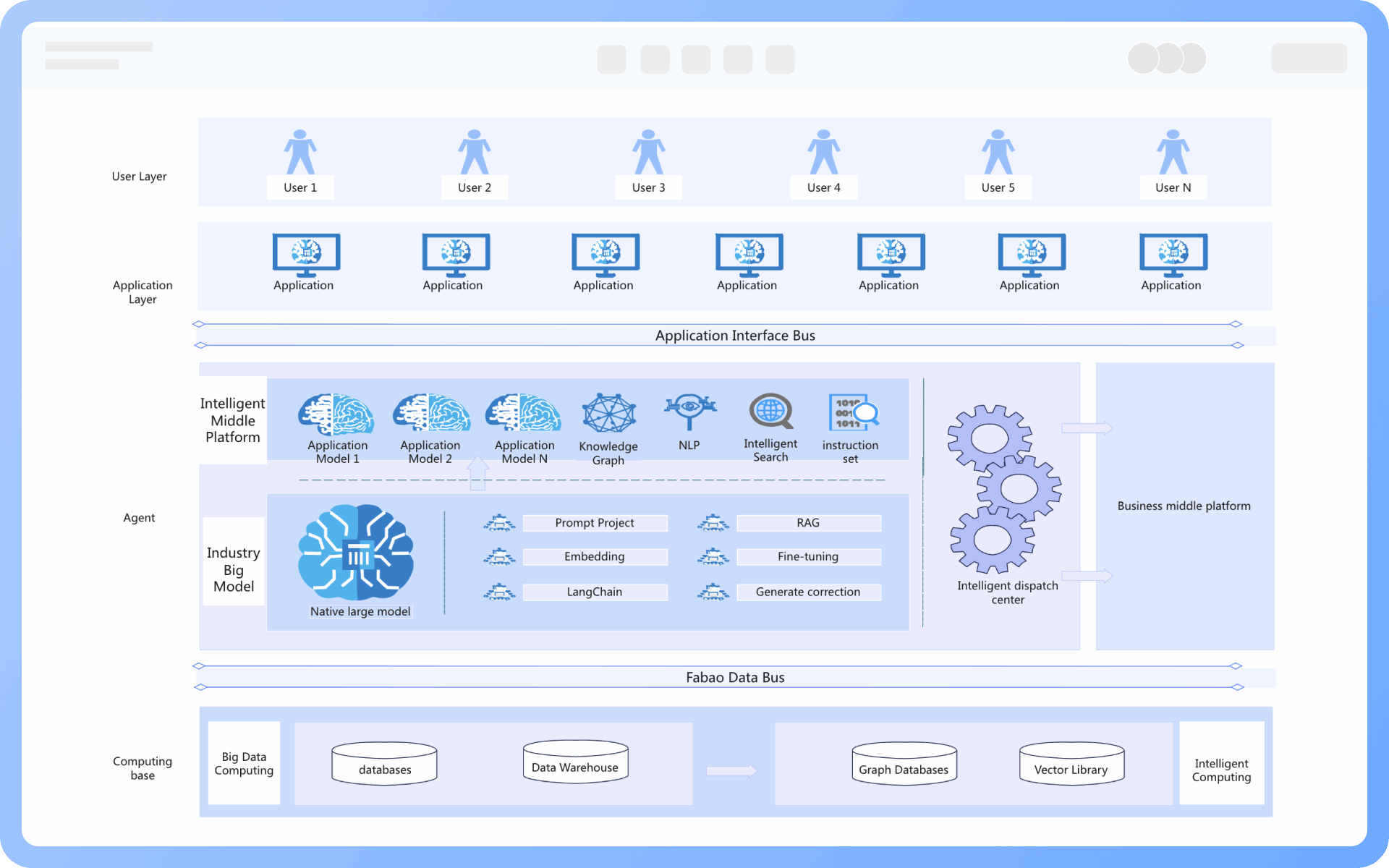
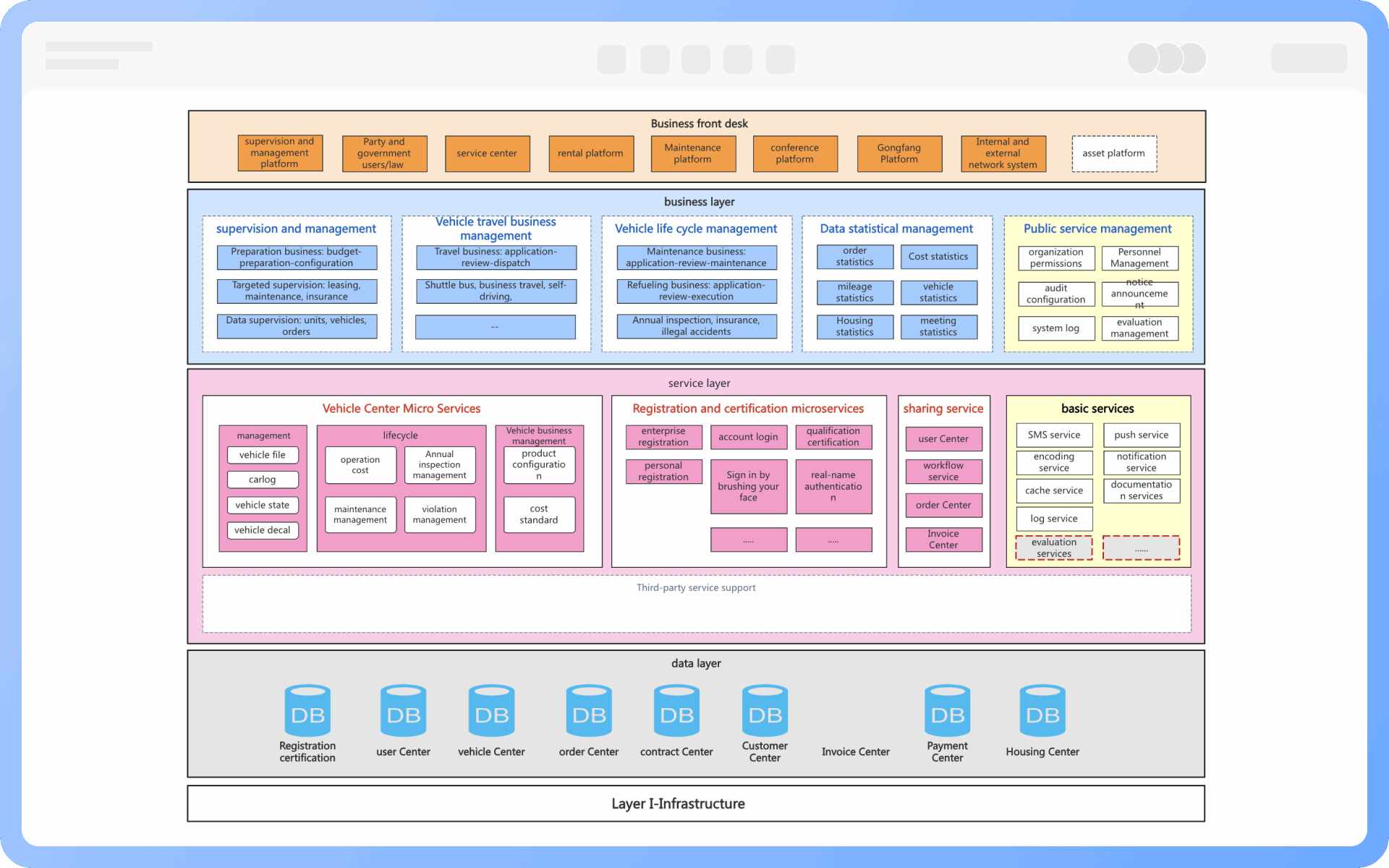
Hierarchical Structure of Application Architecture Diagrams
Try for free
Hierarchical
Division and Integration of Application Architecture Diagrams
Try for free
Division
Design Steps of Application Architecture Diagrams
Try for free
Design

ProcessOn Application Architecture Diagram Key Features

Online Collaboration

Supports real-time multi-user co-creation with shareable links for instant information transfer

Online Collaboration
One-Click AI Generation

Automatically generates graphics from text input and applies style enhancements

One-Click AI Generation
Personalized Style Customization

Prebuilt themes with full customization for personalized designs

Personalized Style Customization
Multiple Component Types

Supports icons, images, labels, LaTeX formulas, code blocks, links, attachments and more

Multiple Component Types
Multi-Format Compatibility

Export: PNG, VISIO, PDF, SVG | Import: VISIO, Mermaid

Multi-Format Compatibility
Cross-Device Sync

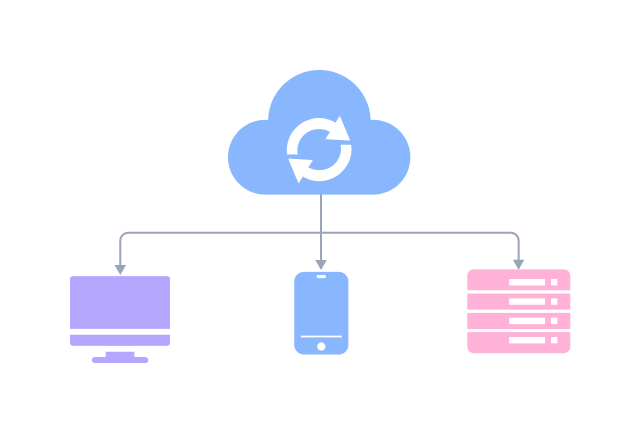
Real-time cloud storage, multi-device sync, version history, and secure data protection

Cross-Device Sync
Try for free

Application Architecture Diagram How to Draw?

Application Architecture DiagramHow to Draw?
1
Create a "Architecture Diagram" or "Flowchart", then add "UML Use Case Diagram" symbols to the drawing area, as "Container" symbols will be used during the creation process
2
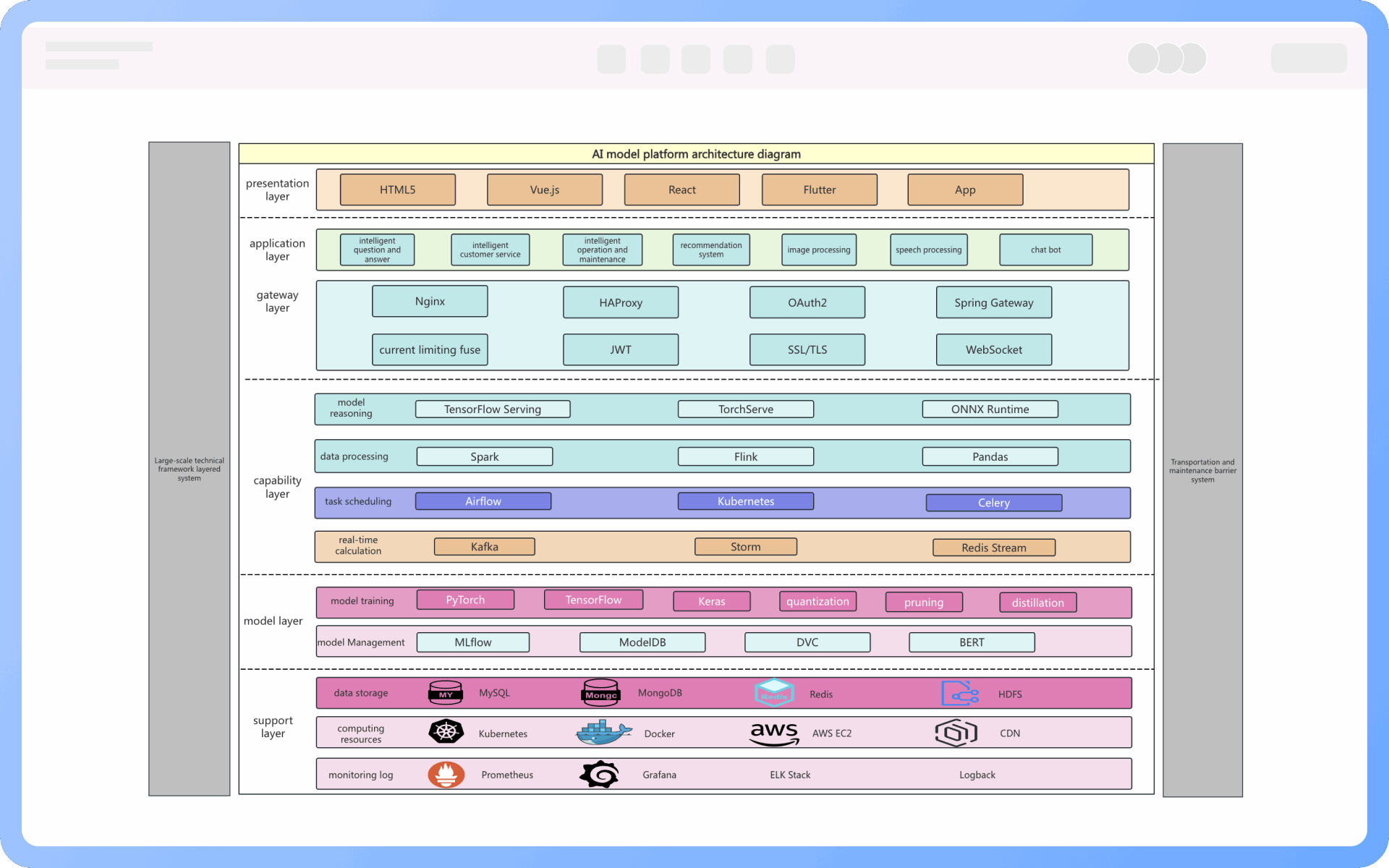
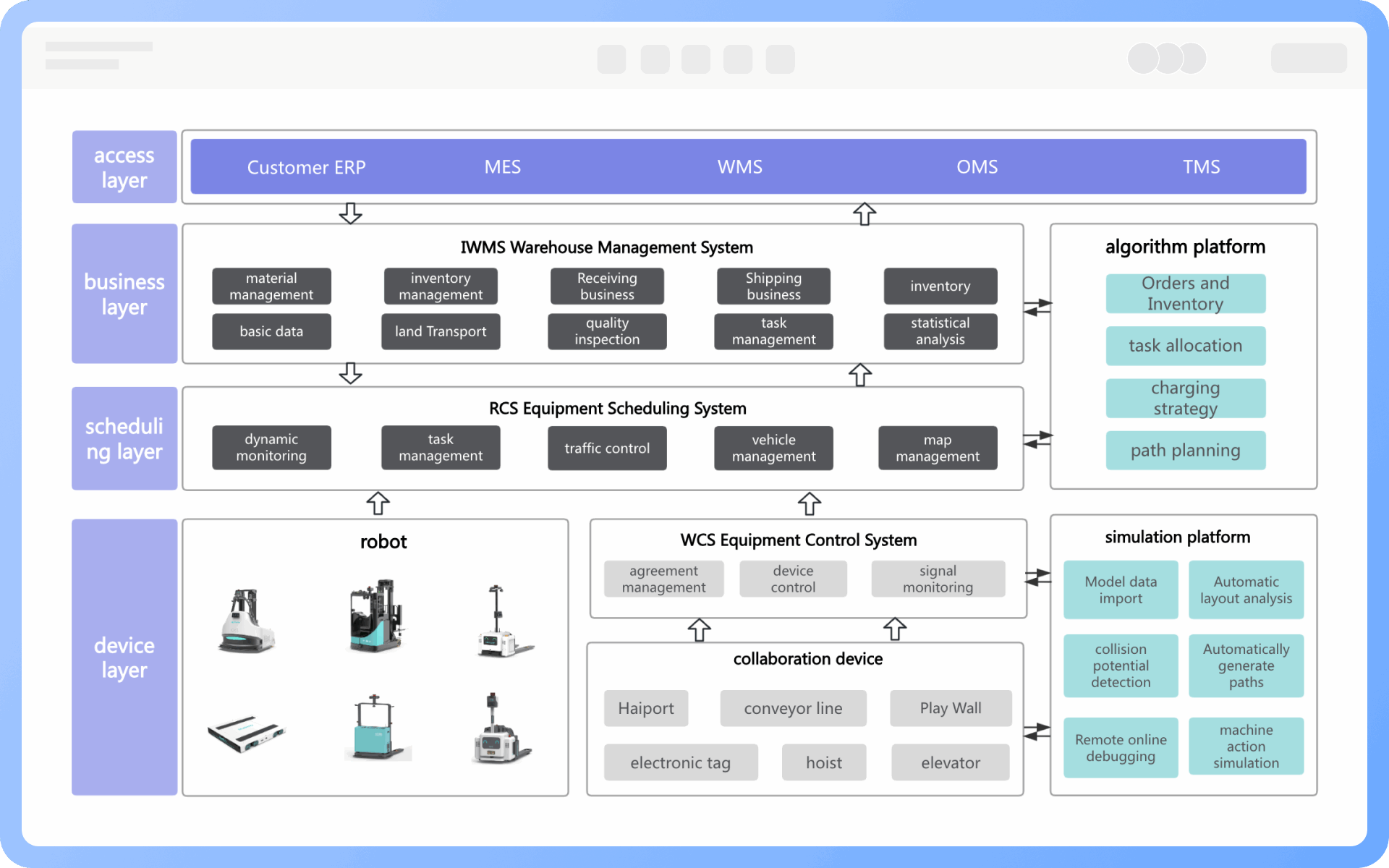
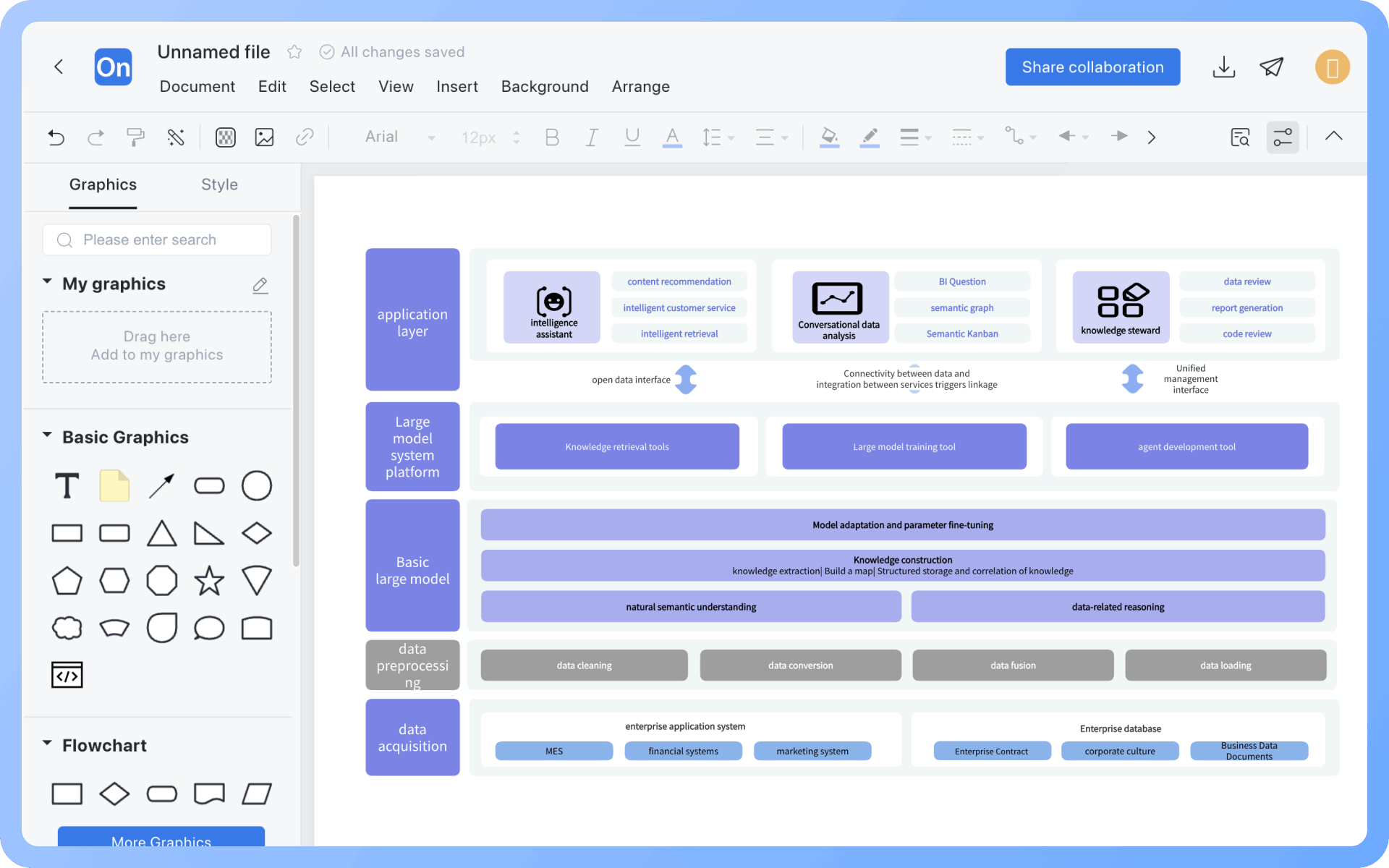
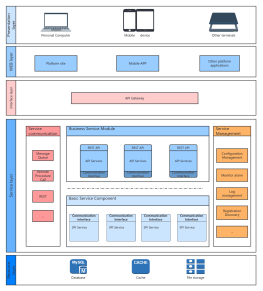
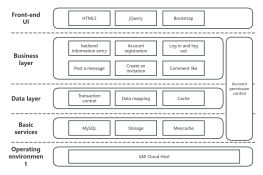
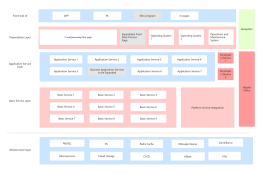
Layering: Create user layer, presentation layer, application layer, service layer, business logic layer, data layer, etc., in the drawing area based on the business architecture
3
Filling: Fill in detailed content in each layer, ensuring consistency in granularity across elements and no omissions
4
Add relationships: Add interaction relationships between layers using lines + arrows
5
Layout the positions of each component, using the distribute align function to quickly adjust component positions
6
Unify the colors of each layer to better showcase the overall structure and relationships between layers
7
Check and confirm the diagram is correct, and thus, a professional application architecture diagram is completed
Try for free

Application Architecture Diagram Frequently asked questions

What is the relationship between application architecture diagrams and business architecture diagrams, technical architecture diagrams?

Business architecture is strategy, application architecture is tactics, and technical architecture is equipment. Among them, application architecture serves as a bridge, connecting the implementation of business architecture and influencing technical choices. Therefore, the correct process is: familiarize with the business, form a business architecture, create a corresponding application architecture based on the business architecture, and finally implement the technical architecture.

What is the difference between application architecture diagrams and system architecture diagrams?

The core difference between application architecture and system architecture lies in the scope of focus and design level. Application architecture focuses on the functional implementation and technical structure of software systems, while system architecture encompasses the comprehensive design of the entire system, including hardware, software, networks, and coordinates non-functional requirements.

How to choose the appropriate application architecture?

The choice of application architecture is influenced by business complexity, including the stage of enterprise development and business characteristics, as well as by technical feasibility, including the stage of IT technology development and the level of internal technical personnel. Business complexity inevitably brings technical complexity, and the goal of application architecture is to solve business complexity while avoiding excessive technical complexity, ensuring the implementation of business architecture.

How is the service layer defined in an application architecture diagram?

The service layer plays the role of processing core business logic in the application architecture. It is the central layer in the application architecture, mainly responsible for handling the core business logic of the application. The service layer does not directly perform any tasks but calls the data access layer for data persistence operations and returns execution results.

What are the key elements of application architecture?

Structure: Structure is the primary element of application architecture. It defines the arrangement and combination of various components in the system. A clear structure can divide a complex software system into several relatively independent and functionally clear modules, thereby reducing system complexity and improving development efficiency.

Interaction Mechanism: The interaction mechanism stipulates how various components in the system communicate and cooperate to achieve the set functional goals. An efficient interaction mechanism can ensure smooth and unobstructed information flow between system components, reducing data transmission delays and errors, thereby improving the overall performance of the system.

What are the characteristics of a practical application architecture diagram?

1. Clear boundaries, defined interfaces
2. Understandable, maintainable, updatable
3. Supports communication, guides implementation, aids decision-making

What software is good for drawing application architecture diagrams?

Choosing the right software tool is crucial when drawing application architecture diagrams. Different tools are suitable for different usage scenarios, user groups, and modeling depths. ProcessOn is an online drawing tool that is particularly convenient for drawing application architecture diagrams. It has built-in architectural diagram components and a vast array of application architecture diagram templates, allowing you to quickly and conveniently draw application architecture diagrams.

Try for free

Application Architecture Diagram Template Recommendations

Application Architecture Diagram Drawing Guide

Related Diagrams