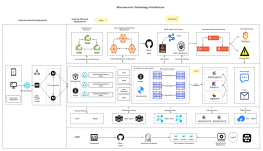
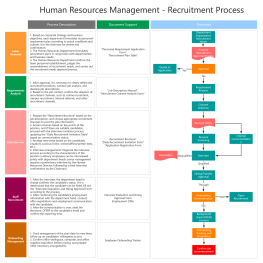
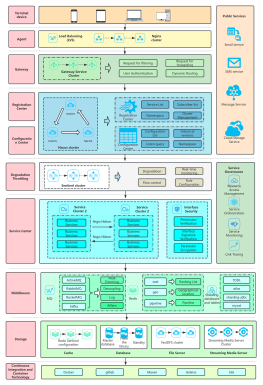
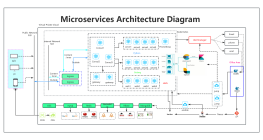
Process Type
Graphical expression
Mind Type
Structured expression
Note Type
Efficient expression
Treemap
Bracket Diagram

Default Mode





A business architecture diagram is a visual model describing an enterprise's business capabilities, business processes, organizational structure, and information flow. From a business perspective, it transforms corporate strategy into an actionable business blueprint, serving as a bridge connecting high-level strategy with IT implementation. This article will systematically explain the definition, value, core elements , and drawing methods of business architecture diagrams, and share several business architecture diagram templates.
A business architecture diagram is an abstract model of a company's business, and it answers three core questions:
What do businesses do? — Business Capabilities
How to do it? — Business Processes
Who will do it? — The organizational structure and how information flows.
Unlike purely technical architecture diagrams, business architecture diagrams use business language rather than technical jargon, making them understandable to managers, business personnel, and developers.
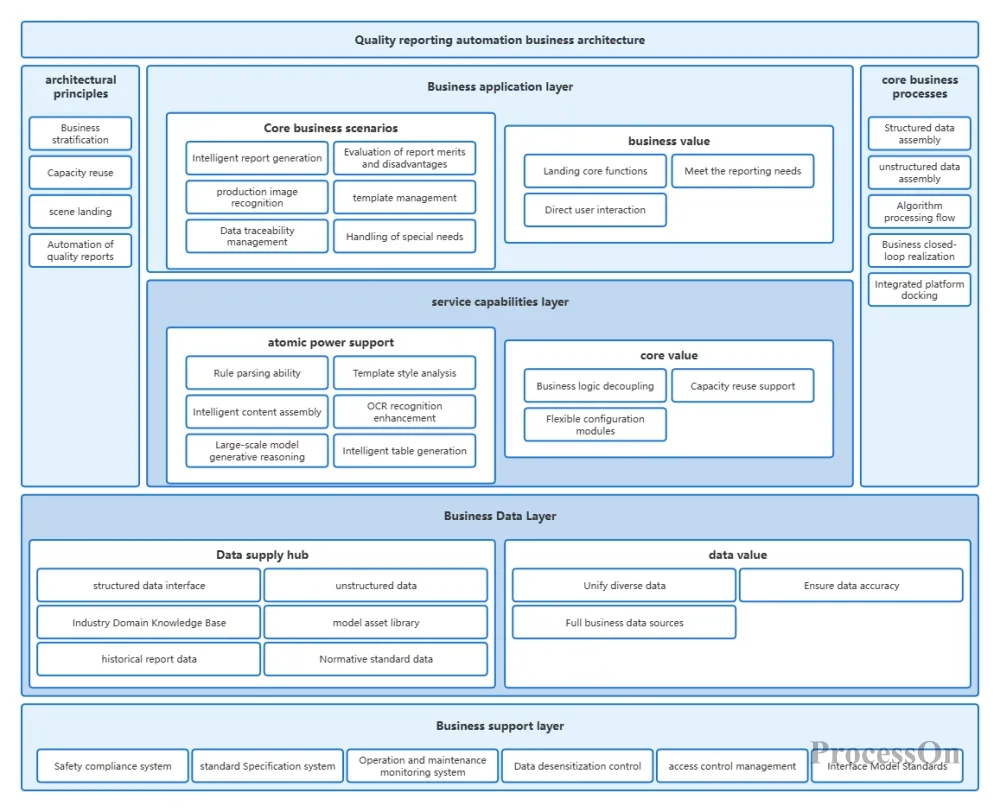
Quality Report Automation Business Architecture Diagram
Unlike traditional flowcharts or organizational charts, business architecture diagrams focus on a holistic perspective, showcasing the relationships and value delivery paths between various business modules, helping enterprise managers and team members understand the essence and operational logic of the business.
From a core principle perspective, the design of a business architecture diagram follows three basic principles: First, it is value-centric, with all business modules and processes revolving around the core objective of creating value for customers; second, it employs modular and layered design, breaking down complex business systems into multiple independent yet interconnected modules to reduce the difficulty of understanding and enhance flexibility; and finally, it is dynamic iteration, meaning that the business architecture diagram is not a static document but needs to be continuously updated and optimized as corporate strategy adjusts, market changes, and technological advancements occur.
The evolution of business architecture diagrams is closely related to the evolution of corporate management philosophies. Early business architecture diagrams primarily focused on organizational structure, emphasizing hierarchical relationships and reporting lines between departments. With the rise of process management concepts, business architecture diagrams began to focus on end-to-end business processes, emphasizing process efficiency and optimization. In the digital age, business architecture diagrams have gradually integrated data architecture and technical architecture, forming a more comprehensive panoramic view of the business and becoming an important supporting tool for corporate digital transformation.
Many companies spend huge sums of money implementing ERP and CRM systems, only to fail ultimately, often because they haven't first clarified their business architecture. The value of a business architecture diagram lies in four aspects:
Corporate strategies (such as "improving customer satisfaction" or "expanding into overseas markets") need to be translated into specific business capabilities and processes. A business architecture diagram can help executives examine: Do existing capabilities support the strategy? Which capabilities need to be built or outsourced?
Departments such as marketing, sales, production, and after-sales service operate independently, resulting in severe information silos. A business architecture diagram visualizes the end-to-end process, clearly defining the inputs, outputs, and responsible departments for each stage, thus reducing buck-passing.
IT projects often require rework due to unclear requirements. A business architecture diagram, as an appendix to the "Business Requirements Specification," can unify the understanding of requirements between business and technical personnel, reducing communication costs.
When companies reorganize or optimize processes, business architecture diagrams are a tool for impact analysis. For example, when restructuring a department, it's necessary to assess which processes and systems will be affected.
A complete business architecture diagram typically includes the following six elements:
Business capabilities: These are the things a company must do to achieve its goals, and they have a hierarchical structure. For example, "customer management" includes sub-capabilities such as "customer acquisition," "customer maintenance," and "customer analysis."
Value stream: The end-to-end sequence of activities by which a company creates value for its customers. Examples include "from order to cash" and "from concept to launch".
Business process: More specific activity steps, which may include branches, decisions, and roles.
Organizational units: departments, teams, positions and their reporting relationships.
Information entities: Key data generated and used in business operations, such as "customer information", "product catalog", and "orders".
Application systems: IT systems that support business activities, such as CRM, ERP, and WMS.
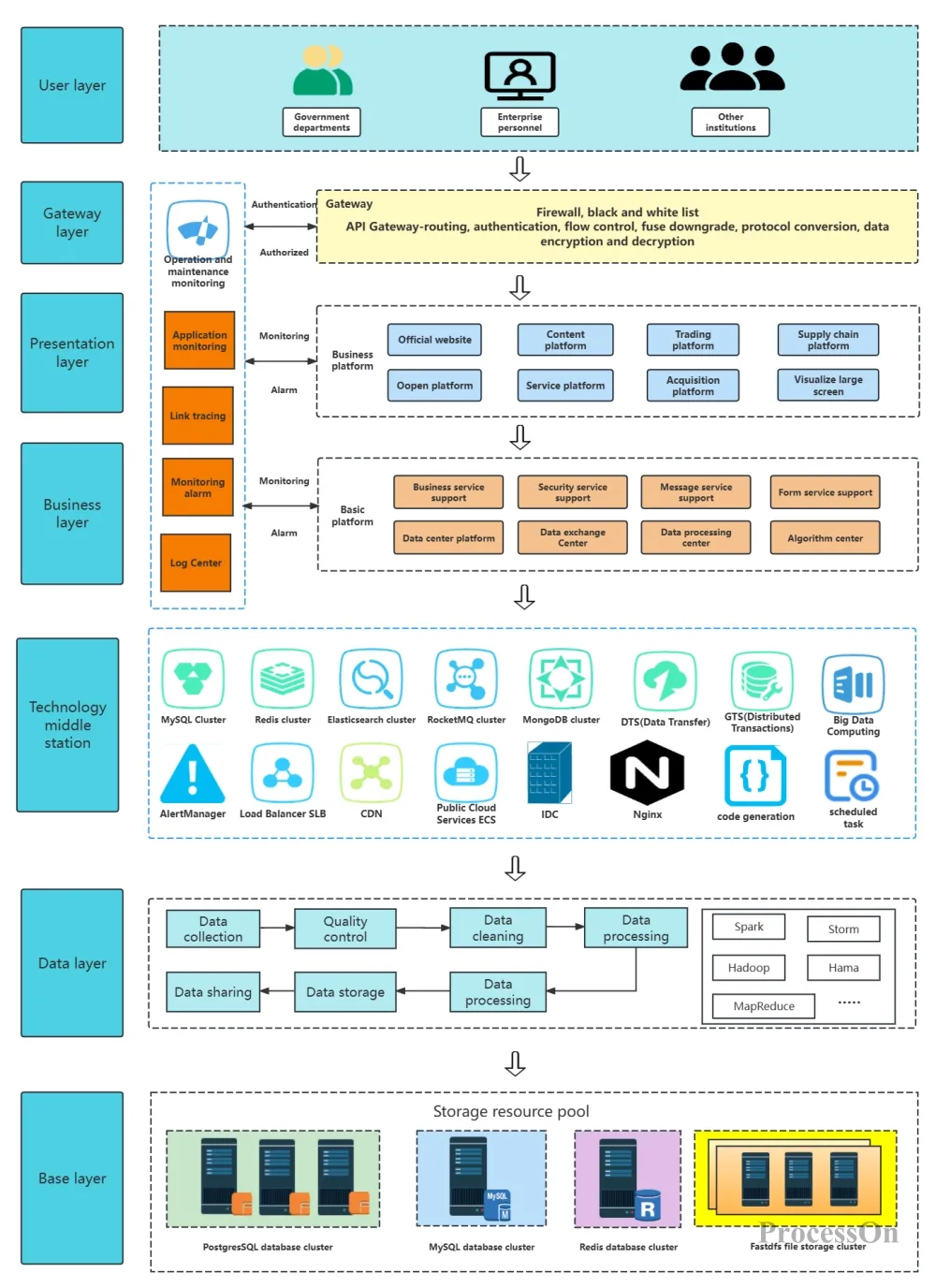
Business Architecture Diagram Template
In the diagram, these elements are connected by lines to represent relationships (e.g., "process steps" are executed by "a certain role", "use" a certain information entity, "generate" a certain data, and are "supported" by a certain application system).
ProcessOn is an online diagramming tool that supports drawing various types of architecture diagrams, provides a large number of business architecture diagram templates, and supports collaborative editing by multiple users online.
1. Log in to ProcessOn , go to your personal files page, and select "Create New Architecture Diagram".
2. Drag and drop container elements from the basic graphics library on the left onto the canvas to divide the space into modules. Name the modules, and then drag and drop the graphic components of each module into the container. When you move the container, the elements inside the container will also move. Use connecting lines to connect different modules or components to express the relationships between them.
3. The layout of each component can be arranged using the distribution alignment function to quickly adjust component positions. After the architecture diagram framework is completed, select modules or graphical components, and different colors can be set in the top toolbar for differentiation.
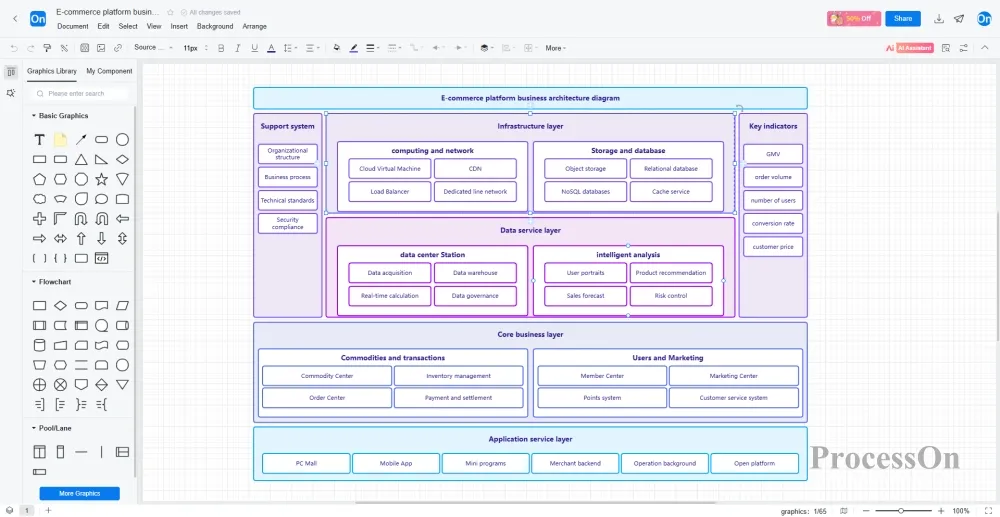
4. completing the business architecture diagram , click the "Export" button in the upper right corner of the page, select a suitable export format (such as PNG, JPEG, PDF, etc.), and save the business architecture diagram to your local computer. You can also share or collaborate on the diagram with colleagues or clients .
ProcessOn offers a wealth of business architecture diagram templates and examples for reference, and supports cloning for easier drawing. Below are some shared templates.
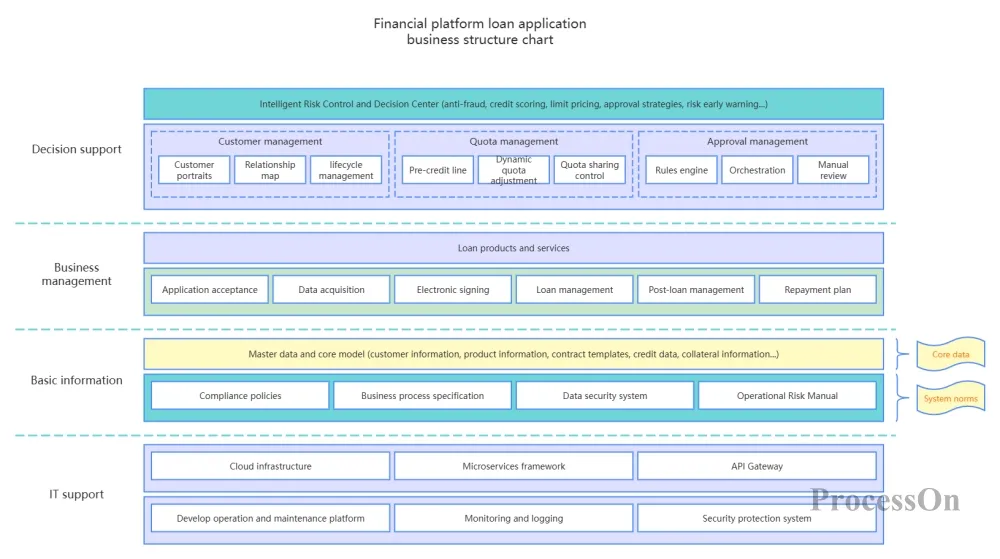
Financial Platform Loan Application Business Architecture Diagram
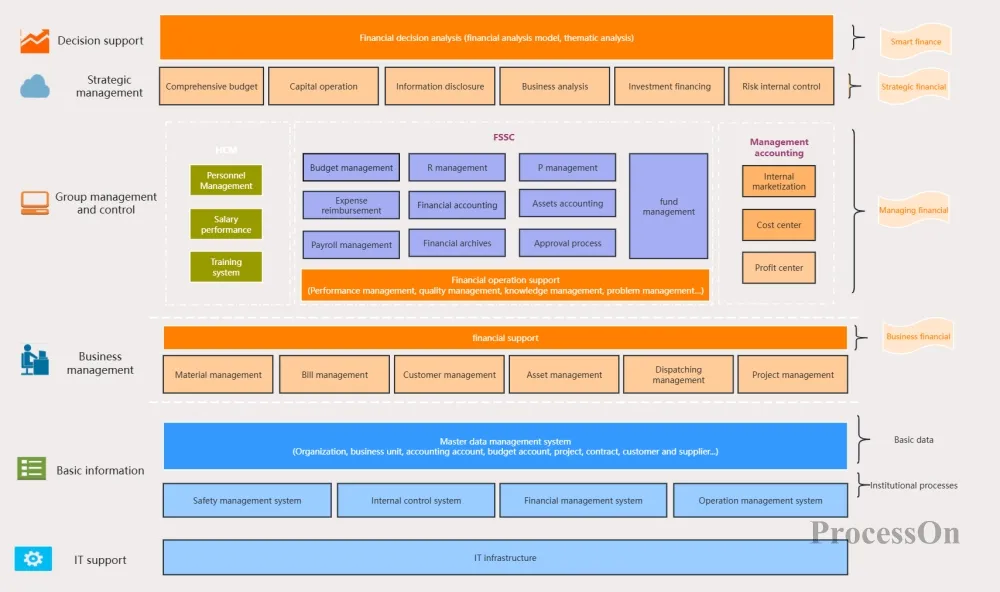
Business System Architecture Diagram
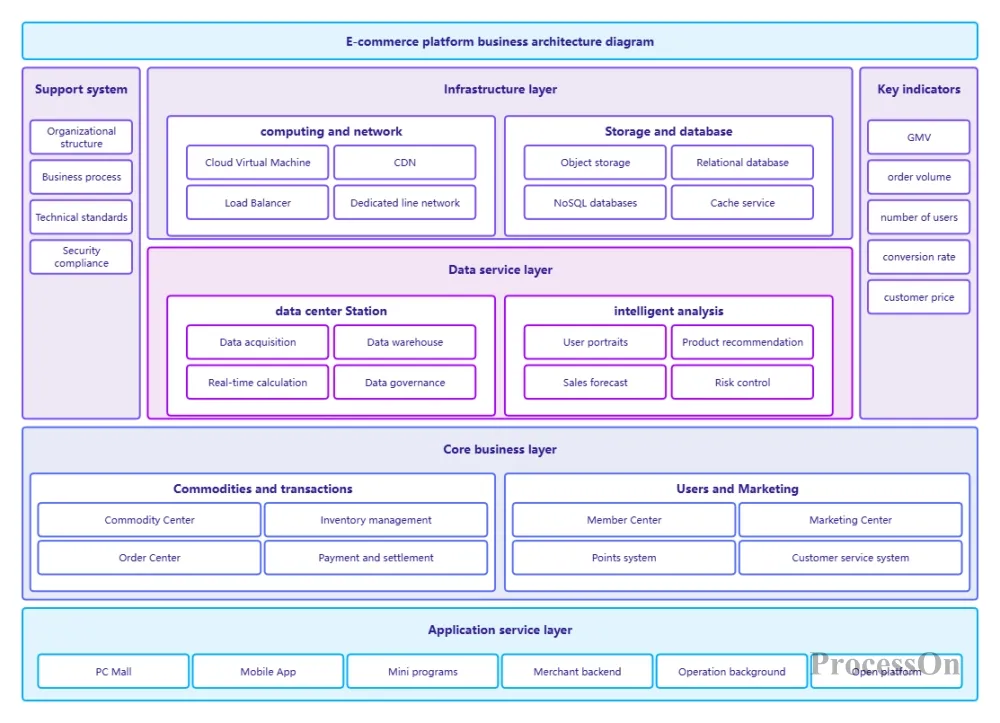
E-commerce platform business architecture diagram
A business architecture diagram is not a one-time drawing task, but a continuously evolving communication tool. When every key process in an enterprise has a clear business architecture diagram, the communication barriers between technology and business will disappear .
Now, open ProcessOn and start with the business area you are most familiar with, try drawing a business architecture diagram. You will find that the previously chaotic business logic becomes clear, and the previously shirked departmental responsibilities become explicit.