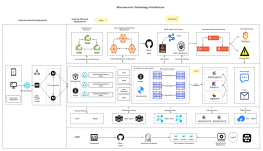
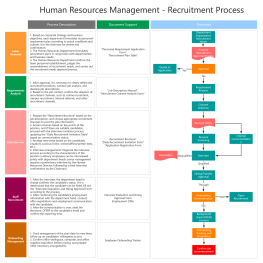
Process Type
Graphical expression
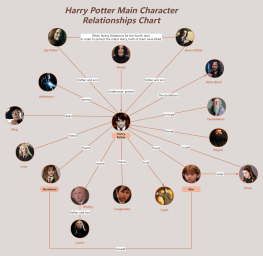
Mind Type
Structured expression
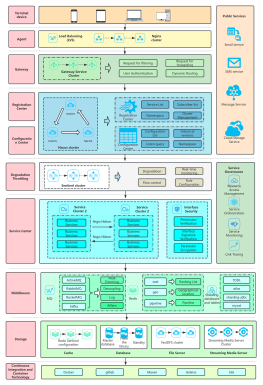
Note Type
Efficient expression
Treemap
Bracket Diagram

Default Mode





For students, more learning software is not necessarily better, and of course, no single tool can perfectly solve all learning problems.
In class, you need to take notes on what the teacher says; after class, you need to organize the course knowledge; before exams, you need to quickly review key points; during postgraduate entrance exam preparation, you need to develop a long-term study plan; group projects require collaboration among multiple people; and graduation theses require outlining the research framework and literature review. Therefore, when choosing learning software, instead of simply comparing "which one is the best," it's better to choose based on your actual learning needs.
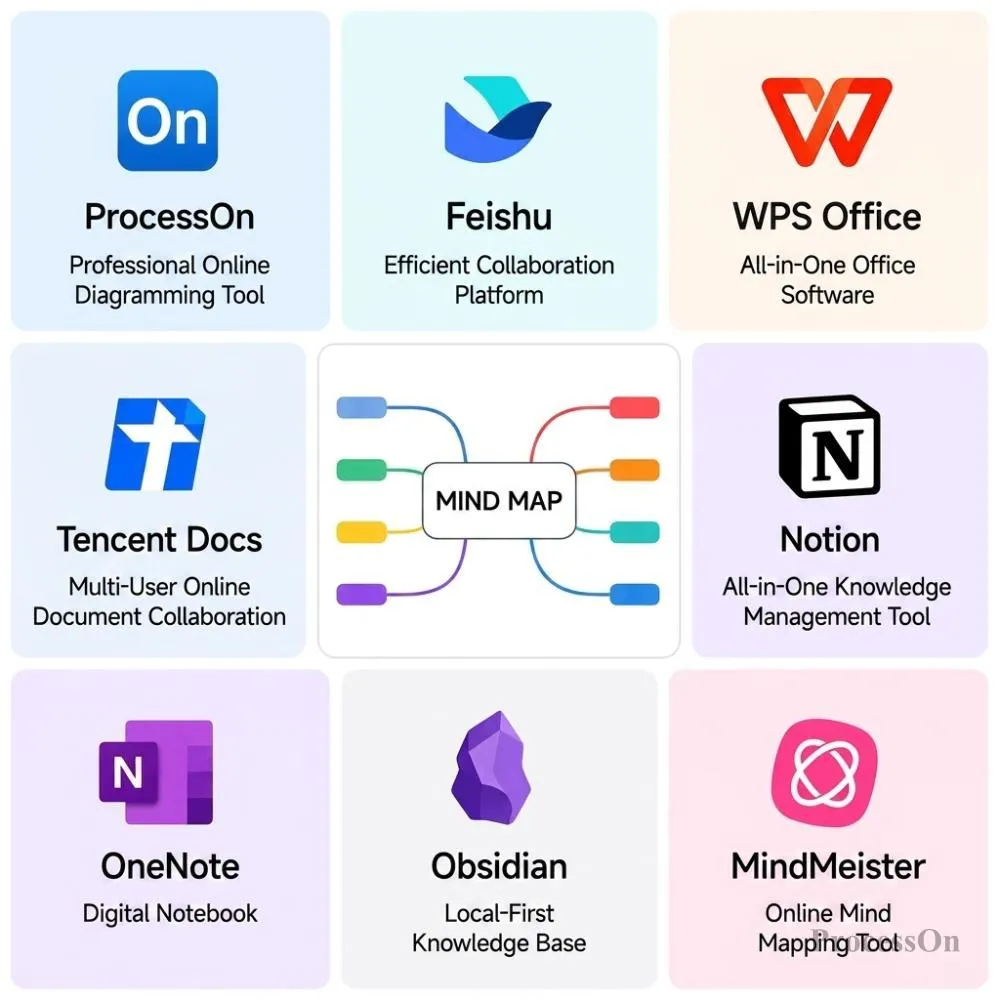
This article selects representative learning tools such as ProcessOn , Lark(Feishu), WPS, Tencent Docs, Notion, OneNote, Obsidian, and MindMeister, and compares them in scenarios such as classroom learning, knowledge organization, exam review, postgraduate entrance exam planning, group assignments, professional course learning, and graduation thesis, to help students find a tool that is more suitable for them.
Taking class notes is the most common learning activity for students, but different students record class content in different ways.
Some people prefer to write by hand, some use computers to quickly record, and some students are more concerned with how to organize the large amount of content taught by the teacher into a well-structured knowledge system.
Therefore, OneNote, Lark, WPS, and ProcessOn each have their advantages in this scenario.
OneNote is more like a digital notebook, allowing you to organize your learning content by course, chapter, and page, while also recording text, images, handwritten notes, and class materials.
OneNote is more suitable for students who are used to using tablets and styluses, or who frequently need to annotate directly on courseware or PDFs. Its advantage lies in recording complete information, rather than emphasizing the rapid conversion of content into a knowledge structure.
Lark combines documents, notes, and collaboration . For university students, it allows them to create study spaces based on different courses, simultaneously saving course materials, class notes, and group study content.
If students are already using Lark, there is no need to learn an additional complex learning management system.
Many students' learning materials are already in Word, PDF, or PPT format. WPS's advantage lies in its combination of document processing and AI capabilities, allowing it to summarize, refine, and organize existing learning materials.
For example, a course material of several dozen pages can be first extracted to highlight the key points, and then further structured into review content.
ProcessOn is better suited to solving another problem: "How do I organize all the content the teacher has covered into a clear knowledge map?"
For example, a computer network course can be organized as: Computer Networks → Network Models → TCP/IP → TCP → UDP → HTTP → DN , and then further supplemented with definitions, characteristics, application scenarios, and exam focus points.
Even more noteworthy is that ProcessOn also supports speech recognition and mind map generation . For courses with a lot of content and teachers who speak at a fast pace, students can record the class content with the necessary authorization, and then use ProcessOn to convert the speech into text and further organize it into a structured mind map.
The entire process can be summarized as: classroom lecture → voice recording → text recognition → AI organization → mind mapping . This ability is especially valuable for students who are absent from class due to leave.
For example, if a student is unable to attend a class due to illness, internship, or other reasons, they can record the class content with the permission of the teacher and relevant personnel. They can then use ProcessOn to organize the information into text and mind maps, sharing this with classmates who missed the class for review . This results not just in scattered class photos or notes, but in a structured framework of course knowledge.
How to choose the right tools ?
Handwritten notes and courseware annotations → OneNote
Notes and team collaboration → Lark
Work, PDF, and PPT organization → WPS
Knowledge structures, AI mind maps, and classroom audio transcription → ProcessOn
Classroom learning addresses the issue of "acquiring knowledge," while exam preparation focuses more on reorganizing that knowledge.
A course may contain dozens of chapters and a large number of knowledge points. If all of them are saved as ordinary notes, it is often difficult to quickly find the key points before the exam. This is where the advantage of mind mapping becomes obvious.
You can first establish the primary framework of the entire course, and then add knowledge points layer by layer.
For example: Advanced Mathematics → Limits → Derivatives → Differentials → Integrals → Differential Equations → Series . Formulas, theorems, typical problem types, and common mistakes can be added further.
Before the exam, you only need to open a mind map to quickly review the knowledge structure of the entire course. If a certain knowledge point needs further explanation, you can continue to expand on it, instead of cramming all the content into a traditional notebook.
MindMeister has a clear focus: mind mapping is its core function.
If students do not need other professional graphics such as flowcharts, UML diagrams, or ER diagrams, and only want to use a tool focused on mind mapping, they can consider MindMeister .
If students have already accumulated a large amount of class notes, PDFs, images, and handwritten content, OneNote is better suited for centralized management. It's more like a complete digital notebook than a dedicated knowledge mapping tool.
For students who frequently use Word, PDF, and PowerPoint, WPS can directly organize existing materials.
Therefore, if students are faced with "how to quickly organize dozens of pages of textbook", WPS has a relatively low barrier to entry; if they are faced with "how to build a complete knowledge framework for a course", ProcessOn has a greater advantage.
How to choose the right tools ?
Data organization → WPS / OneNote
Knowledge Structure → ProcessOn / MindMeister
Quick review before the exam → ProcessOn
The biggest difference between postgraduate entrance exams and regular exams is that the study period is longer, there are more subjects, and the plan is more complex.
For example , a graduate school applicant might need to plan their studies simultaneously for politics, English, mathematics, and their major courses , further divided into: a foundational stage → an intensive stage → a practice exam stage → a final sprint stage . In this situation, simply using ordinary notes would be insufficient to manage the entire study plan.
You can use mind maps to break down your postgraduate entrance exam goals: Postgraduate Entrance Exam → Politics / English / Mathematics / Professional Courses , and then further break it down into chapters, knowledge points, and stage goals.
If you need to plan your time, you can also use ProcessOn 's timeline, Gantt charts, and other graphs to combine "what to learn" and "when to learn".
For example:
March-May: Foundation Phase
June-August: Intensive Phase
September-October: Practice with past exam questions
November-December: Intensive Review
This transforms a complex postgraduate entrance exam plan into an easy-to-understand visual roadmap.
Notion is better suited for managing tasks at the execution level.
For example, Notion offers flexibility for tasks such as daily assignments, study check-ins, exam countdowns, resource databases, error logs, and reading lists . If students are already accustomed to using databases and task management, Notion will be more suitable.
If you need to share materials, organize knowledge together, or conduct group study with classmates during the postgraduate entrance examination process, Lark's document and collaboration capabilities are quite convenient.
How to choose the right tools ?
Develop an overall postgraduate entrance exam preparation plan → ProcessOn
Managing daily learning tasks → Notion
Resource sharing and collaborative learning → Lark
Group assignments are becoming increasingly common in university courses, such as market research, business planning, course presentations, and experimental projects.
These types of tasks often require multiple people to collaborate on editing materials, so the focus of the tool is no longer just on "whether it can take notes," but on whether it can collaboratively complete the task.
Tencent Docs is well-suited for quickly creating course groups: course reports, data statistics tables, task assignment tables, questionnaire results, and meeting minutes can be collaboratively edited by members without requiring complex learning curves.
However, if group projects require the creation of a large number of professional graphics such as mind maps and flowcharts, Tencent Docs is not the most suitable tool.
Lark is suitable for centralizing documents, spreadsheets, data, tasks, etc. in one workspace . If a course project needs to be completed over several weeks or even months, Lark is more suitable as a collaboration platform for the entire team.
ProcessOn 's strength lies in combining collaboration with visual representation.
For example, when a team completes a market research project, they can use ProcessOn to: outline the research framework, create a research process, build user profiles, draw project workflows, and create a report mind map . Multiple people can edit and discuss the same map.
How to choose the right tools ?
Document and spreadsheet sharing → Tencent Docs
Comprehensive team collaboration → Lark
Graphical project collaboration → ProcessOn
For students in different majors, the learning content is often more than just textual knowledge.
Computer science majors need to understand system architecture, databases, and networks; medical professionals need to understand diseases, symptoms, and treatment processes; engineering professionals need to understand processes and system structures; and management professionals need to understand organizations, businesses, and processes. This is also the difference between professional mind maps and ordinary notes.
ProcessOn supports not only mind maps, but also flowcharts, UML diagrams, ER diagrams, Network topology diagrams, Gantt charts, Swimlane diagrams, BPMN diagrams, and many other types of graphs. For example:
Computer Science Major: UML Class Diagrams, ER Diagrams, System Architecture Diagrams, Network Topology Diagrams
Medical specialties: Disease knowledge map, nursing procedures, diagnosis and treatment procedures
Engineering: Process flow diagram, system architecture diagram, project workflow
Management Major: Organizational Chart, Business Process Diagram, Project Management Chart
This means that while learning professional knowledge, students can use graphics corresponding to the professional content to express that knowledge.
If students primarily need mind maps and don't require a large number of specialized graphics, MindMeister remains a straightforward choice.
Lark is better suited for combining course notes, materials, and team collaboration.
How to choose the right tools ?
Therefore, if you only need to create mind maps, you can choose a dedicated mind mapping tool; if you need multiple types of diagrams such as mind maps, flowcharts, UML diagrams, and ER diagrams, ProcessOn has a wider range of applications.
When it comes to the graduation thesis stage, students face a different set of problems: How to determine the thesis structure? How to organize the research logic? How to manage a large amount of literature? How to record the research progress?
Therefore, this stage usually requires the use of multiple tools.
Before formally writing the paper, you can first use a mind map to establish the following structure: Research Background → Literature Review → Research Questions → Research Methods → Data Analysis → Research Conclusions . If experiments or surveys are involved, you can also use a flowchart to describe the research process.
This allows you to check the overall logic of the paper before you actually start writing the main text.
It can create a paper database to record: paper title, author, year, research direction, reading status, and core conclusions , while also managing paper writing tasks and progress.
Obsidian places greater emphasis on the connections between different areas of knowledge.
For example, the knowledge connection method of paper → author → theory → concept → research question is valuable for graduate students and students who need to conduct academic research for a long time.
How to choose the right tools ?
Thesis Framework and Research Process → ProcessOn
Literature and Paper Task Management → Notion
Long-term knowledge association → Obsidian
There's a lot of learning material during four years of university. If the materials are thrown into different folders after each course, it may be very difficult to find the content you learned after graduation.
Therefore, for some students, building a personal knowledge base is more important than simply taking class notes.
Long-term knowledge maps can be built according to majors: professional knowledge → core courses → professional direction → key theories → practical cases . Different mind maps can also be used to build separate knowledge bases: course knowledge base, exam knowledge base, professional knowledge base, and vocational skills knowledge base .
If knowledge needs to be expressed using flowcharts, timelines, relationship diagrams, etc., the corresponding graphics can be used directly.
If you want to keep notes, tasks, databases, materials, and reading lists all in one space, Notion offers greater flexibility.
Obsidian would be more suitable for students who want to accumulate professional knowledge over the long term and pay special attention to the connections between different knowledge points.
How to choose the right tools ?
Visualized Knowledge System → ProcessOn
Comprehensive Learning Management → Notion
Long-term knowledge association → Obsidian
As we can see from the previous scenarios, these tools are not simply "number one" ; they are better suited to solving different types of problems.
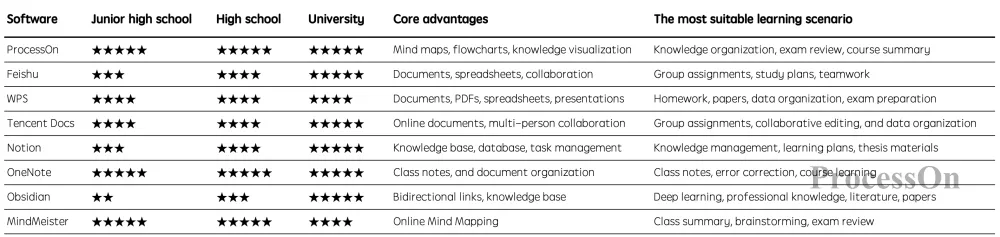
What students truly need is not a software with the most features, but a set of tools that can cover their learning process. Therefore, students can choose tools based on their actual needs, rather than pursuing the so-called "one and only best software."
If you mainly use it as a classroom pen , OneNote or Lark are more suitable.
If you wish to further transform classroom content into a knowledge structure , you can use ProcessOn .Especially for authorized classroom recordings, ProcessOn 's speech recognition and mind mapping capabilities can help students transform a large amount of classroom content into a knowledge framework that is easier to review.
If the main focus is on knowledge organization , ProcessOn and MindMeister are good options to consider .
If you need to create professional graphics such as flowcharts, timelines, Gantt charts, and UML diagrams simultaneously , ProcessOn has a wider range of applications.
If you need to manage the entire learning process , consider Notion , which is better suited for combining notes, tasks, databases, and learning plans.
If you frequently work with textbooks and PDFs , you might consider WPS , which is especially suitable for summarizing and organizing existing course materials with AI assistance.
If you frequently work in groups , you can choose based on your specific needs:
Tencent Docs → Document and Spreadsheet Collaboration
Lark → Integrated Team Collaboration
ProcessOn → Visual collaboration tools such as mind maps and flowcharts
For professional courses or research-based learning , you might want to consider ProcessOn + Obsidian / Notion . The former is responsible for knowledge structure and visualization, while the latter is responsible for long-term data and knowledge management.
Not necessarily. If it's just for regular class notes, a note-taking app is perfectly adequate.
However, if you are entering the stage of preparing for postgraduate entrance exams, writing a graduation thesis, or studying in-depth professional courses, it is more reasonable to use two or three tools at the same time.
Postgraduate entrance examination students
ProcessOn : Establishing a professional course knowledge system, review path, and time plan.
Notion: Managing daily learning tasks and progress
WPS: For processing teaching materials, PDFs, and course materials
Computer Science Students
ProcessOn : Mind Maps, UML, ER Diagrams, Flowcharts
Obsidian: Long-term technical knowledge base
OneNote: Class Notes
Group Project
Lark: Team Data and Task Collaboration
Tencent Docs: Reports, Tables, and Data
ProcessOn : Project Framework, Process, and Reporting Diagrams
Therefore, instead of looking for a "one-size-fits-all learning software," it's better to let different tools do what they do best.
Q1: What software is best for students to create mind maps?
You can choose based on your needs. If you mainly create mind maps, you can consider ProcessOn or MindMeister ; if you also need other diagrams such as flowcharts, timelines, Gantt charts, UML diagrams, and ER diagrams, ProcessOn has a wider range of coverage.
Q2: Can students use AI to automatically organize classroom content?
Yes. AI can help students organize classroom materials, extract key points, and build knowledge frameworks. ProcessOn also supports recognizing authorized audio content as text and further generating mind maps, suitable for course review and classroom content organization.
Q3: How to quickly organize the class content when a student is absent due to leave of absence?
With the necessary authorization from teachers and relevant personnel, students can record class content, then use ProcessOn to convert the speech into text and organize it into a mind map, which can then be shared with classmates who missed the class for review. For university courses with a lot of content, this method can reduce the time spent reorganizing class content.
Q4: Is ProcessOn suitable for postgraduate entrance exam students?
Suitable. Postgraduate entrance exam students can use ProcessOn to build a knowledge framework for politics, English, mathematics, and professional courses, and can also use mind maps, timelines, and Gantt charts to develop review routes and phased plans.
Q5: Should students choose Notion or ProcessOn for learning ?
The two have different focuses. Notion is better suited for note-taking, databases, tasks, and learning management; ProcessOn is better suited for mind maps, flowcharts, and knowledge visualization. If your core need is to build a learning management system, consider Notion; if your core need is to organize knowledge structures and visualize them, prioritize ProcessOn .
Q6: Which is more suitable for students, WPS or ProcessOn ?
If your learning materials are mainly Word, PDF, and PPT, and you want to organize them using AI, WPS is more convenient; if you want to organize knowledge into mind maps and further create flowcharts, timelines, Gantt charts, and other visual content, ProcessOn is more suitable.
Q7: What software should students use for group assignments?
You can choose based on the task type. Tencent Docs is suitable for collaborative editing of documents and spreadsheets, Lark is suitable for comprehensive team collaboration, and ProcessOn is more suitable for collaboratively creating visual content such as mind maps, flowcharts, and project frameworks. In actual projects, they can also be used in combination.