Process Type
Graphical expression
Mind Type
Structured expression
Note Type
Efficient expression
Treemap
Bracket Diagram

Default Mode





Have you ever experienced this scenario: After a two-hour meeting, everyone goes back to their seats, the meeting minutes are never compiled, a lot of discussions are held, the final conclusions are vague, and to-do items are scattered in everyone's notebooks. Three days later, no one remembers what they promised.
The pain point of teamwork is never "lack of effort," but rather the inefficiency of information flow. The value of AI is not to replace humans, but to liberate teams from repetitive tasks, allowing everyone to focus on matters that truly require human judgment.
For roles such as product managers, operations, project managers, and HR who frequently use mind maps and flowcharts, a truly collaborative AI charting tool is compressing the traditional workflow of "2 hours of meetings, 1 hour of organization, and half a day of alignment" into a real-time collaborative experience of "generating while in meetings and implementing while discussing."
The root cause of many teams' inefficiency is "no preparation before the meeting, no record-keeping during the meeting, and no follow-up after the meeting."
In the past, meeting organizers had to spend a lot of time preparing the agenda before the meeting, and during the meeting, some people would be so engrossed in taking notes that they wouldn't have time to discuss. After the meeting, they would have to spend half an hour preparing the minutes and distributing them to everyone—by the time the minutes were sent out, everyone had already forgotten what was said at the meeting.
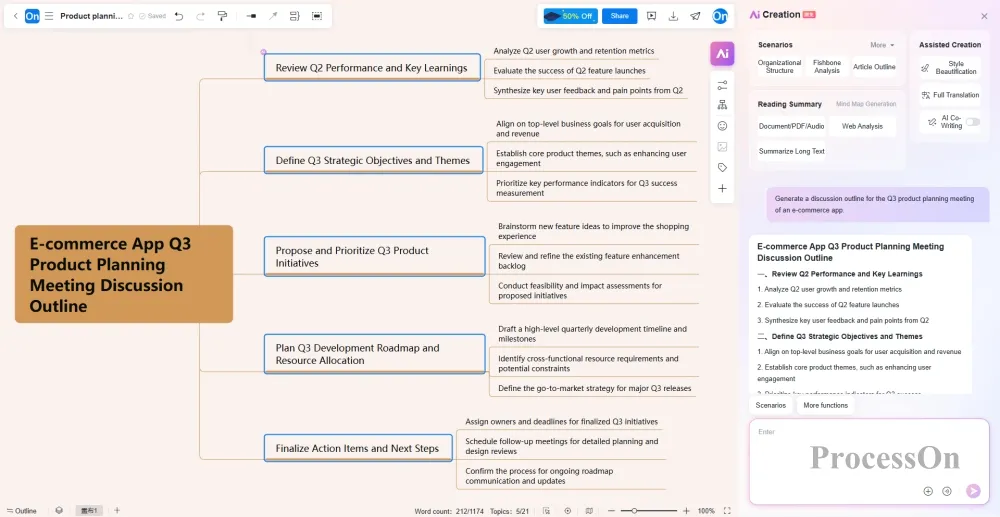
The intervention of AI has completely changed this process. Before the meeting, you can open ProcessOn mind mapping and input information such as the meeting topic and scale into the AI creation function . AI will automatically break it down into modules such as goal review, progress review, problem inventory, resource requirements, and next stage plan . You can get a clearly structured meeting framework 10 minutes before the meeting and directly project it for discussion, saving the time of writing the agenda by hand.
After the meeting, AI can automatically generate structured meeting minutes and to-do lists based on the discussion content. Who is responsible for what, what the deadline is, what the decision was—all key information is organized into a clear mind map or list, which can be shared with the team with one click.
Improved collaboration efficiency: From "organizing after the meeting" to "generating simultaneously during the meeting," minutes are no longer a burden for one person, but a work asset shared by the team in real time.
A common scenario in team collaboration is this: the product manager sends a PDF requirements document in the group chat, the operations team sends a meeting recording, and the designer sends a whiteboard photo of a hand-drawn flowchart—everyone processes information in their own tools and then manually organizes it into structured content that the team can understand.
This process is essentially a repetitive "information translation" task.
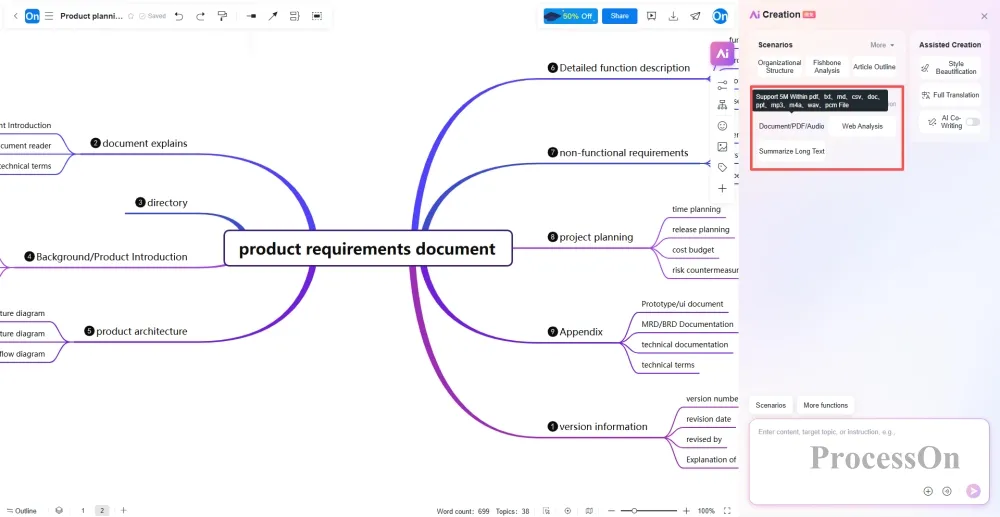
ProcessOn's AI-powered charting tool can: Upload a PDF industry report, and AI will automatically extract core viewpoints, data conclusions, and key recommendations to generate an editable mind map . Upload a meeting recording or lecture audio, and AI will recognize the speech, convert it to text, and automatically categorize it by speaker and topic to generate a structured discussion framework . Upload a hand-drawn flowchart photo, and AI will recognize the graphics and text to convert it into an editable electronic flowchart with one click.
Regardless of whether the information comes from documents, images, audio, or web links , AI can automatically extract the core content and output a well-structured mind map or flowchart .
Improved collaboration efficiency: Teams no longer need to switch between multiple tools; information is transformed from being "scattered everywhere" to "converging on a single map," and everyone sees the same structured knowledge asset.
After a long meeting and discussion, what ultimately led to the final decision? It was the clear communication of the three key elements: "who, when, and what."
In the traditional approach, project managers have to manually extract to-do items from meeting minutes, assign them to the appropriate people, and then enter them into project management tools—this "secondary processing" process itself is a loss of efficiency.
ProcessOn AI Gantt charts allow you to input your requirements via text, automatically recognize task-related content, and supplement your project tasks. You can associate tasks with responsible persons , set deadlines and priorities, and export them as an executable work plan with one click.
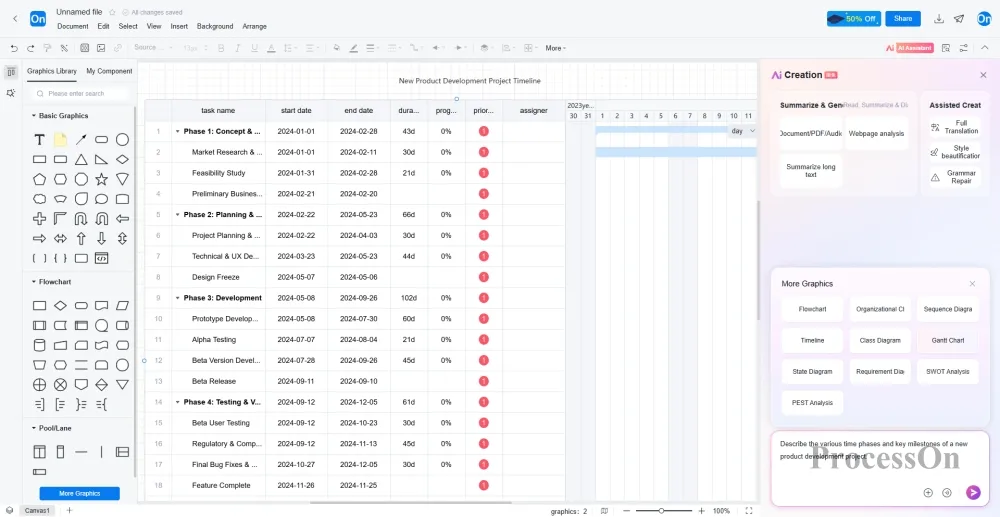
Improved collaboration efficiency: Shift from "people looking for tasks" to "tasks finding people." Tasks no longer rely on one person's memory but are systematically attached to the team's collaboration chart, making it clear who should do what and when.
AI solves the problem of "what to do," but there's another layer to team collaboration: how to do it.
In collaborative diagramming tools, team members can simultaneously edit the same mind map or flowchart online, with each person's cursor position visible in real time. Product managers adjust the requirement structure, designers simultaneously add interaction specifications, and developers annotate technical constraints—all changes are synchronized in real time, eliminating the need for sending files back and forth.
During collaboration, team members can directly add comments and @mention relevant personnel at any node, and all discussions and decision-making processes are recorded on the corresponding chart nodes. When a new member joins the project, they can see the complete discussion process and decision records by opening the collaboration chart, without having to go through the chat history to catch up.
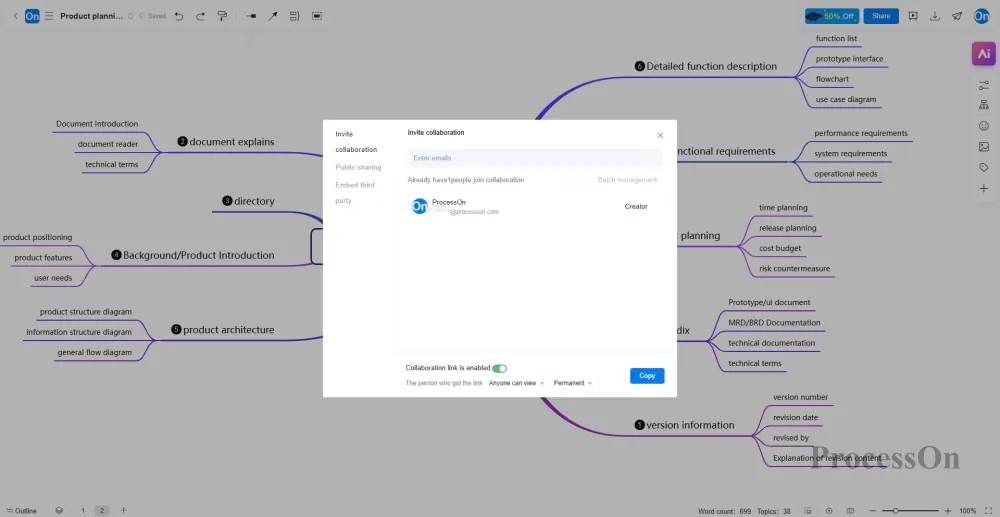
Improved collaboration efficiency: Shifting from "asynchronous file transfer" to "synchronous collaborative creation of a single diagram." The context of team communication is no longer scattered across emails, WeChat messages, and meeting minutes, but is fully embedded in the collaboration diagram.
For companies with multinational teams or overseas clients, language barriers are a common bottleneck to efficiency in team collaboration.
The documents were written in Chinese, which overseas colleagues couldn't understand; the English meeting minutes were difficult for the domestic team to read. Every communication required translation, proofreading, and confirmation, and a simple information transfer could go through several rounds of back and forth.
AI-powered diagramming tools with built-in multilingual translation capabilities simplify this process . Once mind maps or flowcharts are generated, they can be switched to 17 languages, including English , Japanese , French , and German , with a single click . Multiple language versions of the same file can be generated simultaneously, ensuring consistent understanding across global teams .
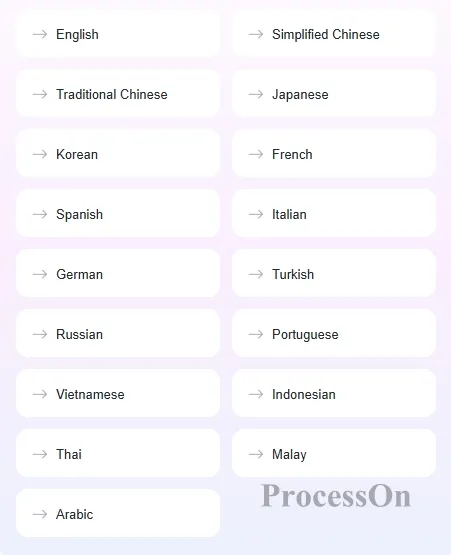
Improved collaboration efficiency: Shifting from "translate first, then align" to "translate while collaborating." Language is no longer a barrier to information transmission, and the collaborative rhythm of multinational teams is no longer disrupted by translation cycles.
Returning to the initial scenario: After a two-hour meeting, minutes are automatically generated, tasks are automatically assigned, information is automatically structured, and multinational teams synchronize in real time—this isn't science fiction, but rather the collaborative reality that AI charting tools are enabling in everyday life.
Research shows that teams that involve AI in their work earlier gain a significant first-mover advantage. This advantage is not only reflected in efficiency figures, but also in the experience and judgment the team accumulates in "human-machine collaboration".
AI takes over repetitive tasks such as information processing, structure building, and language conversion, allowing teams to focus their energy on high-value aspects like creative thinking and strategic decision-making . When a team no longer expends energy on "information alignment," their real work has just begun—making better decisions using human judgment.
This is the essence of how AI is reshaping team collaboration: not making people work faster, but making their work more valuable.