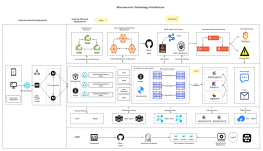
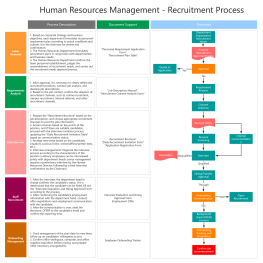
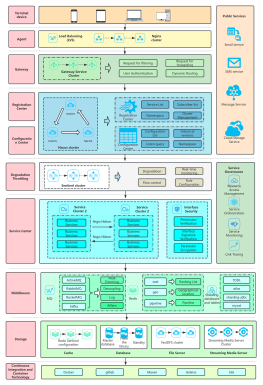
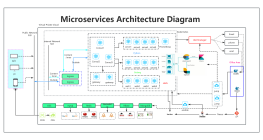
Process Type
Graphical expression
Mind Type
Structured expression
Note Type
Efficient expression
Treemap
Bracket Diagram

Default Mode





In the field of flowchart and visual design, draw.io and ProcessOn are frequently chosen tools by users.
draw.io is popular among developers for being free, open source, and supporting offline use, while ProcessOn meets the needs of more enterprise and individual users through AI drawing, support for multiple types of graphics, online collaboration, and knowledge management capabilities.
ProcessOn and draw.io in terms of feature coverage, AI capabilities, code editing, team collaboration, and applicable scenarios , helping you choose the drawing tool that best suits your needs.

ProcessOn is a browser-based online drawing tool that helps users create, edit, collaborate, and share various structured diagrams. Unlike traditional drawing software, ProcessOn not only supports technical diagrams such as flowcharts and UML diagrams, but also covers office and knowledge management scenarios such as mind maps, organizational charts, fishbone diagrams, timelines, Gantt charts, and data charts.
For product managers, ProcessOn can be used to draw user flows, product roadmaps, and requirements analysis diagrams; for developers, it can be used to create UML models, system architecture diagrams, ER diagrams, and technical documentation; and for teachers and students, it can be used for knowledge organization and learning planning.
Meanwhile, ProcessOn provides AI-powered graphics generation capabilities, allowing users to quickly generate flowcharts, mind maps, UML diagrams, Mermaid code, and other content using natural language, thus improving the efficiency of graphic creation.
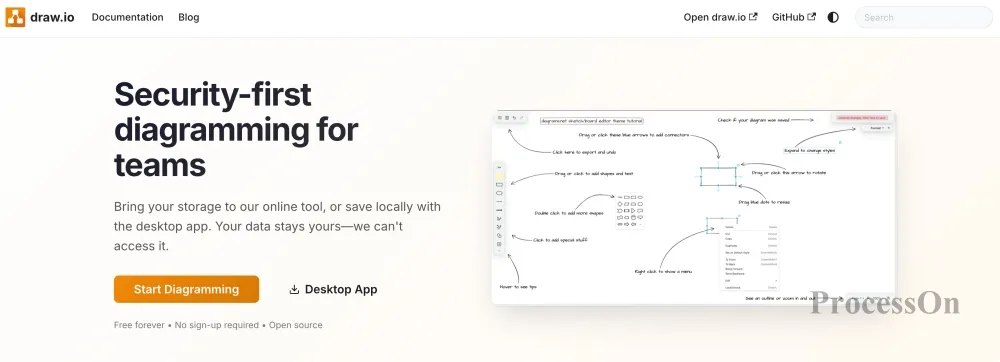
Image source: drawio.com
draw.io is an open-source online drawing tool known for being free, open, and flexible. It supports online use as well as offline editing via a downloaded client, making it popular with many developers and technical teams.
draw.io's strengths lie primarily in technical drawing, such as software architecture design, network topology database modeling, UML modeling, and cloud service architecture design. For users who need completely free tools or wish to control their file storage location, draw.io is an excellent choice.
However, compared to comprehensive visual collaboration platforms, draw.io emphasizes "drawing graphics," while ProcessOn further expands to AI creation, knowledge management, and team collaboration scenarios.
Flowcharts are the core function of both tools, but modern users' needs for drawing tools are no longer limited to simple process design. For example, a product manager may need to create: user flowcharts, product roadmaps, Gantt charts, mind maps, and organizational charts; a software team may need: system architecture diagrams, UML class diagrams, sequence diagrams, ER database models, and technical documentation.
In terms of graphical coverage, both tools have their advantages. draw.io leans more towards engineering and technical fields, such as software architecture, network topology, and database design. ProcessOn , in addition, adds a wide range of office and knowledge management scenarios, including mind maps, organizational charts, fishbone diagrams, timelines, Gantt charts, and data charts.
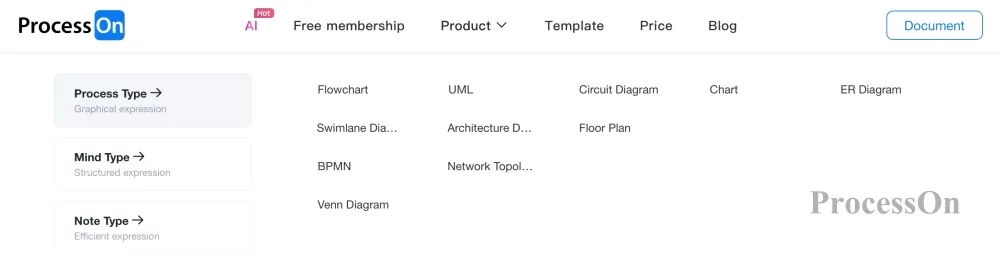
ProcessOn supports various flowchart types
As can be seen, draw.io performs well in the field of technical drawing, while ProcessOn has a wider range of coverage and is more suitable for handling multiple tasks such as office work, study, project management and technical design at the same time.
With the development of AI technology, drawing tools are shifting from traditional "manual drawing" to "intelligent generation." ProcessOn provides complete AI creation capabilities. Users only need to input natural language, such as:
Create an e-commerce platform order processing workflow
AI can understand business logic and automatically generate corresponding process structures.
AI mind mapping can quickly convert documents, PDFs, and web page content into knowledge structures;
AI UML can generate software design models such as class diagrams, sequence diagrams, and use case diagrams based on requirement descriptions.
AI Mermaid can generate Mermaid code based on text descriptions and render it automatically;
AI formula editors can assist in generating, recognizing, and optimizing mathematical formulas.
These capabilities can significantly lower the barrier to entry for drawing and reduce the time spent drawing from scratch for product managers, developers, teachers, students, and content creators.
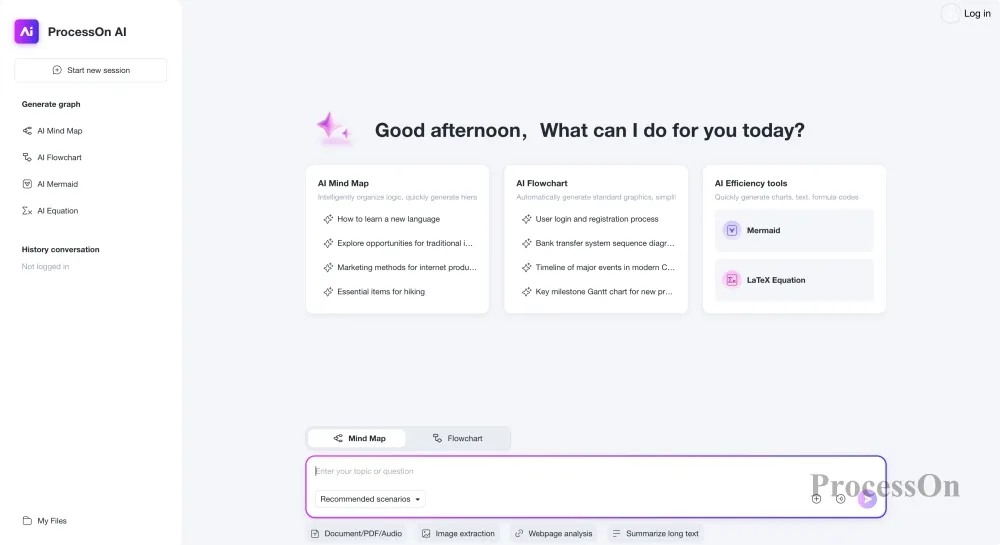
In contrast, draw.io's core strengths remain in traditional drawing and its open-source ecosystem; currently, AI-powered automatic generation is not its primary focus.
If you want to quickly generate graphics with just one sentence, ProcessOn is more in line with the current trend of AI-powered office work.
For developers, drawing is more than just dragging and dropping graphics. Many technical professionals prefer to describe structures using code, such as Mermaid, PlantUML. This approach is more suitable for technical documentation, software design, and the accumulation of team knowledge.
ProcessOn provides developers with complete code editing capabilities:
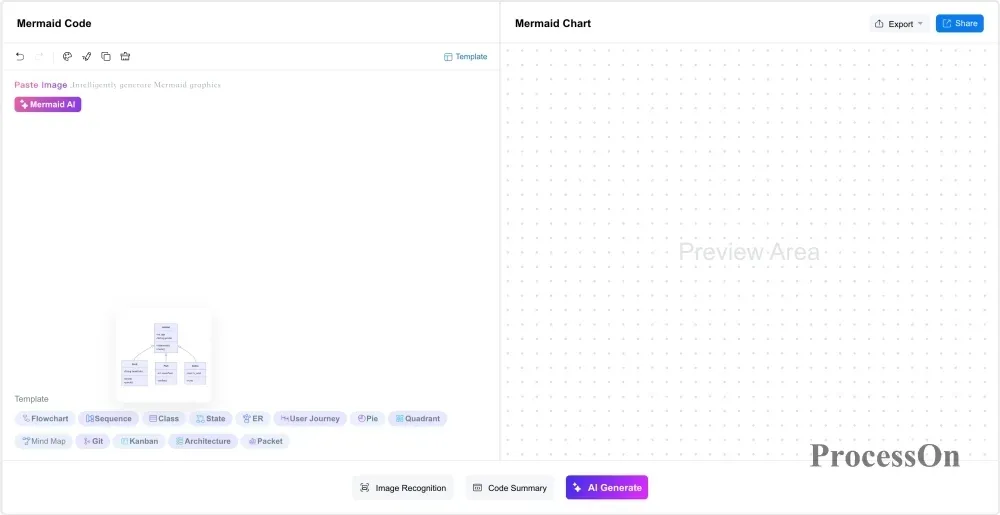
Mermaid is a very popular text-to-diagram tool. Developers can use Mermaid syntax to create flowcharts, sequence diagrams, class diagrams, state diagrams, ER diagrams, XY diagrams, Gantt charts, pie charts, architecture diagrams, Kanban diagrams, timelines, mind maps, and other diagrams.
ProcessOn supports online editing of Mermaid files and allows for real-time preview of generated results, while also supporting further visual adjustments.
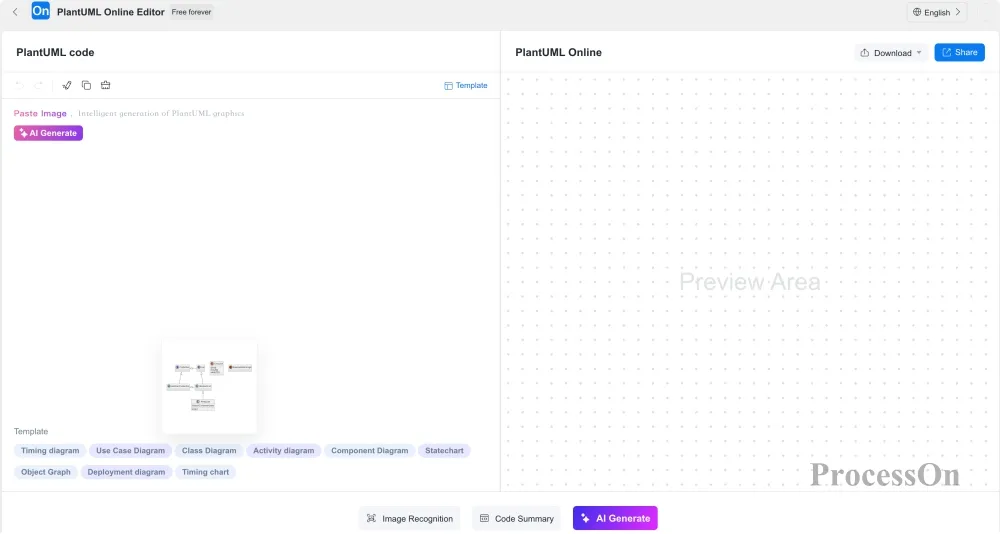
PlantUML is a commonly used UML modeling tool in the field of software engineering. It can create class diagrams, sequence diagrams, use case diagrams, activity diagrams, state diagrams, component diagrams, deployment diagrams, object diagrams, and timing diagrams through code. For developers and architects, this method can quickly complete system design and generate technical documentation.
ProcessOn supports online editing of PlantUML and allows for real-time preview of generated results, while also supporting continued graphical editing.
In a team setting, drawing tools not only need to complete designs, but also need to support communication and collaboration.
draw.io supports connections to cloud storage services such as Google Drive, OneDrive, and Dropbox, and can also be deployed on-premises by enterprises, making it popular with technology teams.
ProcessOn employs an online collaboration model, allowing users to: invite members to collaboratively edit files, view changes in real time, add comments, and manage team files. This online collaboration method is particularly convenient for enterprise project management, product design, and educational scenarios. For example:
Product managers can work with designers to improve product processes;
The development team can discuss the system architecture together;
Teachers can share course knowledge maps.

Teamwork
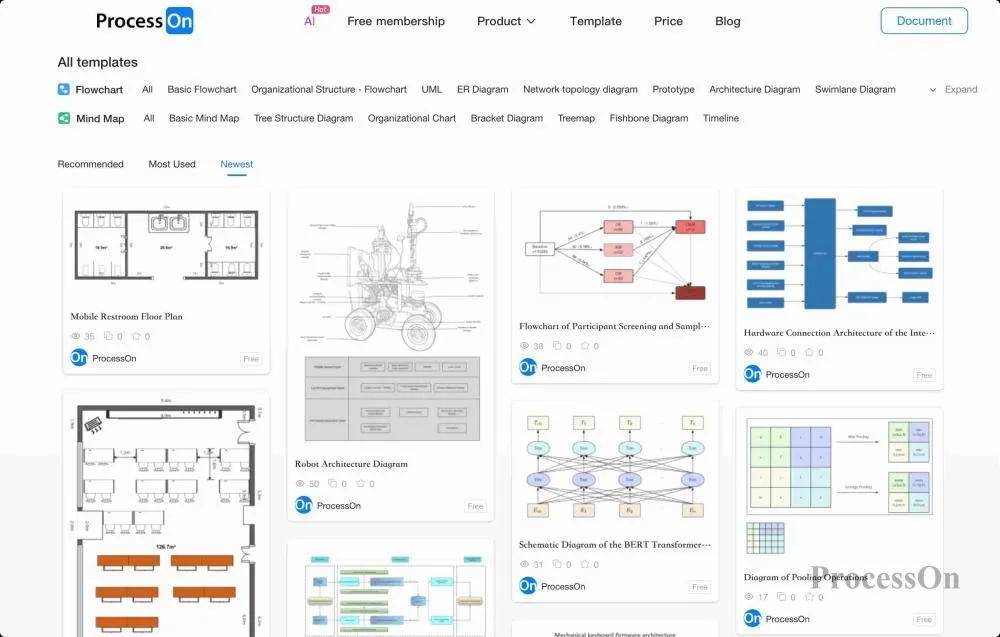
For technical professionals, drawing an architecture diagram from scratch is not a problem. But for ordinary office users, students, and corporate employees, template resources are very important.
draw.io is powerful, but new users often need to learn the graphics library, layout methods, and drawing techniques.
ProcessOn offers a wealth of template resources covering: process management, project planning, business analysis, product design, learning notes, and technical architecture. Users can directly modify templates instead of starting from a blank canvas. This reduces the learning curve and improves creative efficiency.
In terms of file compatibility, both tools support mainstream formats, but their approaches differ.
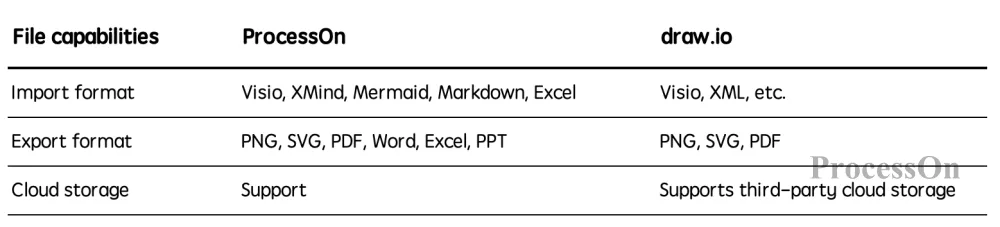
File compatibility comparison
If the primary need is exchanging technical documents, draw.io's XML ecosystem is very flexible.
If you need to integrate with office software, such as exporting Word, Excel, or PowerPoint documents, ProcessOn is more convenient.
One of draw.io's biggest advantages is that it's open source. Users can: download the desktop version, save files locally, or deploy it on-premises within an enterprise. This approach is very attractive to large technical teams or enterprises with high data control requirements.
ProcessOn adopts a cloud service model, which allows users to use the service without installing software, simply by opening a browser and automatically synchronizing files. This approach reduces deployment and maintenance costs and is more suitable for individual users, small and medium-sized enterprises, and educational settings.
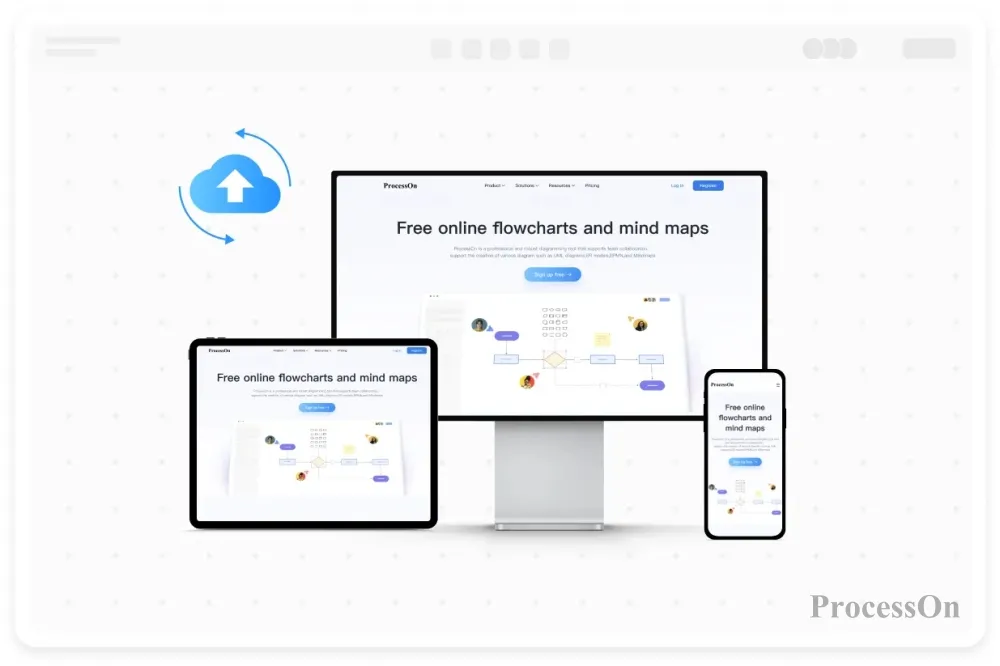
Cloud-based online services
If your primary work involves software development, network design, and system architecture design, and you prefer to use free and open-source tools, then draw.io is an excellent choice. For example, developers can draw system architectures, network engineers can design topologies, and technical teams can maintain internal design documents.
If your work involves not only technical design but also product planning, project management, knowledge organization, and team collaboration, then ProcessOn would be a better fit. For example, product managers can create requirement flows and product roadmaps, teachers can create course knowledge maps, corporate teams can manage projects, and developers can create technical models using Mermaid and PlantUML .
draw.io is an excellent open-source graphing tool. Its biggest advantages are that it's free, open-source, and has a well-developed technical ecosystem. For users focused on technical graphing, such as developers, architects, and network engineers, draw.io remains a highly worthwhile choice.
ProcessOn is a more comprehensive AI online drawing and visual collaboration platform. It not only supports professional graphics such as flowcharts, UML diagrams, and ER diagrams, but also integrates: AI intelligent generation, mind mapping, Mermaid editing, Markdown editing, PlantUML editing, online collaboration, and template resources.
For users who want to accomplish office work, study, project management, knowledge organization, and technical design with a single tool, ProcessOn offers a more complete solution.
Ultimately, the choice of which tool to use depends on your specific needs.
If you need an open-source technical drawing tool, draw.io is an excellent choice;
If you need a platform that integrates AI, collaboration, and multi-scenario visualization capabilities, ProcessOn would be a better fit.
Q1: Can ProcessOn replace draw.io?
Yes. For most enterprise office, product design, project management, and software development scenarios, ProcessOn can cover the common usage needs of draw.io, such as flowcharts, UML diagrams, ER diagrams, and architecture diagrams. In addition, ProcessOn offers capabilities not covered by draw.io, such as: AI-generated flowcharts and mind maps, Mermaid code editing, Markdown document editing, PlantUML online editing, LaTeX/ MathType formula editing, a large-scale template community, and online team collaboration. Therefore, if users want to upgrade from simple drawing to knowledge organization and intelligent creation, ProcessOn can be a viable alternative to draw.io.
Q2: Is ProcessOn free?
ProcessOn offers a free version that allows users to create and edit diagrams online without downloading and installing software. Free users can use various diagram types such as flowcharts and mind maps, and access template resources.
At the same time, ProcessOn offers a premium membership service, providing an upgrade option for users who need more file management, richer features, and more efficient creation.
Q3: Should developers choose draw.io or ProcessOn ?
It depends on the usage scenario.
If developers primarily need to draw system architecture diagrams, create UML models, produce database ER diagrams, and use the software locally or offline, draw.io is an excellent choice.
If developers need: UML modeling, Mermaid editing, PlantUML editing, technical documentation organization, AI-assisted graphical generation, and team collaboration, ProcessOn will be more comprehensive.
Q4: Does ProcessOn support AI-generated flowcharts?
Supported. ProcessOn provides intelligent generation capabilities such as AI flowcharts, AI mind maps, and AI UML. Users only need to input natural language descriptions, such as:
"Generate an e-commerce order processing workflow"
AI can automatically generate the corresponding process structure and support further editing and optimization. It also supports AI-generated flowcharts, UML diagrams, ER diagrams, Gantt charts, architecture diagrams, mind maps, Mermaid code, and Markdown documents.
Q5: Which is more suitable for enterprise teams: draw.io or ProcessOn ?
For enterprise teams, ProcessOn is generally more suitable. draw.io is more of a single-person drawing tool, and its file management and team collaboration capabilities require integration with a third-party platform.
ProcessOn offers features such as online multi-person collaboration, cloud-based file management, template sharing, comment and communication, and team knowledge accumulation, making it more suitable for product teams, R&D teams, project teams, and enterprise knowledge management scenarios.
Q6: Which is more suitable for students and teachers , draw.io or ProcessOn ?
For learning and teaching scenarios, ProcessOn is more suitable. This is because, in addition to flowchart creation, ProcessOn also supports: mind mapping for knowledge organization, course note management, timeline-based historical event organization, data chart creation, and the use of teaching templates. Therefore, it is more suitable for classroom teaching, exam review, and knowledge organization.
 Following the tutorial to try
Free to use ProcessOn
Following the tutorial to try
Free to use ProcessOn