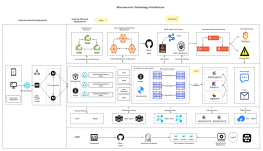
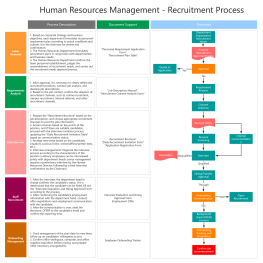
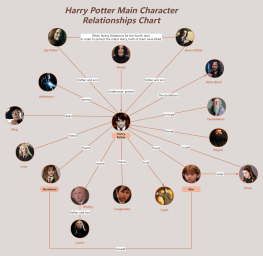
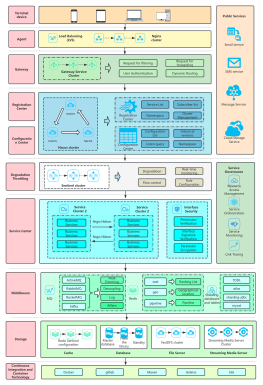
Process Type
Graphical expression
Mind Type
Structured expression
Note Type
Efficient expression
Treemap
Bracket Diagram

Default Mode





With the development of AI technology, mind mapping is gradually evolving from a traditional manual drawing tool into an intelligent knowledge organization assistant. Today, users can not only quickly generate a complete mind map with a single prompt, but also upload PDFs, Word documents, images, and other content, allowing AI to automatically extract key information and generate a structured knowledge framework. Simultaneously, AI can help users continuously expand their thinking, optimize content, and summarize key points, making mind organization more efficient.
However, different AI mind mapping software programs vary significantly in their intelligent generation capabilities, content understanding methods, and user experience. Some software excels at quickly generating creative mind maps, while others are better suited for extracting knowledge from documents, and still others have advantages in professional editing, template resources, and team collaboration.
To help you choose the right AI mind mapping tool for you, we tested and evaluated 10 popular products from both domestic and international markets, including ProcessOn AI, Miro AI, Lucidchart AI, Whimsical AI, Figjam AI, Canva AI, MindMeister AI, Tencent Docs AI, WPS AI, and Lark Mind Notes AI(FeiShu AI) , and compared them based on the following core capabilities:
Through multi-dimensional comparisons, we hope to help students, professionals, product managers, teachers, and knowledge workers quickly find the most suitable AI mind mapping software for themselves, so that AI can truly become an intelligent assistant to improve learning, work, and creative efficiency.
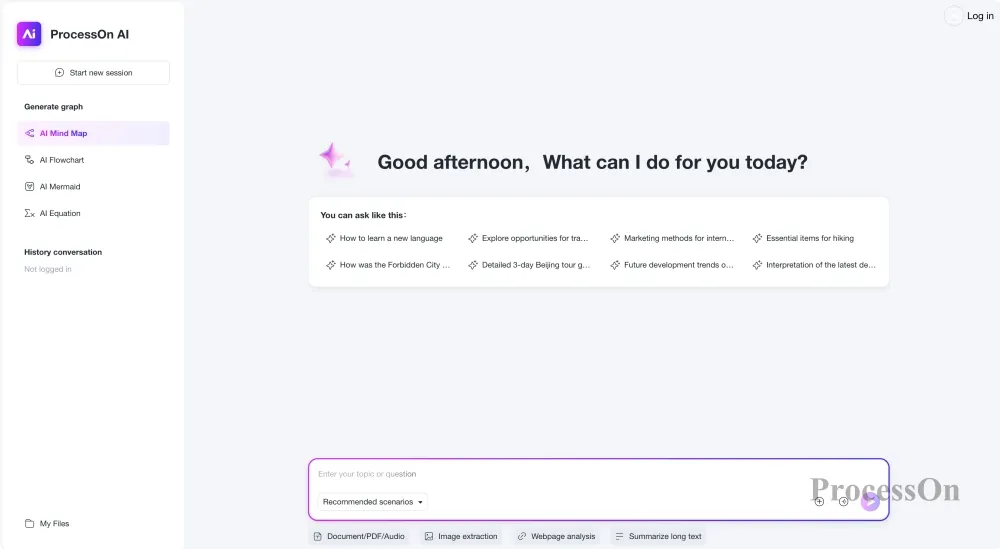
ProcessOn is an online visualization tool that supports the creation of various diagrams, including mind maps, flowcharts, UML diagrams, ER diagrams, and organizational charts. With its upgraded AI capabilities, ProcessOn is no longer just a traditional mind map editing tool, but leverages AI to help users quickly organize knowledge, analyze content, and express it in a structured way.
Generate a mind map from a single sentence
Users only need to input a topic, an idea, or a prompt, such as "Generate a mind map of the history of artificial intelligence development," and the AI can automatically analyze the topic and generate a complete mind map structure containing the central topic, first-level nodes, and detailed branches.
Document-to-Mind Map Generation
It supports uploading documents such as PDF, Word, and Markdown. The AI can automatically read the document content, extract the core information, and convert long documents into a clear knowledge structure, which is suitable for scenarios such as paper organization, study notes, industry research, and conference material analysis.
Image-generated mind map
Users can upload screenshots, class notes, photos of meeting whiteboards, etc. AI uses image recognition technology to extract key information and convert it into an editable mind map to help users quickly organize fragmented information.
Audio-generated mind maps
For unstructured information such as meeting recordings, interview content, and course audio, AI can help extract key content and further organize it into a structured knowledge framework, reducing the time spent on manual processing.
AI Expansion and Optimization Ideas
After generating the mind map, users can further expand nodes, add cases, optimize the structure, and summarize key points through AI, turning the mind map from a "one-time generation" into a continuously improving knowledge space.
In addition to AI generation capabilities, ProcessOn also offers a wealth of mind map templates, themes, and online editing capabilities, suitable for various scenarios such as student learning, corporate training, product planning, project management, and knowledge management.
ProcessOn 's AI capabilities can not only generate complete mind maps from a single sentence of natural language, but also support continuous expansion and optimization based on existing content. For example, by inputting "generate a product manager competency model," the AI will automatically construct a multi-level knowledge framework; after uploading a document, it can also help extract core content and generate a structured mind map.
In addition to mind maps, AI can also help generate flowcharts, Mermaid, Markdown, and other content, making it suitable for a complete workflow that extends from organizing ideas to project implementation.
ProcessOn uses an online browser-based editing interface, eliminating the need for client installation. Node editing is smooth, supporting drag-and-drop, keyboard shortcuts, theme switching, automatic layout, and various mind map styles. The overall learning curve is low, making it suitable for long-term use.
Mind map generation from a single sentence | Mind map generation from a document | AI-powered expansion | AI-optimized structure | Multi-graphic interaction
Compared to traditional mind mapping tools, ProcessOn 's biggest feature is that it can create various professional diagrams such as mind maps, flowcharts, UML diagrams, ER diagrams, Gantt charts, and Mermaid on the same platform. After the AI generates the content, you can continue to improve the project without switching software.
Desktop offline editing capabilities are relatively weaker than professional clients, making it more suitable for online office and team collaboration scenarios.
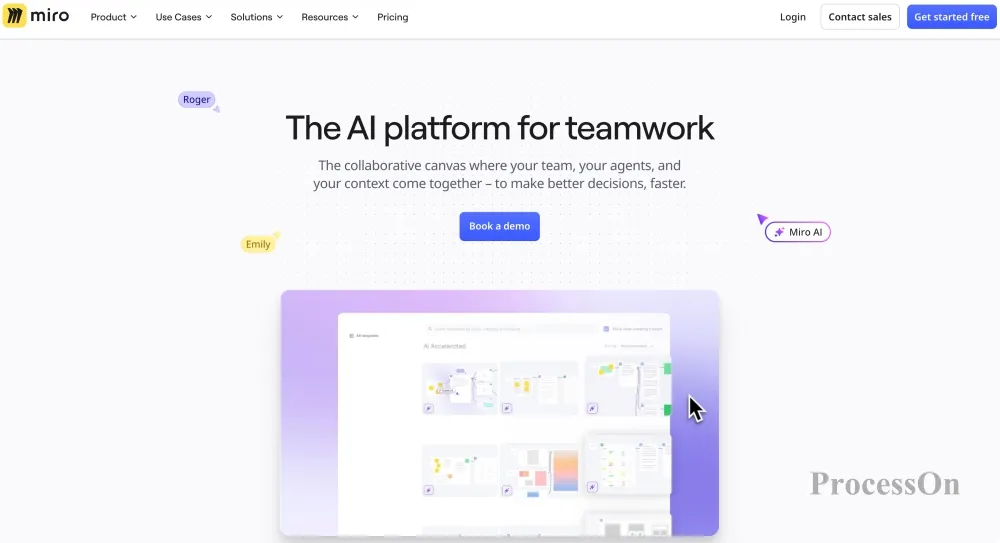
Miro is a globally renowned online collaborative whiteboard platform widely used in product design, agile development, team meetings, and enterprise innovation scenarios. Miro AI integrates artificial intelligence capabilities into the online whiteboard environment, enabling teams to quickly brainstorm, organize information, and structure knowledge using AI.
Prompt generates mind maps
After a user inputs a topic, Miro AI can quickly generate brainstorming content, conceptual structures, and thought frameworks, such as market analysis, user personas, and product planning.
Mind Map Generation from Text Content
Users can input meeting minutes, discussion content, or text information into Miro, and the AI will automatically extract the key points and convert them into structured content, helping teams quickly organize complex information.
AI summary and clustering
In team collaboration, a large number of sticky notes and discussion content can easily lead to information chaos. Miro AI can automatically summarize the content, summarize the viewpoints, classify and organize them, and form a clear information structure.
AI expands creativity and optimizes solutions.
Miro AI emphasizes creation and collaboration, such as helping teams generate product ideas, marketing plans, user needs analysis, and other content, and supports real-time adjustments by multiple users.
However, Miro AI's core strengths lie more in team collaboration and innovative workflows. Compared to professional mind mapping software, its deep mind mapping capabilities in traditional knowledge organization and personal study notes are relatively limited.
Miro AI supports the rapid generation of mind maps, flowcharts, meeting summaries, user journey maps, and brainstorming content from a single natural language sentence, and can automatically expand nodes, summarize notes, and categorize information. The AI is more geared towards helping teams quickly build discussion frameworks rather than simply generating static mind maps. In international team collaboration and creative workshop scenarios, Miro AI's performance is industry-leading.
Miro offers an unlimited canvas, supporting free dragging, scaling, multiple layouts, and a rich set of graphical components. Besides mind maps, it also allows for the free combination of notes, flowcharts, prototypes, and other content, making it suitable for visualizing complex projects. The overall operation is smooth, but due to its numerous features, new users will need some time to learn.
Mind Map Generation in One Sentence | AI Brainstorming | Intelligent Text Summarization | Creative Expansion and Optimization
With its deep integration of AI and online whiteboards, excellent team collaboration capabilities, mature international ecosystem, rich templates and third-party integrations, it is one of the world's most popular online collaboration platforms.
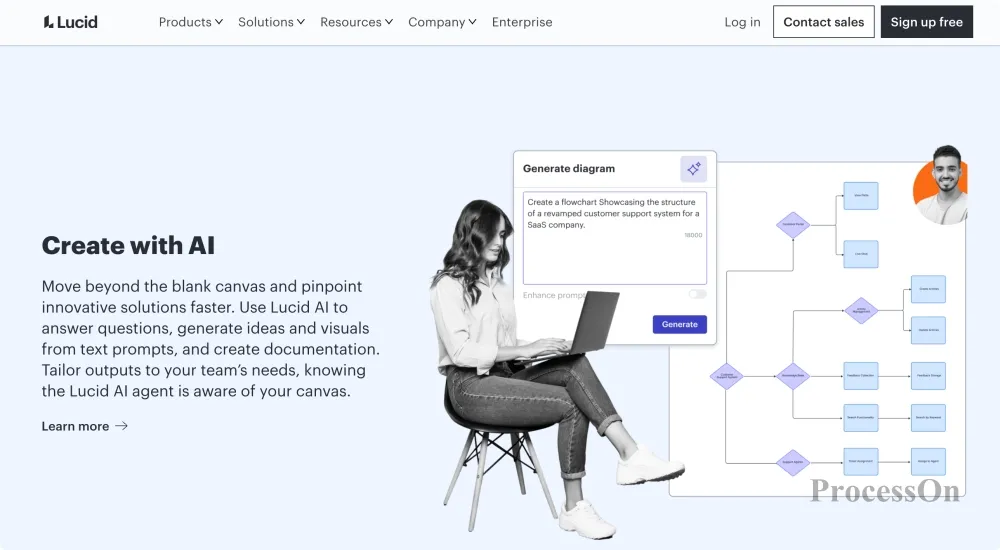
Lucid Software's Lucidchart is an enterprise-grade online charting tool that supports various visualization methods, including flowcharts, organizational charts, architecture diagrams, and mind maps. Lucidchart AI primarily helps users quickly create and optimize chart content using natural language.
AI-generated text mind map
Users input a topic or describe their needs, such as "develop a product launch plan," and AI can automatically generate relevant nodes and structures based on semantic understanding to quickly build a knowledge framework.
AI-generated content structure diagram
For textual content such as meeting minutes, business analysis, and project materials, Lucidchart AI can help users extract key information and convert it into a visual structure.
AI process and knowledge relationship analysis
Compared to traditional mind mapping tools, Lucidchart AI places greater emphasis on displaying logical relationships within enterprise scenarios, such as business processes, system architecture, and organizational relationships.
AI-assisted chart optimization
Users can leverage AI to supplement, adjust, and optimize existing content, improving the efficiency of expressing complex information.
Lucidchart AI's strengths lie in its enterprise-grade graphics capabilities and professional collaborative environment, but if the user's main needs are learning notes, knowledge organization, and personal mind map creation, its experience will be different compared to professional mind mapping tools.
Lucidchart AI can quickly generate mind maps, flowcharts, and business process frameworks based on natural language, and also supports the optimization and expansion of existing charts using AI. Compared to more creative tools, Lucidchart emphasizes enterprise process analysis and structured expression; its AI output is logically rigorous and suitable for professional scenarios.
It offers a rich library of professional graphics and automatic layout capabilities, supports drag-and-drop editing, template reuse, and integration with office platforms such as Microsoft 365 and Google Workspace, resulting in high editing efficiency.
Mind map generation from a single sentence | Structure diagram generation from text | Document content summary | AI-powered extension and optimization | Business-related graphical linkage
It boasts outstanding enterprise-level process modeling capabilities, a rich variety of graphics, and excellent integration with mainstream office platforms, making it suitable for designing complex business processes.
The learning curve is relatively steep, and the functionality is somewhat complex for individual users who only need mind mapping.
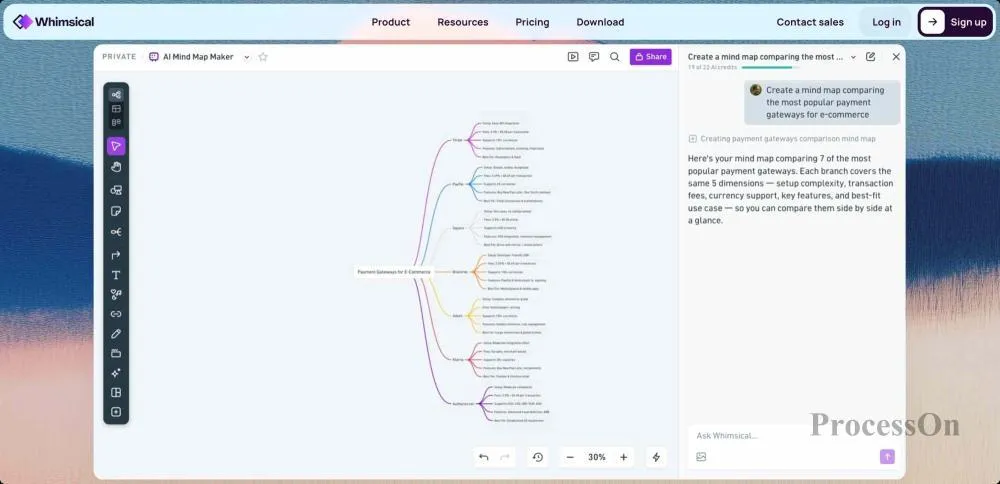
Whimsical is an online visualization tool that emphasizes simple design and rapid expression, supporting various graphical representations such as mind maps, flowcharts, wireframes, and user workflows. Whimsical AI uses artificial intelligence to help users quickly organize ideas, plan structures, and visualize information.
Generate a mind map from a single sentence
When a user inputs a topic, such as "develop a marketing plan for a new product," Whimsical AI can automatically generate a central theme, key branches, and related content to help the user quickly establish an initial framework.
AI-generated creative structures
Whimsical AI is more focused on creative and planning scenarios, helping users generate structured content such as product ideas, user needs, project plans, and content outlines.
AI-assisted optimization of existing mind maps
Users can use AI to help supplement missing information, expand ideas, or optimize expression based on existing content, making the original idea more complete.
Text to Visual Structure
For simple text descriptions, Whimsical AI can help users convert them into visual forms such as mind maps and flowcharts, reducing the cost of expressing text in graphics.
However, Whimsical AI's advantages are mainly concentrated in rapid creative expression and lightweight visual organization. Compared with professional mind mapping tools, its AI capabilities in scenarios such as complex knowledge management and large document parsing are relatively limited.
Whimsical AI supports generating mind maps, flowcharts, and document outlines using natural language. Simply input a topic or requirement to quickly generate a hierarchical structure, and you can continue to expand nodes, optimize logic, and add content. The overall generation speed is fast, making it suitable for scenarios such as brainstorming, product planning, and knowledge organization. Compared to enterprise-level platforms, Whimsical's AI focuses more on creative organization and content structure building, offering simple yet practical functionality.
Whimsical's editing interface is very simple and easy to learn, supporting drag-and-drop editing, keyboard shortcuts, automatic layout, and multiple theme styles. All graphics can be freely combined in an infinite canvas, and the operation is smooth, making it ideal for quickly jotting down inspiration and organizing thoughts.
Mind Map Generation from a Single Sentence | AI-Powered Creative Expansion | Text-Based Structure Diagram Generation | AI-Optimized Content
With a modern and simple interface design, fast AI generation speed, and the ability to freely combine mind maps, flowcharts, and documents, it is very suitable for scenarios such as product design, requirements analysis, and creative discussions.
The types of graphics are relatively limited, and it is more inclined towards lightweight collaboration. It does not support professional modeling capabilities such as UML and ER diagrams.
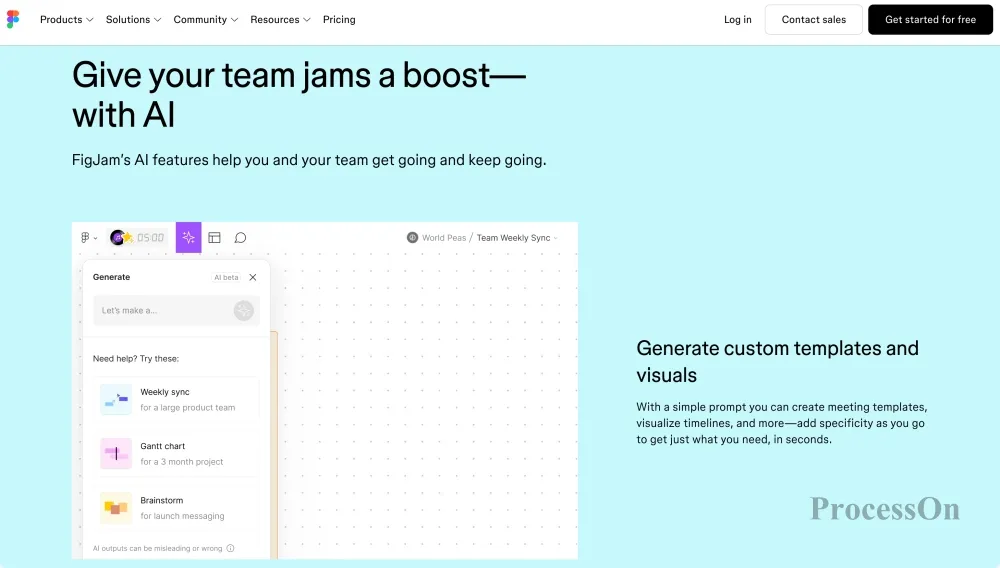
FigJam , developed by Figma, is an online collaborative whiteboard tool primarily serving design, product, and innovation teams. FigJam AI integrates artificial intelligence into team discussions, brainstorming, and idea processing.
Prompt generates mind maps
After a user inputs a theme, FigJam AI can quickly generate a creative framework, such as user research directions, product feature planning, and design scheme organization.
AI brainstorming assistance
During team discussions, AI can help generate new ideas, supplement viewpoints, and organize scattered information into structured content.
AI summarizes the meeting content.
FigJam AI can help extract key points from team discussions, sticky notes, and design review records, reducing the time spent on manual organization.
AI organizes creative solutions
Design teams can use AI to categorize, summarize, and optimize a large number of ideas, quickly forming a clear solution structure.
FigJam AI's core advantage lies in designing collaborative and team creative processes, rather than traditional mind maps for personal knowledge management, making it more suitable for multi-person collaborative scenarios.
FigJam AI can automatically generate mind maps, meeting agendas, brainstorming content, and project plans based on a single sentence of natural language. It also supports AI-powered functions such as automatically organizing notes, categorizing viewpoints, and summarizing meeting content. Overall, the AI is more geared towards team collaboration and creative discussions than towards managing specialized knowledge, thus performing exceptionally well in design and product planning scenarios.
FigJam continues Figma's consistently excellent interactive experience, supporting a wealth of elements such as unlimited canvas, free drag and drop, multi-user editing, sticky notes, and graphic components. The overall editing is smooth, making it especially suitable for visual discussions and design collaboration.
Mind map generation in one sentence | Creative framework generation by AI | Meeting summary | Design idea expansion
With deep integration with Figma, AI can quickly generate discussion frameworks and mind maps, making it ideal for product design, design reviews, and creative workshops.
It leans more towards online whiteboards, and for traditional mind mapping and knowledge management users, its mind mapping functions are not as rich as those of professional mind mapping software.
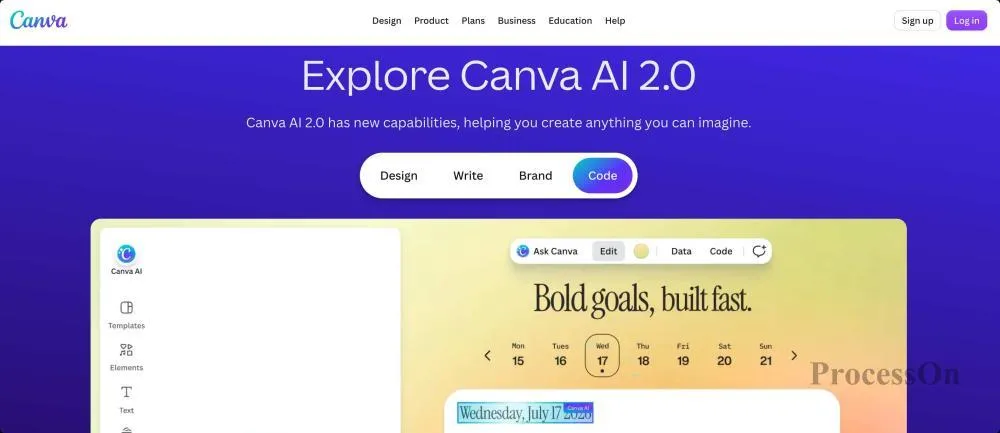
Canva is a globally renowned online design platform covering various scenarios such as posters, presentations, and social media design. Canva AI integrates generative AI capabilities into the design process and also supports users in quickly creating mind maps and visual content.
AI generates mind maps from a single sentence.
Users input a topic, such as "organizing a digital marketing knowledge system," and Canva AI can automatically generate a basic structure and visualize it using design templates.
Text-to-Visual Content
Canva AI excels at transforming text content into visually appealing graphic works, making it suitable for creating presentation-style mind maps, learning materials, and report content.
AI image and visual element generation
In addition to generating structured content, Canva AI can also help users generate illustrations, icons, and visual elements to improve the presentation of mind maps.
AI content optimization
Users can use AI to modify text, expand content, or adjust the overall design style.
Canva AI's biggest advantage lies in its design expressiveness, making it suitable for users who need to create beautiful visual works. However, if you're focused on complex knowledge organization and long-term knowledge management, its professional mind mapping capabilities are not as good as dedicated mind mapping software.
Canva AI supports automatically generating mind maps, whiteboard content, and project frameworks based on topics, and can be combined with Magic Write to expand content and optimize text. Compared to professional mind mapping software, Canva emphasizes "AI + Design," making it suitable for creating presentation content, classroom teaching, and creative solutions, rather than complex knowledge management.
Canva offers a drag-and-drop editing experience and boasts a wealth of templates, icons, illustrations, and fonts, making it easy to combine mind maps, aesthetic designs, and presentation content onto a single page with virtually no learning curve.
Mind map generation in one sentence | AI visual design generation | Intelligent text summarization | AI image generation | Creative content optimization
With abundant template resources, an excellent design experience, and deep integration of AI and design capabilities, it is ideal for teaching, training, marketing, and content creation.
It is more of a design platform and has limited support for complex project management and professional process modeling capabilities.
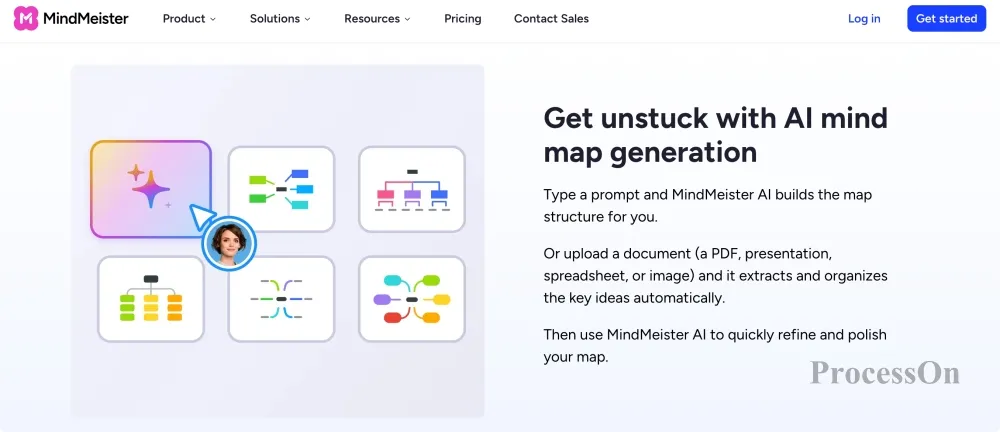
MindMeister is an online tool focused on mind mapping, serving learning, knowledge management, and team planning scenarios. MindMeister AI builds upon traditional mind mapping capabilities by introducing AI-assisted generation and optimization features.
AI-generated mind maps
After users input keywords or topics, AI can automatically create a basic mind map structure to help them quickly begin creating content.
AI Extended Node Content
For existing nodes, AI can continue to supplement relevant information and expand branches, making the mind map more complete.
AI-assisted knowledge organization
Users can leverage AI to reorganize existing content and improve the structuring of information.
Compared to next-generation multimodal AI tools, MindMeister has relatively limited capabilities in terms of inputting content such as PDFs, images, and audio, but it has an advantage in providing a professional mind mapping experience.
MindMeister supports the rapid generation of mind maps using natural language and can expand, optimize, and supplement existing mind maps. AI can help users quickly organize article structures, project plans, and study notes, demonstrating stable performance in knowledge organization and brainstorming scenarios. Compared to whiteboard-centric platforms, MindMeister focuses more on the mind map itself, resulting in clearly defined hierarchical levels and complete logical structures, making it more suitable for long-term knowledge management.
MindMeister offers a mature online editing experience, supporting node drag-and-drop, keyboard shortcuts, custom themes, automatic layout, and multiple export formats, with a smooth overall operation. For long-time mind mapping users, the learning curve is low, and editing efficiency is high.
AI-generated mind maps in a single sentence | AI-enhanced content | AI-optimized structure | Intelligent content organization
As a globally renowned mind mapping product, it boasts mature and stable functions, an excellent editing experience, and AI-powered knowledge organization capabilities. It also has strong integration with project management platforms, making it suitable for building personal or team knowledge bases over the long term.
The product primarily focuses on mind mapping, with limited support for other visual graphics such as flowcharts, UML diagrams, ER diagrams, and whiteboards.
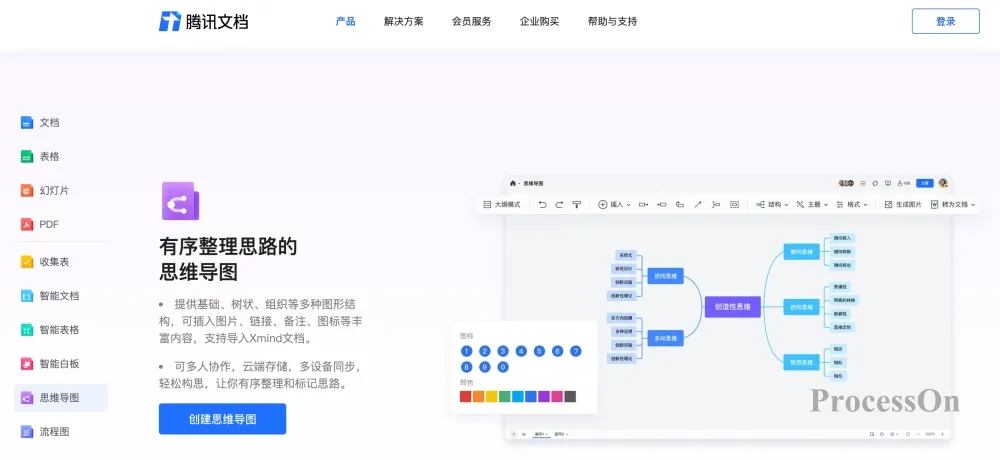
Tencent's Tencent Docs AI primarily serves online office, document processing, and team collaboration scenarios. Through AI capabilities, users can quickly organize document content into structured information.
Document-to-Mind Map Generation
Users can have AI automatically extract key points and generate knowledge frameworks based on existing document content, which is suitable for organizing meeting minutes, learning materials, work summaries, and other content.
AI Text Summary
It can summarize and extract key points from long documents, and help users quickly understand the core content.
AI-assisted content compilation
Optimize, expand, and reorganize existing text content to improve office efficiency.
However, Tencent Docs AI is more of an "intelligent office assistant," with relatively weaker capabilities in professional mind map editing and rich mind map templates.
Tencent Docs AI supports the rapid generation of mind maps based on natural language, and can also automatically extract key points from existing documents, meeting minutes, and knowledge content to generate a clearly hierarchical mind map structure. Leveraging Tencent's Hunyuan big data model, it performs well in Chinese semantic understanding and knowledge organization, making it suitable for office, education, and project management scenarios. Although its current AI capabilities are primarily focused on content generation and summarization, it already meets most daily mind map creation needs.
The overall editing process maintains Tencent Docs' simple and easy-to-use style, supporting drag-and-drop functionality, quick editing, theme switching, and online sharing. For Tencent Docs users, there is virtually no learning curve; they can create, edit, and collaborate directly within their browser.
AI-generated mind maps in a single sentence | AI-summarized documents | AI-organized meeting minutes
Deeply integrated with the Tencent Docs ecosystem, it supports AI content generation, multi-person collaboration, and cloud sharing, making it especially suitable for users who already use Tencent Docs for office work and team collaboration.
Currently, mind mapping is still a functional module of Tencent Docs, and it lags behind professional mind mapping platforms in terms of professional graphic types, complex layouts, and advanced knowledge management.
WPS AI, a subsidiary of Kingsoft, integrates artificial intelligence capabilities into office scenarios such as word processing, spreadsheets, and presentations, providing users with intelligent generation, summarization, and content processing capabilities.
Document-to-Mind Map Generation
Users can have AI automatically extract key points and create a structured framework based on Word documents, reports, and other materials.
AI Content Summary
Quickly analyze long documents to generate summaries and key points.
AI-assisted writing and expansion
Users can have AI supplement content, optimize expression, and further organize it into a knowledge structure.
Office Ecosystem Advantages
WPS AI's biggest feature is its deep integration with office software, making it more convenient for users who process large amounts of documents.
However, compared to professional AI mind mapping products, WPS AI is more focused on intelligent office document processing and still has limitations in generating mind maps from images and managing complex knowledge structures.
WPS AI supports generating mind maps from a single sentence and can automatically extract key points from Word, PDF, and other documents to create knowledge frameworks, making it suitable for study notes, office documents, and meeting content organization. While its overall AI functionality meets daily office needs, it still lags behind professional AI mind mapping platforms in areas such as multi-turn dialogue, continuous expansion, and complex knowledge modeling.
The editing method is consistent with WPS Docs, which is simple to operate and supports node adjustment, theme switching and exporting common formats such as images and PDFs. It has a low learning curve for office users.
Mind map generation in one sentence | Intelligent document parsing | AI-powered summarization and extraction | Content expansion and optimization
It integrates seamlessly with WPS Office, and generates mind maps from documents with high efficiency, making it suitable for organizing office documents and personal learning.
AI functions are still mainly for office assistance, and they are not as good as professional visualization platforms in terms of professional knowledge management, complex project planning and multi-graphic support.
Lark is an enterprise collaboration platform covering instant messaging, documents, knowledge bases, project management, and other scenarios. Lark AI is primarily positioned to improve enterprise knowledge management and office efficiency.
Text content generates structured information
Users can input their needs and let AI help organize project plans, meeting content, and work summaries.
Document summary and knowledge extraction
Summarize Lark documents, meeting minutes, and knowledge base content to help the team quickly obtain key information.
AI-assisted planning
AI can help generate project plans, task breakdowns, and work frameworks.
Enterprise Knowledge Management
Lark AI's advantage lies in connecting internal enterprise information to enable knowledge search and content organization.
However, Lark AI is more of an enterprise office assistant than a professional mind mapping tool, and its capabilities in mind map editing, template resources, and personal knowledge organization are relatively limited.
Lark AI supports generating mind maps from natural language, summarizing meeting content, organizing document structures, and generating knowledge frameworks. It can also integrate with enterprise knowledge bases for content organization. Overall, the AI is more geared towards office scenarios, with strong advantages in meeting summaries, task planning, and team knowledge management.
Mind mapping offers a consistent user experience with Lark Docs, supporting node editing, drag-and-drop adjustments, multi-user editing, and online sharing. The overall operation is simple and suitable for daily office work in enterprises.
Leveraging Lark's comprehensive collaboration ecosystem, it supports real-time editing, commenting, message notifications, access control, and integration with modules such as calendars, tasks, and documents, giving it a clear advantage in enterprise collaboration.
Deeply integrated with Lark's office ecosystem, meeting minutes, AI summaries, knowledge management, and team collaboration form a complete closed loop, making it suitable for enterprise digital office work.
It is more suitable for Lark ecosystem users, but its independent mind mapping capabilities and professional graphic types are relatively limited.
Having understood the positioning and characteristics of different AI mind mapping software, we will now conduct a comparative analysis of these 10 tools based on actual usage scenarios. It's important to note that different products have different development directions: some tools excel at team collaboration and creative brainstorming, some focus more on office document processing, while professional mind mapping tools prioritize knowledge organization and long-term management. Therefore, we are not simply comparing the number of features, but rather comprehensively evaluating the AI capabilities and application value of each product based on users' actual needs for AI mind mapping.
The following is a comprehensive comparison of 10 AI mind mapping software programs:
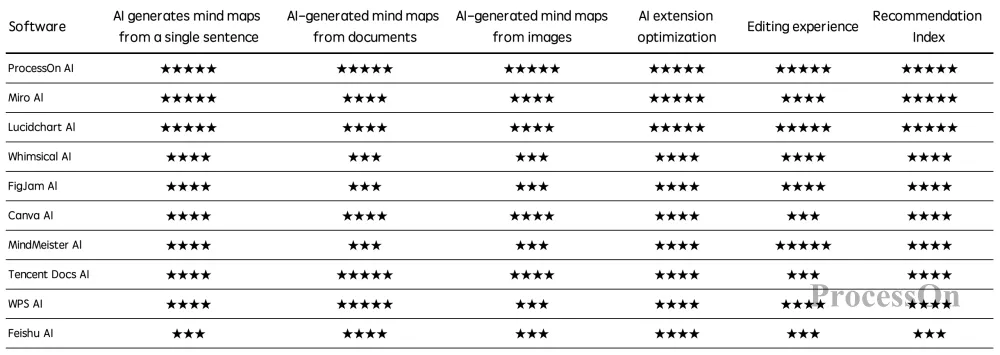
In summary, AI mind mapping tools are evolving from "aided drawing" to "intelligent knowledge organization platforms." Excellent products not only need rapid generation capabilities but also need to support diverse content inputs, continuous optimization, and structured expression, helping users complete the entire process from information acquisition to knowledge accumulation.
Q1: What are the differences between AI mind mapping software and traditional mind mapping software?
Traditional mind mapping software relies mainly on users to manually create nodes, adjust the structure, and add content. In contrast, AI mind mapping software can automatically generate mind maps based on a sentence, document, or image, and supports functions such as intelligent expansion, structure optimization, and summarizing key points, significantly reducing the time spent organizing information.
Taking ProcessOn AI as an example, users can quickly generate mind maps with a single prompt, uploaded document, or image, and continue to refine the content using AI, without having to draw from scratch.
Q2: Can AI automatically generate mind maps from images, PDFs, or Word documents?
Yes, but the level of support varies between different software programs. Currently, an increasing number of AI mind mapping tools support parsing PDF, Word, and other documents, automatically extracting titles, chapters, and key content, and generating clearly structured mind maps. For learning materials, meeting minutes, product proposals, and industry reports, this feature can significantly improve the efficiency of knowledge organization.
Q3: Can the mind map generated by AI still be edited?
Yes. Most mainstream AI mind mapping software retains full editing capabilities. After generating the mind map, users can continue to add nodes, modify content, adjust the layout, switch theme styles, and use AI to expand or optimize specific parts of the content, rather than generating it once and then being unable to modify it.
Q4: Will AI mind mapping replace traditional mind mapping?
AI will not replace mind mapping, but rather change the way mind maps are created. AI can help users quickly generate drafts, organize information, and optimize content, while users still need to supplement, modify, and refine them based on their own understanding. For complex project planning, knowledge system building, and team collaboration, AI is more like an efficient assistant than a complete replacement for human thinking.
Q5: Who is AI mind mapping suitable for?
AI mind mapping is suitable for almost everyone who needs to organize information, for example:
For students : coursework, paper reading, and exam preparation.
Teachers : Curriculum design, lesson preparation, and knowledge organization.
Product Manager : Requirements analysis, product planning, project breakdown.
R&D team : technical solutions, system design, knowledge accumulation.
Corporate Team : Meeting minutes, training materials, project management.
Different products have different focuses in terms of personal learning, corporate collaboration, and visual design, and can be selected according to actual needs.
Q6: How to choose the right AI mind mapping software for yourself?
We recommend focusing on the following aspects:
Does it support generating mind maps from a single sentence?
Does it support generating mind maps from various content formats such as PDF, Word, and images?
Does it support AI-powered expansion, summarization, and structural optimization?
Does it offer a mature mind map editing experience?
Does it support online collaboration, sharing, and template reuse?
Whether it can meet your needs for learning, working, or team collaboration.
If you want to create multiple graphics such as AI-generated maps, mind maps, and flowcharts in one place, you can give priority to ProcessOn, a platform that supports multi-graphic collaboration .