Process Type
Graphical expression
Mind Type
Structured expression
Note Type
Efficient expression
Treemap
Bracket Diagram

Default Mode





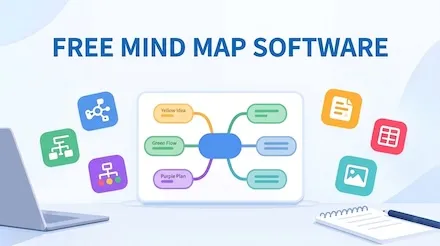
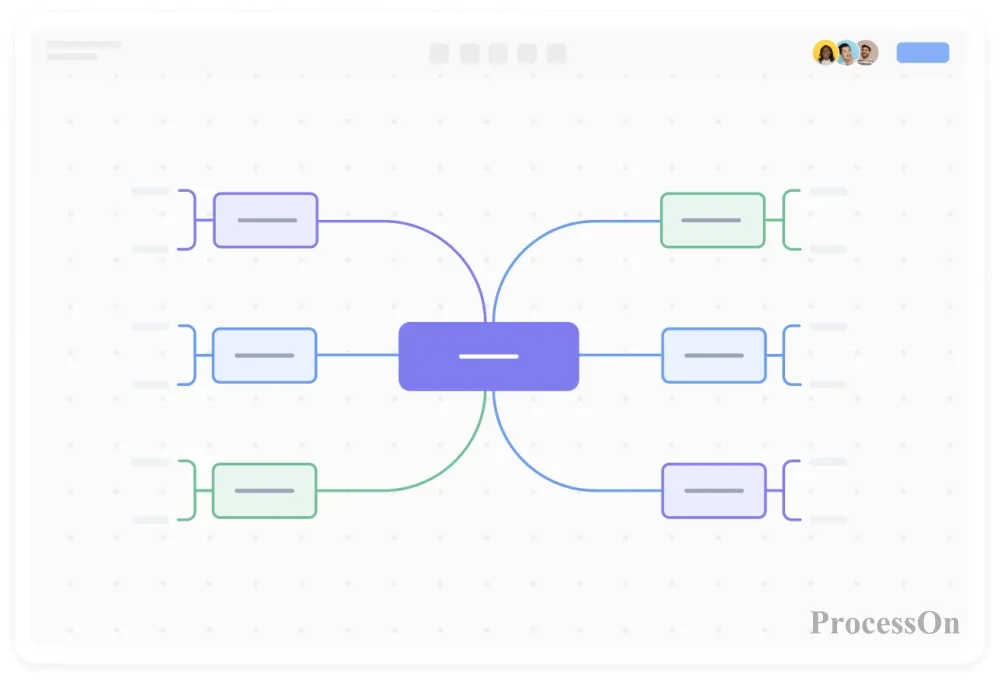
Mindmap is a tool for transforming complex information into a visual structure, significantly improving creativity, memory, and work efficiency. Whether for brainstorming, note-taking, or project management, it clarifies thinking through hierarchical layout. However, faced with a dazzling array of Mindmap tools on the market, users often struggle with choices: Does it support multi-user collaboration? Is it easy to use? Can it meet personalized design needs? This article will recommend a free online AI Mindmap tool that combines intelligence and convenience, redefining the standards of Mindmap creation.
Ease of use: Node creation, component insertion, and AI-assisted functions reduce the learning curve and allow beginners to get started quickly.
Collaboration efficiency: Real-time synchronized editing, multi-role permission management, and support for seamless team collaboration.
Personalization and professionalism: A rich template library, customizable styles, and dynamic display capabilities meet diverse scenario needs.
1. Online editing and real-time collaboration break down spatial limitations.
No installation required, cloud-based creation: You don't need to download any software; simply visit the tool's official website through your browser to start creating mind maps anytime, anywhere.
Real-time collaboration among multiple users: Supports team members editing the same mind map simultaneously online, with all changes displayed synchronously in real time. Through the access control feature, administrators can set different editing, commenting, or viewing permissions for different members.
Version history rollback: The system automatically saves every modification record, and users can roll back to any historical version at any time to avoid data loss due to accidental operation, while also facilitating comparison of process design differences at different stages.
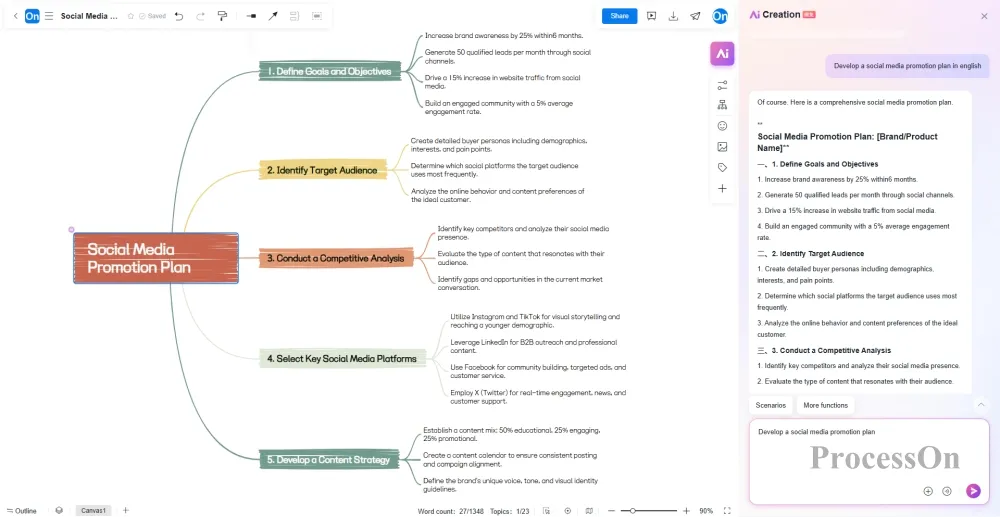
2. AI-assisted mind map creation
Text-generated mind maps: Input a topic or requirement (such as "develop a social media promotion plan"), and AI will automatically generate a complete mind map containing main branches and sub-nodes.
Intelligent beautification and style conversion: One-click style beautification, providing a variety of professional templates and color schemes, automatically adjusting layout and colors to enhance professionalism.
Read documents, summarize and analyze to generate mind maps: Recognize content in formats such as documents, PDFs, audio, and web pages, and extract them into editable mind maps.
Mind map to long document conversion with one click: Completes the final step from mind map to document, automatically organizing mind map content into work plans, long articles, etc.
Multilingual translation: Supports real-time switching between more than ten languages including English, Chinese, Japanese, and French, meeting the needs of multinational team collaboration.
3. Diverse visual styles, multi-structure mixed layout
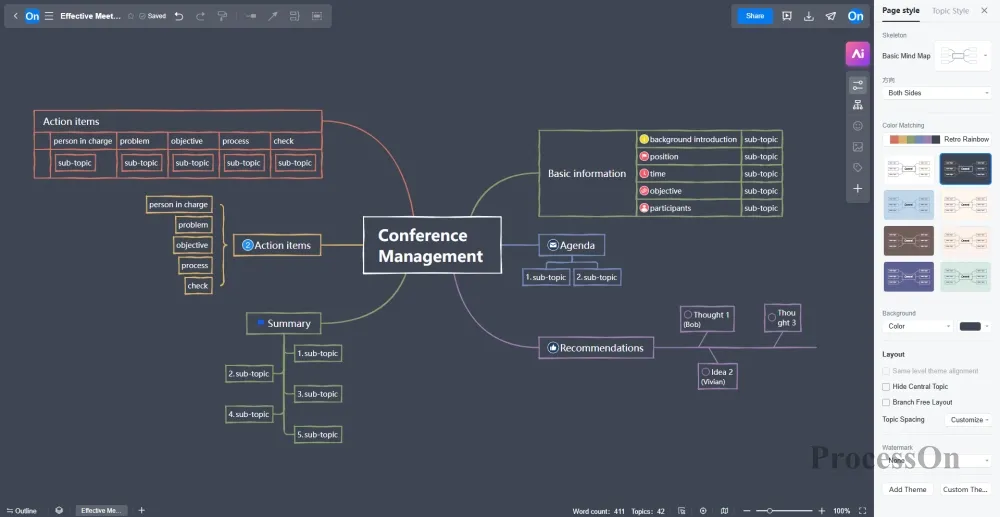
Multiple style options: Dozens of color schemes, hundreds of system styles, support for hand-drawn style, simulates real brushstrokes, making mind maps free from mechanical feeling and more warm and personalized.
Mix and match multiple structures: You can use multiple structures to display content within a single mind map, freely switching between mind maps, tree diagrams, tables, organizational charts, fishbone diagrams, timelines, and other structures.
4. Enhance component embedding functionality
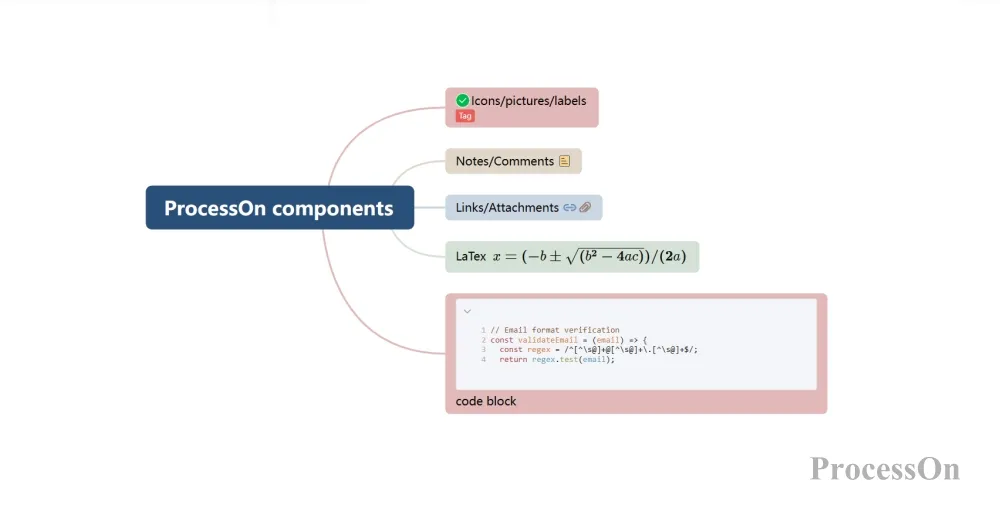
Image, icon, and label insertion: Supports uploading local images, selecting icons from the system, or customizing labels to embed in the mind map for enhanced visual expression.
Hyperlinks and attachments: Add links to reference materials or documents to provide detailed annotations for the nodes of the mind map.
LaTeX Formulas and Code Blocks: For mind maps in technical fields (such as computer science, mathematics, medicine, etc.), it supports inserting LaTeX formulas (element subscripts and superscripts, mathematical formulas, etc.) or code blocks (supporting multiple languages such as Python, Java, and SQL).
Notes, Tasks, or Comments: Add detailed descriptions to nodes using the "Notes" feature. Notes are hidden by default and only appear when the mouse hovers over them to avoid interfering with the main node. Tasks or comments can be inserted into nodes, with comments indicating task completion/resolvement status to facilitate task flow between teams.
5. Deeply compatible with Markdown, a must-have for developers.
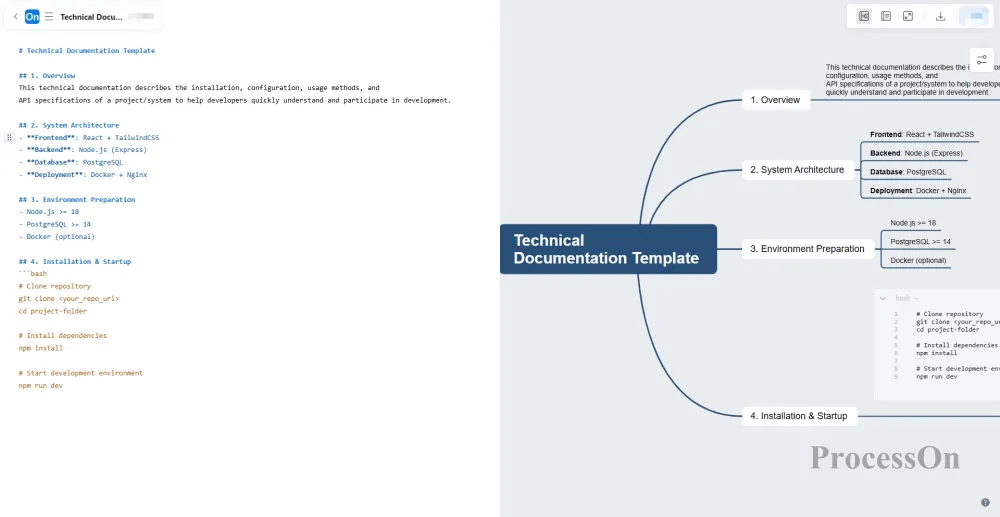
You can enter or paste Markdown code into the mind map editor, or upload a Markdown file directly. The visual mind map will be displayed directly on the canvas, and you can continue to edit the content and optimize the style.
Driven by the digital wave, AI technology is profoundly reshaping the way mind maps are created—from traditional hand-drawing to intelligent dynamic generation, from simple information organization to multi-dimensional collaborative innovation. AI not only makes mind maps more efficient and accurate, but also endows them with unprecedented interactivity and scalability. If you're eager to experience this revolution, why not try the ProcessOn AI Mindmap tool?