

Online Office UML Diagram
1 Report
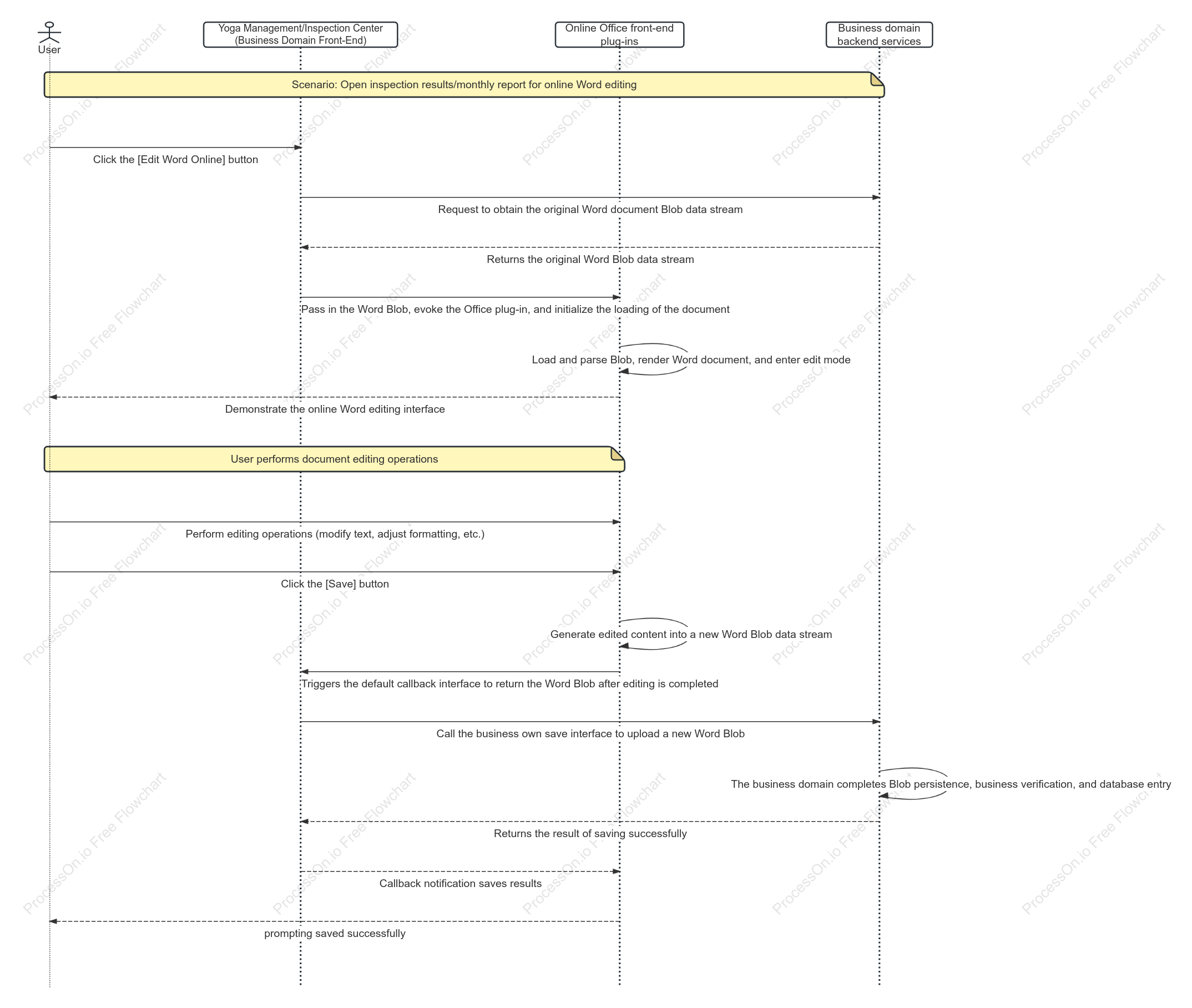
This is a UML sequence diagram illustrating the online Office document editing workflow, covering the entire process from opening and editing to saving a file. The process involves four key participants: the user, the business domain frontend, the online Office plugin, and the business domain backend. When the user clicks the "Edit Word Online" button, the frontend requests the raw Word document's Blob data stream from the backend and passes it to the Office plugin for initialization and rendering of the editing interface. After editing, the user clicks "Save"; the plugin generates a new Blob data stream and returns it via a callback interface. The frontend then calls the backend's save API to upload the new data. Once the backend validates and persists the data, the save result is propagated back through the layers, ultimately notifying the user that the save was successful.
Related Recommendations
Other works by the author
Outline/Content
See more
Click the [Edit Word Online] button
Demonstrate the online Word editing interface
User performs document editing operations
Generate edited content into a new Word Blob data stream
Returns the result of saving successfully
Yoga Management/Inspection Center (Business Domain Front-End)
Click the [Save] button
Triggers the default callback interface to return the Word Blob after editing is completed
Returns the original Word Blob data stream
Request to obtain the original Word document Blob data stream
User
Business domain backend services
Online Office front-end plug-ins
Scenario: Open inspection results/monthly report for online Word editing
prompting saved successfully
Call the business own save interface to upload a new Word Blob
Callback notification saves results
Collect
Collect
Collect
Collect
Collect
Collect
Collect
Collect

0 Comments
Next Page