
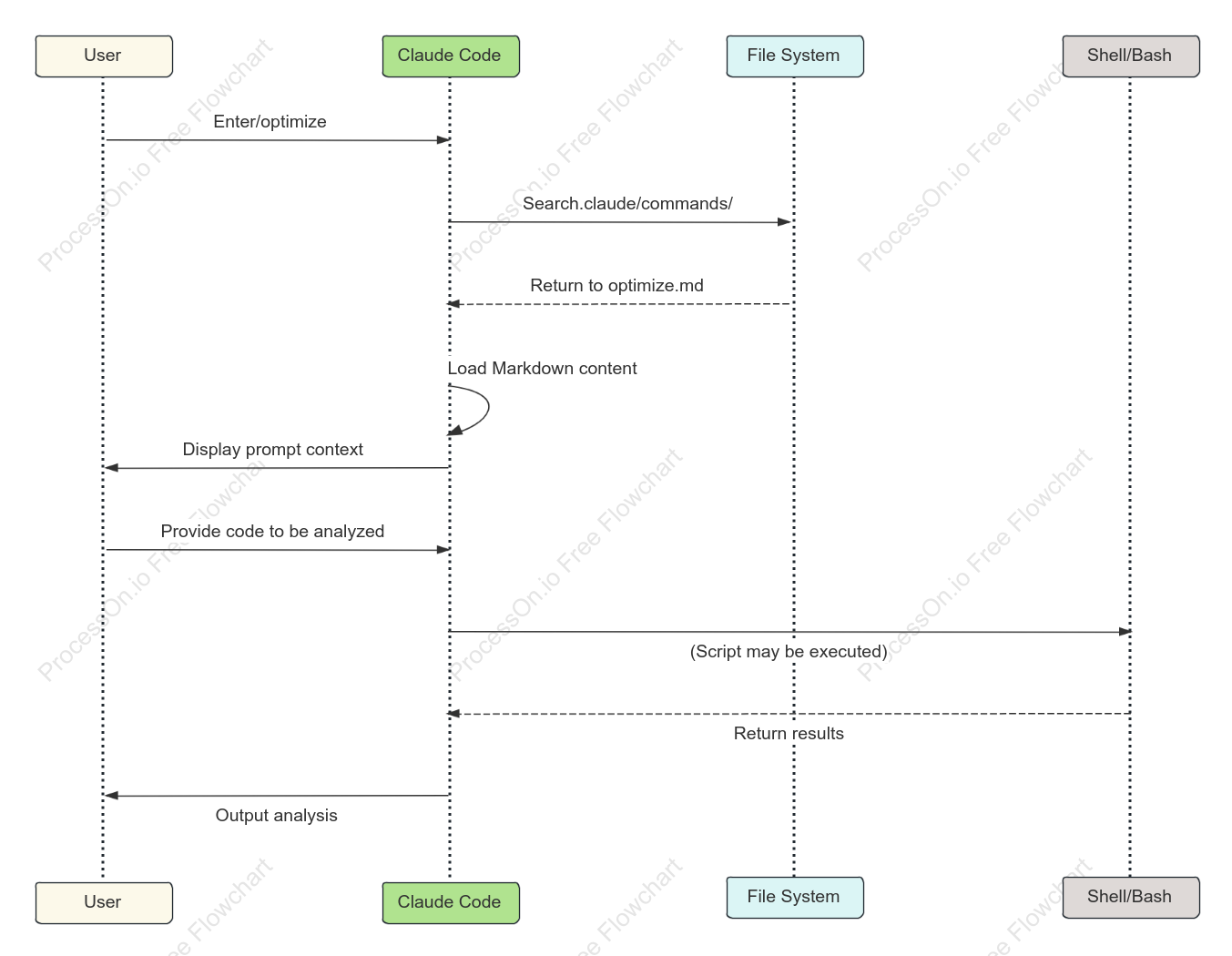

Claude Code Command Lifecycle Diagram
0 Report
A Claude Code command lifecycle diagram is a simplified graphical representation used to illustrate the execution flow of a Claude Code command at different stages or states. This diagram contains the core content, typically a series of different states or decision points represented by different shapes (such as rectangles, rhombuses, or ellipses). These shapes are connected by lines with arrows, showing the complete flow from creation to execution. Modifiers can be used to further describe the characteristics of each state, such as "initializing," "executing," "verified," and "terminated." Regarding file type descriptions, command lifecycle diagrams may exist in different formats. Common formats include vector graphics files, such as SVG, which maintain image clarity and can be infinitely enlarged without blurring; and bitmap formats, such as PNG or JPEG, suitable for screen display or printing. In specific scenarios, PDF or GIF formats may also be used to display this lifecycle diagram. For interactive lifecycle diagrams, specific software formats may be used, such as Visio files or XML files, facilitating editing and displaying their dynamic characteristics.
Related Recommendations
Other works by the author
Outline/Content
See more
Output analysis
File System
User
Shell/Bash
Load Markdown content
Enter/optimize
Provide code to be analyzed
Return results
Display prompt context
Search.claude/commands/
Return to optimize.md
Claude Code
(Script may be executed)
Collect
Collect
Collect
Collect
Collect
Collect
Collect
Collect

0 Comments
Next Page